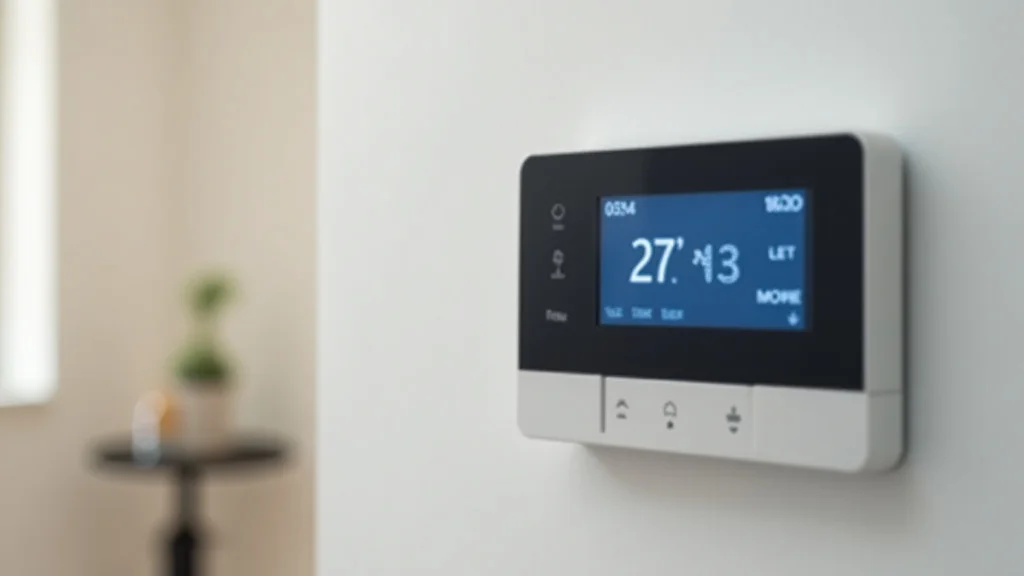
Remember that chilly morning when you woke up freezing, despite the thermostat saying it should be warm? Or that summer afternoon when your house felt like a sauna, and you realized you’d forgotten to adjust the AC? These experiences are a thing of the past with the Google Nest Smart Thermostat E. This post will explore everything you need to know about this thermostat. You’ll gain valuable insights into its features, how it works, and how it can save you money while keeping your home at the perfect temperature. This detailed information will help you see if a Google Nest Smart Thermostat E is the right choice for your household.
Key Takeaways
- The Google Nest Smart Thermostat E offers simple installation and user-friendly control.
- It learns your heating and cooling preferences to automatically adjust the temperature.
- It provides energy-saving features, potentially reducing your energy bills.
- You can control it remotely via a smartphone app.
- The thermostat is compatible with most heating and cooling systems.
- It integrates seamlessly with other smart home devices.
Getting Started With Your Google Nest Smart Thermostat E
So, you’re considering the Google Nest Smart Thermostat E – great choice! This thermostat is designed to make your life easier and your home more comfortable. The first step, naturally, is to unpack the device and prepare for installation. The package typically includes the thermostat unit itself, a base plate, and mounting screws. There’s also the helpful installation guide. Don’t worry, even if you’re not a tech whiz, the process is straightforward.
What You Need Before Installation
Before you get started, it’s wise to gather a few essential tools and information. You’ll need a screwdriver, the type depending on the screws holding your old thermostat. Have a smartphone or tablet ready, since you’ll be using the Google Home app for setup. It’s a good idea to take pictures of your old thermostat’s wiring before disconnecting it. This serves as a vital reference. Finally, ensure your Wi-Fi network is up and running, as the Nest thermostat requires a stable internet connection for full functionality. A level tool is helpful, too.
Step-by-Step Installation Guide
Installing the Google Nest Smart Thermostat E is fairly simple, but let’s break it down to make it even easier. First, turn off the power to your heating and cooling system at the circuit breaker. This is crucial for safety. Next, carefully remove your old thermostat. Take the photo of the wires, as mentioned before. Then, detach the wires from the old thermostat terminals, making sure to label them with the provided stickers or masking tape if necessary. Attach the base plate of the Nest thermostat to the wall, using the mounting screws. Connect the wires to the corresponding terminals on the Nest thermostat, following the instructions in the installation guide. Finally, snap the Nest thermostat onto the base plate, restore power at the circuit breaker, and follow the on-screen prompts in the Google Home app to complete the setup.
Connecting to the Google Home App
Once the physical installation is complete, the next step involves connecting the Google Nest Smart Thermostat E to your home’s Wi-Fi network and the Google Home app. Download the Google Home app from the App Store or Google Play Store if you haven’t already. Open the app and sign in to your Google account. Follow the on-screen instructions to add your new device. You’ll likely be prompted to scan a QR code on the thermostat. The app will guide you through connecting to your Wi-Fi network and customizing settings such as your home’s location, the thermostat’s name, and your preferred temperature preferences. The entire process is designed to be user-friendly, and Google provides helpful prompts and guidance along the way.
Understanding the Google Nest Smart Thermostat E Features
The Google Nest Smart Thermostat E isn’t just a basic thermostat; it’s packed with intelligent features designed to make your home more comfortable and efficient. It learns your temperature preferences and automatically adjusts the settings to match your schedule. Furthermore, the thermostat has advanced sensors that can detect if you’re away from home and adjust the temperature to conserve energy, saving you money on your bills. Let’s explore some of these key features in detail.
Learning and Auto-Scheduling
One of the standout features of the Nest thermostat is its ability to learn your habits. Over time, the thermostat observes your temperature adjustments and creates a personalized schedule. It remembers when you typically wake up, go to sleep, and leave the house. Consequently, it adjusts the temperature automatically. For example, it might start warming up your home before you wake up in the morning, or it could lower the temperature when you are away. This is not only convenient, but it also optimizes energy usage. This learning process is automatic, eliminating the need for constant manual adjustments. You can still adjust the settings anytime, and the thermostat will adapt to your changes.
Remote Control and Smartphone Integration
The Google Nest Smart Thermostat E allows you to control your home’s temperature from anywhere using your smartphone or tablet. Through the Google Home app, you can easily adjust the temperature, view your energy history, and change your schedule, regardless of your location. Imagine you’re on your way home from a trip and want the house to be warm when you arrive. With the Nest thermostat, you can easily do that. Or, if you forgot to adjust the temperature before leaving for work, you can do it remotely, preventing unnecessary energy consumption. This level of control provides convenience and flexibility, allowing you to tailor your home’s comfort to your lifestyle.
Energy-Saving Capabilities
Energy efficiency is a major focus of the Google Nest Smart Thermostat E. The thermostat’s intelligent features help to conserve energy and lower your utility bills. Firstly, the Auto-Away feature automatically lowers the temperature when it senses that nobody is home. The Eco Temperatures feature also helps. You can set a target temperature for when you are away. Nest also provides detailed energy history reports. You can see how much energy you are using and compare your usage to previous months or even to other Nest users in your area. This information is invaluable for identifying areas where you can reduce energy consumption and save money.
Maximizing Your Experience With the Google Nest Smart Thermostat E
To get the most out of your Google Nest Smart Thermostat E, it’s beneficial to take advantage of its full range of features and settings. From fine-tuning your schedules to exploring compatibility with other smart home devices, there are several ways to improve your home’s comfort, save energy, and enhance your overall experience. Here, we’ll outline some tips and tricks to help you get the most out of your Nest thermostat.
Creating Customized Schedules
The Nest thermostat’s ability to learn your habits is impressive, but you can further personalize your experience by creating custom schedules. Within the Google Home app, you can set specific temperatures for different times of the day or days of the week. This flexibility allows you to tailor your home’s temperature to your unique schedule and preferences. You may, for instance, prefer a cooler temperature while you sleep and a warmer temperature when you wake up. Customizing your schedule allows you to optimize comfort and energy savings. Remember, you can always override the schedule if your needs change unexpectedly.
Integration With Other Smart Home Devices
The Google Nest Smart Thermostat E integrates seamlessly with other smart home devices, creating a more interconnected and convenient living environment. For example, it works with other Nest products. If you have a Nest Protect smoke and carbon monoxide detector, the thermostat can automatically shut off your furnace if dangerous levels of smoke or carbon monoxide are detected. Additionally, the Nest thermostat is compatible with devices that are compatible with Google Assistant. You can adjust your home’s temperature with voice commands using Google Assistant-enabled speakers or displays. These integrations enhance your smart home experience. It enables you to control multiple devices with ease and streamlines your daily routines.
Troubleshooting Common Issues
Even though the Google Nest Smart Thermostat E is designed for simplicity, you might encounter a few issues. Let’s cover some common problems and how to resolve them. If your thermostat loses its Wi-Fi connection, check your router and internet connection. Ensure the thermostat is within range of your Wi-Fi signal. If your thermostat isn’t responding to your commands, try restarting it. You can do this through the Google Home app or by manually resetting the thermostat. If the thermostat is not accurately reading the temperature, ensure it is not exposed to direct sunlight or drafts. Contact Google support if these steps don’t resolve the problem.
The Google Nest Smart Thermostat E and Energy Efficiency
One of the biggest selling points of the Google Nest Smart Thermostat E is its ability to help you save energy and reduce your energy bills. This thermostat incorporates many features designed to optimize your home’s heating and cooling usage. The built-in energy-saving capabilities make a genuine difference in the long run. Let’s delve into how the Nest thermostat achieves these energy savings and what kind of impact it can have on your household.
How Nest Saves Energy
The Google Nest Smart Thermostat E uses several clever techniques to conserve energy. Firstly, its learning capabilities allow it to automatically adjust the temperature based on your habits, ensuring you are not heating or cooling an empty house. Secondly, the Auto-Away feature further conserves energy by lowering the temperature when it detects that nobody is home. The Eco Temperatures feature allows you to set energy-saving target temperatures. Moreover, the Nest thermostat provides detailed energy history reports, so you can track your energy usage and identify ways to improve efficiency. These combined features can result in significant energy savings over time.
Comparing Energy Savings
Studies have shown that smart thermostats like the Nest can lead to substantial energy savings. On average, users have seen reductions in their energy bills ranging from 10% to 12%. The actual savings will vary. They depend on your home size, insulation, and your heating and cooling habits. However, even modest savings can add up to significant cost reductions over a year. The Nest thermostat can pay for itself in energy savings within a few years. It’s an investment that can benefit both your wallet and the environment.
Real-World Energy Savings Examples
Let’s consider a few real-world examples. Imagine a family who used to manually adjust their thermostat every day. With the Nest thermostat, the Auto-Schedule feature automatically adjusts the temperature based on their routine. This family noticed a reduction in their heating and cooling costs. The Nest thermostat detected that they were away from home during the week, and automatically set the temperature to Eco Temperatures. Consider another example. A homeowner with an older home, which is poorly insulated, installed a Nest thermostat. The thermostat helped manage the existing inefficiencies of the house. By using Auto-Away and setting energy-efficient schedules, they saw a decrease in their energy consumption.
Here’s a comparison table showing potential energy savings, based on statistics:
| Factor | Average Savings | Details |
|---|---|---|
| Overall Energy Bill Reduction | 10%-12% | Based on numerous studies. |
| Heating Savings | 10%-15% | Larger savings are typical for those using heat. |
| Cooling Savings | 10%-15% | Greater savings during hot months. |
| Potential Payback Time | 1-3 Years | Varies depending on usage and energy costs. |
Common Myths Debunked
Myth 1: Smart Thermostats Are Difficult to Install
Many people believe that installing a smart thermostat is a complicated process. However, the Google Nest Smart Thermostat E is designed for easy installation. The step-by-step instructions and user-friendly Google Home app make the process straightforward, even for those with limited technical experience. The physical installation involves simple wiring connections. The app then guides you through the setup. You might be surprised at how simple it actually is.
Myth 2: Smart Thermostats Only Work With Newer HVAC Systems
Some think that smart thermostats are only compatible with the latest HVAC systems. The Google Nest Smart Thermostat E is compatible with a wide range of heating and cooling systems, including older ones. It works with most standard furnaces, air conditioners, and heat pumps. Always double-check compatibility before purchasing. If your system is compatible with a standard thermostat, it will likely work with the Nest.
Myth 3: Smart Thermostats Are Vulnerable to Cyberattacks
There’s a concern that smart home devices can be hacked, leaving your home vulnerable. Google takes cybersecurity seriously. The Google Nest Smart Thermostat E uses security protocols, including encryption and two-factor authentication, to protect your data. Google regularly updates its devices with security patches to address any vulnerabilities. You can also take steps to further secure your smart home network, such as using strong passwords.
Myth 4: Smart Thermostats Drain a Lot of Power
Some people mistakenly believe that smart thermostats consume excessive amounts of energy. The Google Nest Smart Thermostat E is designed to use minimal power. It operates on low voltage, and its energy consumption is negligible compared to the savings it offers through its energy-efficient features. The thermostat is powered by the existing wiring of your HVAC system.
Myth 5: Smart Thermostats Are Not Worth the Investment
Some people may believe that smart thermostats are an unnecessary expense. However, the Google Nest Smart Thermostat E can provide a solid return on investment. The energy savings it offers can quickly offset the initial cost. Plus, the convenience, remote control, and integration with other smart home devices add to the value. It is a worthwhile investment for those seeking comfort and savings.
Frequently Asked Questions
Question: Is the Google Nest Smart Thermostat E compatible with my existing heating and cooling system?
Answer: The Google Nest Smart Thermostat E is designed to be compatible with a wide range of heating and cooling systems. Check the compatibility checker on the Google Nest website for confirmation.
Question: Can I control the Nest thermostat remotely?
Answer: Yes, you can control the Google Nest Smart Thermostat E remotely using the Google Home app on your smartphone or tablet.
Question: Does the Nest thermostat learn my schedule automatically?
Answer: Yes, the Google Nest Smart Thermostat E learns your temperature preferences and creates a personalized schedule based on your habits.
Question: Does the Nest Thermostat work with other smart home devices?
Answer: Yes, the Google Nest Smart Thermostat E can integrate with other smart home devices, such as those that use the Google Assistant.
Question: What happens if my Wi-Fi goes down?
Answer: If your Wi-Fi goes down, the Google Nest Smart Thermostat E will still control your heating and cooling system based on your pre-set schedule. However, you won’t be able to make remote adjustments.
Final Thoughts
In essence, the Google Nest Smart Thermostat E is more than just a device to adjust your home’s temperature; it’s an intelligent solution for comfort, convenience, and energy efficiency. It helps save money on energy bills. The thermostat’s ability to learn your habits, adjust temperatures automatically, and connect with your smart home setup offers a truly modern experience. The intuitive installation process and ease of use make it appealing to everyone, regardless of their technical know-how. By embracing the Google Nest Smart Thermostat E, you’re investing in a smarter home, improving comfort, and making a positive impact on the environment.