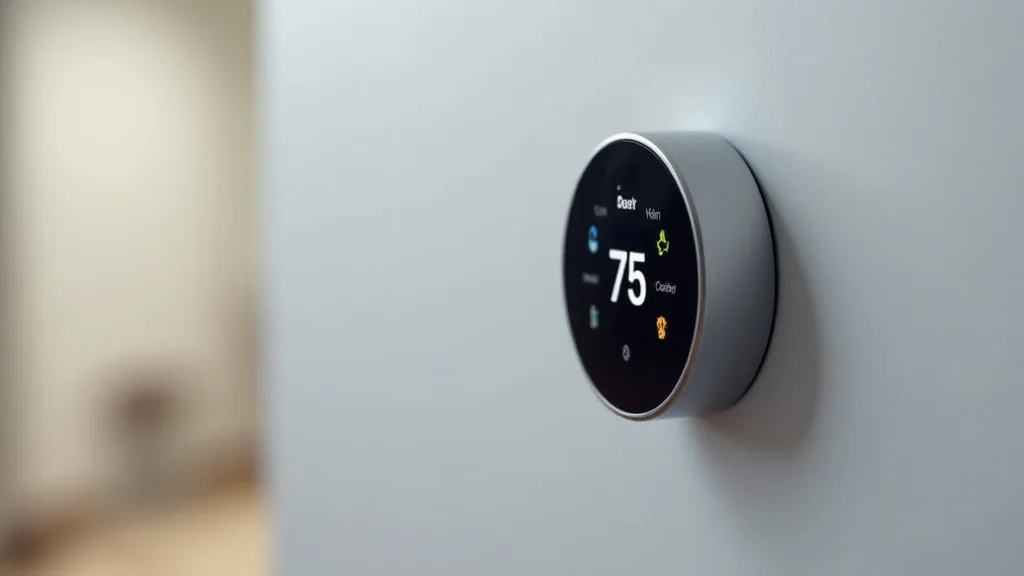
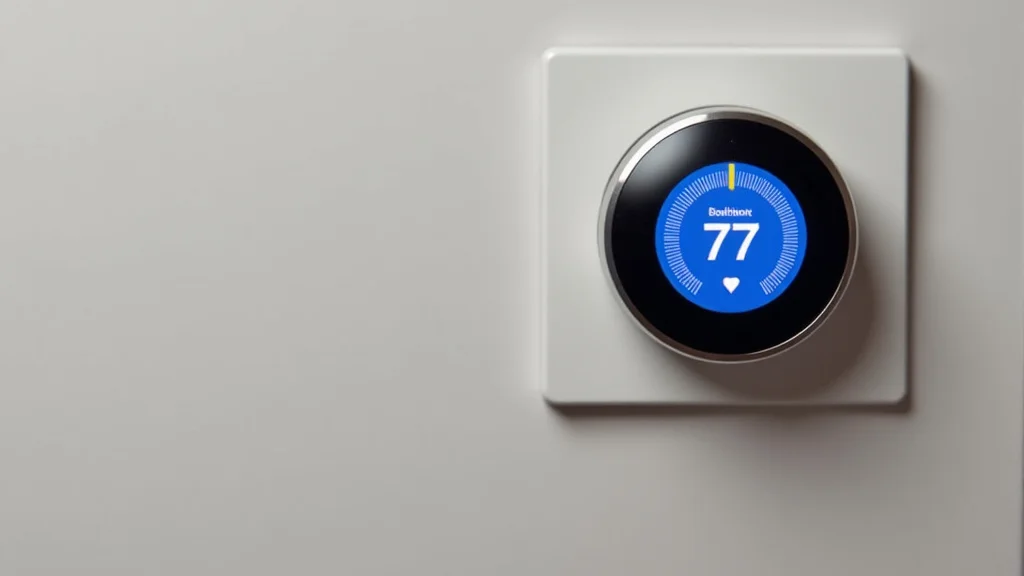
Picture this: you’re settling in for a cozy evening, and your brand-new smart thermostat is controlling the temperature perfectly. Then, suddenly, it goes blank! This could be a frustrating scenario, but often, the culprit is a missing C wire. This seemingly small wire is actually a critical component for many smart thermostats to function correctly. This article will help you become a thermostat expert, explaining the purpose of the C wire, why it’s necessary, and how to get your smart thermostat working seamlessly. You’ll learn all the key elements needed for a comfortable home environment, resulting in a deeper appreciation for your home’s climate control system and potential energy savings. This knowledge will reduce the number of potential issues and troubleshooting, saving you time and money.
Key Takeaways
- The C wire provides continuous power to your smart thermostat.
- Without a C wire, your thermostat might drain power from your HVAC system’s other wires.
- Learn how to identify and find a C wire in your existing thermostat setup.
- Explore alternative solutions when a C wire is missing.
- Discover how a C wire impacts the performance of your smart thermostat.
- Understand the benefits and advantages of having a correctly wired thermostat.
The Fundamentals of a C Wire for Smart Thermostats
The C wire, or “common wire,” is a vital connection in your heating, ventilation, and air conditioning (HVAC) system. Its main job is to provide a consistent and reliable source of power to your smart thermostat. Think of it like a dedicated power line. Many older thermostats, especially those that are not smart, do not need this continuous power supply because they are simpler and use basic mechanical controls. However, smart thermostats, with their digital displays, Wi-Fi connectivity, and advanced features, demand a constant electrical feed to keep them running smoothly. Essentially, the C wire ensures that your smart thermostat doesn’t have to “steal” power from other wires to function.
What the C Wire Does
The primary function of the C wire is to supply 24 volts AC power to your smart thermostat. It essentially acts as a return path for electricity, completing the circuit needed to power the thermostat’s internal components. This continuous power supply allows the thermostat to constantly monitor your home’s temperature, maintain Wi-Fi connection, and perform other advanced functions without interruption. Without a dedicated power source, a smart thermostat can face performance issues. This includes the loss of settings, connectivity issues, and an inability to accurately control your HVAC system. The C wire ensures that the thermostat has everything it needs to function properly.
- Continuous Power Supply: The most significant role of the C wire is to provide a steady flow of electricity to the thermostat.
- Eliminating Battery Dependence: With a C wire, smart thermostats can operate without relying on batteries, eliminating the need for frequent battery replacements.
- Enhanced Functionality: The continuous power supply supports features like Wi-Fi connectivity, remote control, and advanced scheduling.
The Importance of a C Wire
The absence of a C wire can lead to several complications. The smart thermostat might attempt to draw power from the other wires in the system, potentially causing instability and affecting performance. Battery-powered smart thermostats can suffer from battery drain if the C wire is missing. The user experience can also suffer, as the thermostat may lose its settings or lose its connectivity. In other words, the C wire is essential for a reliable and efficient smart thermostat experience. The C wire is a key factor in ensuring your thermostat operates at its full potential.
- Reliability: It significantly improves the reliability and stability of your smart thermostat.
- Compatibility: A C wire ensures compatibility with various smart thermostat models and brands.
- Longevity: It extends the lifespan of the thermostat by ensuring it receives a stable power source.
Why Are Smart Thermostats Different?
Smart thermostats are different because of the advanced technology they use. They require constant power to run the advanced features, such as Wi-Fi connectivity, touchscreen displays, and remote access. This technology differs from standard, non-smart thermostats, which often operate using simple mechanical components and do not require a constant power source. This difference in design is why the C wire is important for many smart thermostats. For example, the Nest thermostat is well known for needing a C wire.
- Advanced Features: Smart thermostats offer a wide range of features like remote control and energy-saving capabilities that older models lack.
- Wi-Fi Connectivity: Wi-Fi enables smart thermostats to connect to your home network, allowing you to control and monitor them from anywhere.
- Data Processing: These thermostats often collect and process data to learn your preferences and optimize your home’s heating and cooling.
Identifying and Locating the C Wire
Finding the C wire involves examining the wiring at both your thermostat and your HVAC system. The color of the C wire isn’t always consistent, but it is typically blue. Sometimes, the wire is not connected, but it may be present behind the thermostat, indicating it was installed during a previous HVAC setup. The goal is to make sure your C wire is correctly connected to both your thermostat and your HVAC system’s control board. If you’re not comfortable working with electrical components, it’s best to call a professional HVAC technician to handle the task.
Examining Your Current Thermostat Wiring
First, turn off the power to your HVAC system at the breaker. Remove the faceplate of your existing thermostat to expose the wires. Look at the terminals where the wires are connected. Most thermostats have terminals labeled with letters: R (power), W (heat), Y (cooling), G (fan), and C (common). If you find a wire connected to the “C” terminal, you’re in luck! If not, the C wire might be tucked away behind the thermostat. Carefully examine the wires to identify a likely candidate. Keep track of which wires go where before disconnecting any of them, such as with a picture or by using small labels.
- Safety First: Turn off the power at the circuit breaker before you begin to work with any electrical wiring.
- Wire Labeling: Always label each wire with its terminal letter as you disconnect it.
- Use a Multimeter: If you are unsure, use a multimeter to check for voltage between the “C” wire terminal and the “R” (power) wire terminal.
Tracing the C Wire to Your HVAC System
The next step is to locate the other end of the C wire, which is usually connected to the control board of your HVAC system. This control board is typically located inside the furnace or air handler. You’ll need to remove the access panel to reach it. Locate the wiring terminals on the control board. These terminals will also be labeled with letters, similar to those on your thermostat. The “C” terminal on the control board is where the C wire from your thermostat connects. If there is no wire connected to the “C” terminal on the board, it may not have been correctly wired in the past.
- Consult Your Manual: Refer to your HVAC system’s manual to find the control board and wiring layout.
- Safety Precautions: Wear appropriate safety gear and disconnect the power before opening any panels or accessing electrical components.
- Professional Assistance: If you are unsure or uncomfortable, call a qualified HVAC technician for this step.
What if There’s No C Wire?
If you have no C wire, there are alternatives. The best option is to install a C wire from your HVAC system to your thermostat. Another option is to use a C wire adapter. These adapters are designed to provide the necessary power to the smart thermostat without requiring a direct connection to the HVAC system’s control board. They work by drawing power from other wires in your system (like the “R” and “W” wires). Be aware that these might not be compatible with all smart thermostats and might not work as well as a direct connection. If there’s no way to install or use a C wire, you might need to find a smart thermostat that can run without one.
- Install a New C Wire: This is the most reliable solution, involving running a new wire from the HVAC system to the thermostat.
- Use a C Wire Adapter: These devices can draw power from other wires in your HVAC system to power the thermostat.
- Choose a Thermostat Without a C Wire Requirement: Some smart thermostats can work without a C wire by using batteries.
Smart Thermostat Installation and the C Wire
Installing a smart thermostat with a C wire is a straightforward process. First, shut off the power to your HVAC system at the circuit breaker. Remove your old thermostat’s faceplate and photograph the wiring configuration. Next, disconnect the wires from the old thermostat, labeling each wire with its terminal letter. Attach the matching wires to the corresponding terminals on the new smart thermostat. Ensure the C wire is connected. Once the wiring is complete, turn the power back on and follow the instructions to set up the thermostat. If you are uncertain about any step, seek professional help.
Step-by-Step Installation Guide
Carefully follow these steps to install your smart thermostat:
- Turn Off the Power: At the circuit breaker, turn off the power to your HVAC system.
- Remove the Old Thermostat: Remove the cover plate and take a picture of the wiring.
- Disconnect the Wires: Detach the wires from the old thermostat, labeling each wire.
- Connect the Wires to the Smart Thermostat: Attach each wire to the corresponding terminal on the new smart thermostat, ensuring the C wire is properly connected.
- Mount the Smart Thermostat: Secure the new thermostat to the wall using the included hardware.
- Turn the Power Back On: Restore power at the circuit breaker.
- Set Up the Smart Thermostat: Follow the on-screen instructions to set up your new smart thermostat.
Testing Your Thermostat After Installation
Once your smart thermostat is installed, test its functionality. Check the display to ensure it is powered and showing the correct information. Then, adjust the temperature settings to see if the heating or cooling system responds. Observe the Wi-Fi connection to ensure it is connected to your home network. Use the thermostat’s app on your phone or tablet to control it remotely. Check for any error messages or unusual behavior. If everything works as expected, your smart thermostat is successfully installed. If you experience any problems, double-check your wiring connections or contact a professional for support.
- Verify the Display: Confirm that the thermostat screen is illuminated and showing the correct information.
- Check Heating and Cooling: Test the heating and cooling functions by setting the temperature to a different value.
- Test Wi-Fi Connectivity: Make sure the thermostat is connected to your home’s Wi-Fi network.
- Use the App: Try using the thermostat’s app on your smartphone or tablet to control it remotely.
Addressing C Wire Issues
Dealing with C wire issues requires troubleshooting and potential solutions. If your smart thermostat is not working correctly, the C wire could be the source of the problem. This can be manifested as a blank screen, loss of settings, or erratic behavior. Correcting C wire issues requires a systematic approach. Inspecting the connections, and using a C wire adapter are all things that could be used. If the wiring is not the issue, there may be some other underlying problem, and professional help may be needed.
Troubleshooting Common Problems
If your smart thermostat is experiencing issues, start by checking the wiring connections to see if they are secure. Make sure that the C wire is securely connected at both the thermostat and the HVAC system’s control board. If the connections look secure, try resetting the thermostat to its factory settings. If problems persist, it may be the result of a faulty C wire or an issue within the HVAC system. Consult the thermostat’s manual or contact a professional for further assistance.
- Check the Wiring Connections: Make sure the wires are securely connected to the terminals.
- Reset the Thermostat: Try resetting your thermostat to its factory settings.
- Inspect the C wire: Check the entire length of the C wire for any damage or breaks.
When to Call a Professional
If you’re unsure about any step of the process or if you are not comfortable working with electrical components, it is best to call a professional HVAC technician. If troubleshooting steps do not resolve the issue, and you’re not seeing your thermostat function correctly, seek professional help. A qualified technician can safely diagnose the problem, properly run the wires if you need them, and ensure your system is working safely. Safety is the most important part of this entire process.
Common Myths Debunked
Myth 1: The C Wire Is Always Needed
While the C wire is ideal for most smart thermostats, some models are specifically designed to function without one. These thermostats draw power from other wires or use batteries, reducing the dependency on a C wire. These can be the right choice in cases where it’s difficult to run a C wire. Be sure to check the specific requirements of your smart thermostat before purchasing or installing.
Myth 2: Any Wire Can Be a C Wire
While the C wire is typically blue, any wire can be used as long as it’s properly connected to the common terminal on your HVAC system. However, it is essential to trace and identify the wire to ensure it is connected to the common terminal and functions correctly. Incorrectly wired connections can lead to system malfunction or damage.
Myth 3: Battery-Powered Smart Thermostats Are Always Better
Battery-powered smart thermostats can eliminate the need for a C wire, but they require periodic battery
Myth 4: A C Wire Always Solves All Thermostat Problems
While the C wire addresses many power-related issues, it doesn’t solve all thermostat problems. Other issues can involve programming errors, equipment faults, or software issues. Make sure the wiring setup, along with the device itself, is functioning normally, as problems that are not related to the C wire might remain. Troubleshooting all aspects of the thermostat is a good approach.
Myth 5: You Can’t Install a Smart Thermostat Without an HVAC Professional
While some installations benefit from professional assistance, many homeowners can successfully install a smart thermostat, especially if their existing wiring is straightforward and already has a C wire. Smart thermostats come with clear instructions, and online resources offer helpful guidance. However, if you’re not comfortable with electrical work, getting help from an HVAC professional is the best option.
Frequently Asked Questions
Question: Can I use any wire for the C wire?
Answer: Yes, you can use any wire, but it must be connected to the “C” terminal on both the thermostat and your HVAC system’s control board.
Question: What happens if my smart thermostat doesn’t have a C wire?
Answer: Without a C wire, the thermostat might steal power from other wires, and features may not work correctly.
Question: How do I know if my HVAC system has a C terminal?
Answer: Locate your HVAC system’s control board (usually inside the furnace or air handler), and look for a terminal labeled “C”.
Question: Can I install a smart thermostat if I am not an electrician?
Answer: Many homeowners can install a smart thermostat, but if you’re uncomfortable with electrical work, it’s best to consult a professional.
Question: What is a C wire adapter?
Answer: A C wire adapter is a device that provides power to the smart thermostat by drawing it from other wires in your HVAC system.
Final Thoughts
The C wire is a vital component for smart thermostat functionality. It provides a constant power source. This ensures your thermostat’s display, Wi-Fi connectivity, and all advanced features work seamlessly. By understanding the function of the C wire, identifying it in your current setup, and knowing the alternatives, you can make an informed decision on how to keep your smart thermostat up and running. Whether you are installing a new thermostat or troubleshooting an existing one, knowing how the C wire functions is a valuable skill. If you are uncertain about any step, especially when it comes to electrical work, it’s always best to contact a qualified HVAC technician. By paying attention to these aspects, you can enjoy the full advantages of your smart thermostat and a more comfortable and energy-efficient home.