Picture this: you’re huddled on the couch, freezing, and realize your thermostat isn’t working. You check it, and it’s flashing an error. The reason? A missing C-wire. This common problem can stop your heating and cooling. Luckily, many smart thermostats now exist that sidestep this issue. This post will show you how smart thermostats that don’t require a c wire work, why you’d want one, and how to choose the right model. You’ll gain a solid understanding of this technology, helping you keep your home comfortable and your energy bills low.
Key Takeaways
- Learn how smart thermostats without a C-wire function effectively in various HVAC setups.
- Discover the benefits of choosing a smart thermostat that can be used without the C-wire.
- Find out the different types of smart thermostats and how they compare with and without a C-wire.
- Understand the installation process and what to consider when replacing your old thermostat.
- Get tips on troubleshooting common problems with these advanced thermostats.
- Explore which smart thermostat options are best for different home situations.
Why Ditch the C-Wire? Exploring Smart Thermostat Compatibility
The C-wire, or common wire, supplies constant power to your thermostat. It’s often necessary for thermostats that have features like Wi-Fi connectivity and color displays. However, many older homes lack this wire, or it may not be connected correctly. This can create a roadblock when upgrading to a modern smart thermostat. The good news? You’re not stuck with outdated temperature control! These advanced units are designed to work without that wire.
What is a C-Wire?
The C-wire is a low-voltage wire in your HVAC system that provides a continuous 24-volt AC power supply to your thermostat. Think of it as the power cord for your thermostat. It’s often found alongside the other wires (like the R, W, Y, and G wires) that control your heating and cooling systems. Without a C-wire, the thermostat might steal power from the other wires. But that doesn’t always work, and you can end up with a blinking display, no Wi-Fi, and a thermostat that turns off.
- Purpose: The primary function of the C-wire is to ensure that the thermostat has enough power to function correctly at all times. This is especially important for thermostats with features like Wi-Fi, backlit displays, and complex scheduling options.
- Functionality: The C-wire provides a complete electrical circuit, allowing the thermostat to receive a constant power supply. Without this constant power, the thermostat might experience issues like not turning on, losing its settings, or having communication problems.
- Compatibility: Older thermostats that don’t have many features might not need a C-wire. However, newer smart thermostats almost always need one or a compatible alternative, such as a power extender, to operate correctly.
The C-wire might seem like a small detail, but it can be a significant obstacle to upgrading to a smart thermostat. Many older homes were not built with C-wires, which means that you might need to run a new wire or find a workaround to get your new thermostat up and running. Fortunately, there are ways around this.
The Problem With No C-Wire
If your existing thermostat doesn’t have a C-wire and you try to install a smart thermostat that requires one, you will likely run into problems. The thermostat might not power up correctly or could function erratically. It might reset its settings or lose its Wi-Fi connection. The system’s screen might blink, or the thermostat might turn off at random times. In short, without a C-wire, the thermostat won’t be able to draw the power it needs.
- Intermittent Power: The thermostat could steal power from the heating and cooling circuits. However, this method is unreliable and can lead to the system shutting down.
- Feature Limitations: Without a reliable power source, advanced features such as Wi-Fi connectivity and remote control might fail to work.
- System Errors: The thermostat might display error messages, freeze, or simply stop working.
Installing a smart thermostat without a C-wire can be frustrating. That is why it’s so important to understand the different options and how they work. You can bypass the need for a C-wire and still have all the advanced features that make your home more comfortable and efficient.
How Do No-C-Wire Thermostats Work?
These units use clever methods to function without a C-wire. They can often draw a small amount of power from the other wires in your system, such as the R and W wires. Some units use batteries, and others rely on a power adapter to provide the needed power. They’re designed to be efficient, using minimal power to keep the system running.
- Battery Power: Many of the most popular models include a battery that recharges. These devices work much like your cell phone.
- Power Stealing: Some smart thermostats can extract a small amount of power from other system wires. This technique works best if your system is set up a certain way, meaning it is not a guaranteed solution.
- Power Adapter: You might have to install an extra adapter to supply power to the unit. This add-on is often included with the thermostat or can be bought separately.
One common approach is to use a device called a “power extender” or a “C-wire adapter”. This device connects to the HVAC system’s wiring and provides the power the thermostat needs. It’s a good option if you want to upgrade your thermostat without rewiring the system.
Advantages of Smart Thermostats Without a C-Wire
The ability to use a smart thermostat without a C-wire opens up possibilities for many homeowners. Beyond convenience, these units bring several benefits to your home. You’ll gain a home that is easier to control, plus a more efficient and comfortable living space.
Easy Installation
One of the biggest advantages is the simplicity of installation. If you have an older home or a system that doesn’t have a C-wire, a smart thermostat designed to work without one can save you a lot of time and money. It also eliminates the need to run new wires, which can be difficult and expensive. The setup can often be done in an hour or two, with no need to call in a professional.
- Do-It-Yourself Friendly: Many of these units are designed to be easily installed by homeowners, with clear instructions.
- No Rewiring Needed: You don’t have to deal with the messy work of running new wires, which can damage walls.
- Cost-Effective: By avoiding the need for professional installation, you can save money.
The easy setup is one of the most compelling reasons to choose a smart thermostat that doesn’t require a C-wire. It means you can quickly start enjoying all the benefits of a smart home without any major changes.
Energy Savings
Smart thermostats are designed to save energy by learning your habits and adjusting the temperature automatically. Without a C-wire, this energy-saving ability still works, thanks to the thermostat’s advanced programming. You can set up schedules, use geofencing to adjust the temperature when you leave or arrive, and monitor your energy usage through the app.
- Programmable Schedules: Set different temperatures for different times of the day or week.
- Smart Learning: Many thermostats learn your schedule and adjust automatically.
- Remote Control: You can adjust the temperature from anywhere using your smartphone.
These features help reduce energy waste by ensuring that your heating and cooling systems aren’t running when they don’t need to be. By optimizing your energy use, you can reduce your carbon footprint and save on your bills.
Enhanced Comfort and Convenience
A smart thermostat improves your home’s comfort. You can control the temperature from anywhere and adjust it to your preferences. The thermostat can learn your schedule, automatically adjusting to your preferred temperatures. You can also integrate it with other smart home devices, creating a more cohesive and user-friendly home environment.
- Consistent Temperature: Maintain a steady temperature without constantly adjusting the thermostat.
- Remote Access: Change the temperature from your phone.
- Integration: Connect your thermostat to your smart home ecosystem for complete control.
All these features create a more pleasant living space. You can ensure that your home is always at the perfect temperature, no matter where you are or what your schedule looks like.
Choosing the Right Smart Thermostat
Selecting the correct smart thermostat is about more than just the ability to function without a C-wire. Consider the features, your home’s HVAC system, and your budget. You want a unit that seamlessly integrates into your lifestyle.
Compatibility Considerations
Before buying a smart thermostat, make sure it’s compatible with your heating and cooling system. This includes the type of system you have (forced air, heat pump, etc.) and the existing wiring. Checking the wiring is usually simple. Take off your current thermostat cover and look at the wires. Check for the letters on the terminals, like R, W, Y, G, and C. Confirm that the new unit works with these wires.
- Heating System Type: Check that the thermostat is compatible with your specific system.
- Wiring Check: See what wires you have in your existing thermostat.
- Professional Advice: If you’re not sure, get advice from an expert before buying anything.
Understanding your system’s compatibility is essential. This will ensure that your new smart thermostat functions properly and does not damage your equipment.
Features to Consider
Smart thermostats come with many features, from basic temperature control to advanced learning capabilities. Think about what’s important to you. Do you want remote control via an app? Do you need geofencing, which uses your phone’s location to adjust the temperature when you arrive or leave? Consider factors such as compatibility with your existing smart home system, such as Amazon Alexa or Google Assistant.
- Wi-Fi Connectivity: Essential for remote control and smart features.
- Learning Capabilities: Some thermostats learn your patterns and adjust automatically.
- Smart Home Integration: Consider integration with other smart home devices, such as smart speakers.
Choosing the right features depends on your needs. The more advanced the features, the more you’ll enjoy the thermostat’s functions.
Cost and Budget
Smart thermostat prices vary widely. Prices can range from about $100 to over $300, depending on the features and the brand. Consider your budget when making your choice. Also, factor in any potential energy savings, which can help offset the initial cost. Do your research, compare models, and pick one that offers the features you need at a price you can afford.
- Price Range: Smart thermostats range in price, so set a budget.
- Energy Savings: Look at how much you could save on energy bills.
- Warranty: Consider the warranty and customer support.
Be certain to consider the long-term savings and the benefits that the new thermostat provides. This will allow you to make a smart financial decision.
Installation Process: Getting Your Smart Thermostat Ready
Installing a smart thermostat without a C-wire involves a few steps. The process is usually manageable for homeowners who are comfortable with basic electrical work. Following the directions carefully is crucial to ensuring a smooth installation.
Preparation is Key
Before you begin, gather the necessary tools. You’ll need a screwdriver, a level, and possibly wire strippers. Also, check the manufacturer’s instructions to ensure you have all the parts. Turn off the power to your HVAC system at the circuit breaker. This is a very important safety measure. Document your existing wiring setup before you disconnect anything. Take photos of your old thermostat’s wiring. This will help you know how to connect the wires to the new unit. This information will make the process much smoother.
- Gather Tools: Screwdriver, level, and wire strippers.
- Turn Off Power: Switch off the power at the circuit breaker.
- Document Wiring: Take photos of your old thermostat’s wiring setup.
Preparation helps prevent problems during installation. These simple steps will help protect you from potential hazards and reduce the risk of making mistakes.
Wiring and Mounting
Remove your old thermostat and carefully disconnect the wires. Using the photos you took earlier, match the wires to the corresponding terminals on your new smart thermostat. If the wires don’t match the labels, consult the thermostat’s instruction manual or an HVAC specialist. Attach the wires securely to the terminals. The C-wire may not be used, depending on the model. Check the instructions for how the model handles it. Mount the new thermostat on the wall, using the included screws. Ensure it’s level. Secure the faceplate.
- Connect Wires: Match the wires to the new thermostat terminals.
- Mount the Thermostat: Attach the thermostat to the wall and level it.
- Secure Faceplate: Snap the faceplate onto the base.
Wiring can be the most challenging part of the process, but taking your time and being careful will greatly reduce the chance of errors.
Testing and Setup
Once you’ve finished the physical installation, restore power to the HVAC system. Follow the instructions to power up and connect your new smart thermostat. Connect it to your home Wi-Fi network. Then, use the thermostat’s app or interface to set up your preferences. Test the heating and cooling functions to ensure everything is working correctly. This includes setting up schedules and any other advanced features. Follow the manufacturer’s instructions for the entire setup.
- Restore Power: Turn the power back on at the circuit breaker.
- Connect to Wi-Fi: Follow the instructions to connect to your home Wi-Fi.
- Test Functions: Test heating and cooling modes and program settings.
This is where you bring the thermostat online. Make sure all the functions and settings are correct. You’ll then be able to fully benefit from all the features that your new smart thermostat provides.
Common Problems and Troubleshooting Tips
Even with the best planning, problems can occur. Understanding what can go wrong and how to fix it can save you time and frustration. With a little troubleshooting, most issues can be easily resolved.
Thermostat Not Powering On
If your smart thermostat isn’t turning on, the first thing to check is the power supply. Confirm that the circuit breaker for your HVAC system is on. Check the wiring. Make sure the wires are properly connected and that the terminals are secure. If the unit uses batteries, ensure they are fresh and correctly inserted. If you’ve got a power adapter, confirm that it’s correctly plugged in and working. Contact the manufacturer or consult an HVAC specialist if problems persist.
- Check Circuit Breaker: Make sure the breaker is on.
- Inspect Wiring: Verify that all wires are correctly connected and secure.
- Check Batteries/Power Adapter: Check the batteries or power adapter for any issues.
Power problems are common but often easy to fix. Checking the basics first can save you time and prevent unnecessary stress.
Wi-Fi Connection Issues
Wi-Fi problems are common with smart thermostats. Make sure your home Wi-Fi network is working correctly. Try restarting your router and ensuring that the thermostat is within range of your Wi-Fi signal. Re-enter your Wi-Fi password. If problems continue, check the thermostat’s settings. The thermostat might not work well with 5 GHz networks; a 2.4 GHz network is often best. Consult the manufacturer’s documentation or contact customer support for further help.
- Check Internet: Make sure your Wi-Fi is working.
- Check Password: Confirm that you’re entering the right Wi-Fi password.
- Distance from Router: Move the thermostat closer to the Wi-Fi router.
Poor Wi-Fi can affect the smart features of the thermostat. Fixing the connection ensures that you can use all the features of the thermostat.
Inaccurate Temperature Readings
If the thermostat shows incorrect temperatures, start by making sure the unit isn’t exposed to direct sunlight or drafts. These factors can affect the readings. Then, calibrate the unit. Most smart thermostats have a calibration feature in their settings that you can use to correct the temperature reading. Compare the reading with a thermometer in the same location. Contact the manufacturer for support if the issue persists.
- Location of the Thermostat: Ensure the thermostat is in a good location.
- Calibration: Use the calibration option in the thermostat’s settings.
- Consult Experts: Contact the manufacturer if the problem does not fix.
Accurate temperature readings are crucial for comfort and energy savings. Make sure you fix temperature discrepancies to optimize your home’s performance.
Smart Thermostat Options: Top Picks for Every Home
The market has many smart thermostats that don’t need a C-wire. Each model offers different features and benefits. Here are some of the most popular options to help you choose the best fit for your needs.
Nest Learning Thermostat
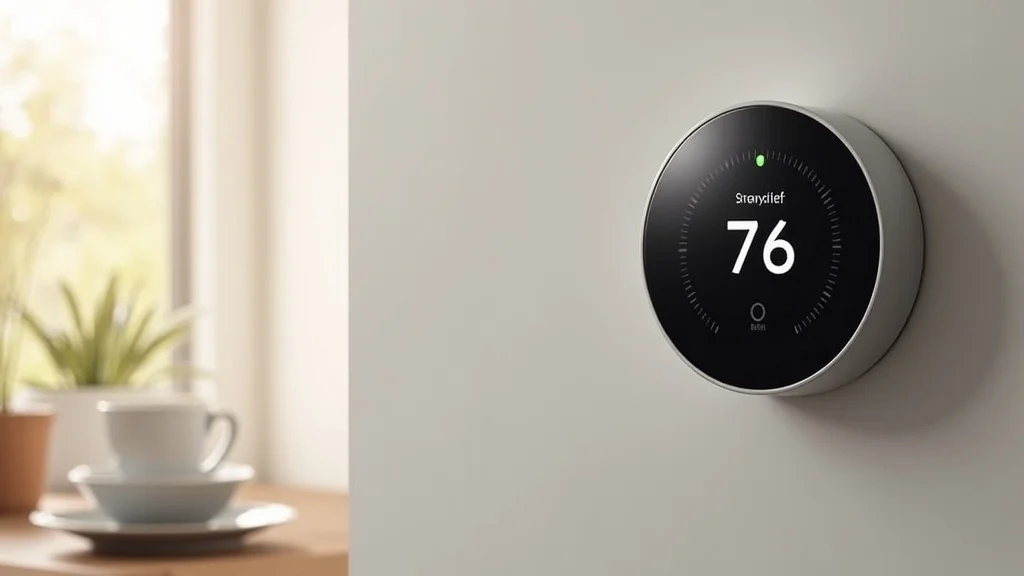
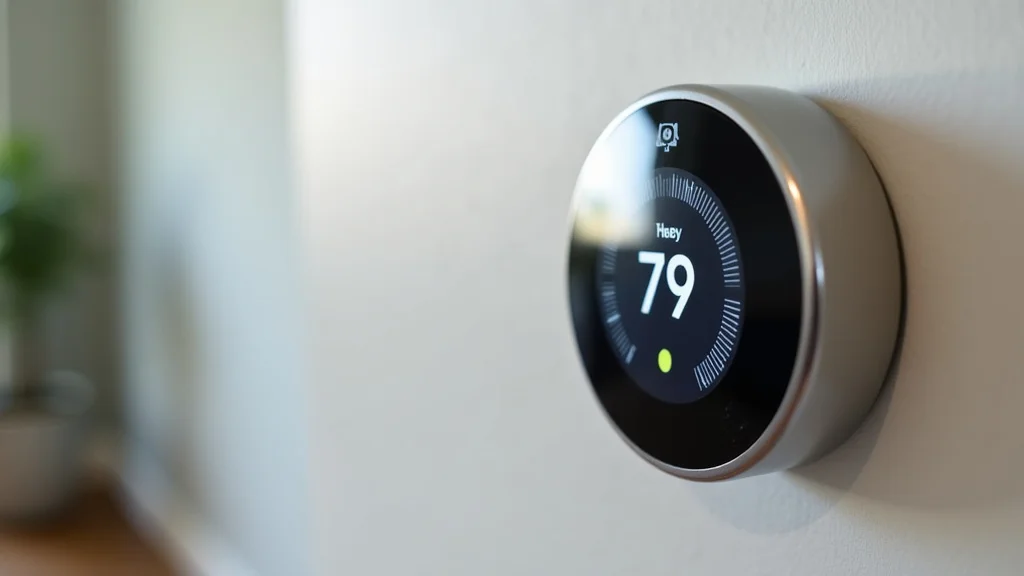
The Nest Learning Thermostat is a popular option known for its sleek design and smart features. It learns your temperature preferences and adjusts the temperature automatically. It uses a rechargeable battery system instead of relying on a C-wire. This unit includes energy-saving features, such as geofencing, that can help you save on your bills. It also works with many smart home systems.
- Learning Capability: Learns your habits and adjusts automatically.
- Battery Powered: No C-wire is required.
- Smart Home Integration: Works with a wide range of smart home ecosystems.
The Nest Learning Thermostat provides excellent features and ease of use. It is a good choice for those wanting a thermostat that can do the thinking for them.
Ecobee Smart Thermostat
Ecobee thermostats are known for their advanced features, remote sensors, and energy-saving capabilities. The Ecobee Smart Thermostat with voice control has a clear display and remote sensors. These sensors help ensure consistent temperatures across your home. The Ecobee uses a power extender to work without a C-wire. This system can integrate with many smart home systems and is easy to set up.
- Remote Sensors: Ensure consistent temperatures throughout your home.
- Power Extender: Uses a power extender instead of a C-wire.
- Voice Control: Includes voice control, making it easy to use.
The Ecobee is a great option if you need precise control over the temperature. The remote sensors are a game changer.
Honeywell Home Smart Thermostats
Honeywell Home offers various smart thermostats that are designed to work without a C-wire. The T5 and T6 series are especially popular for their features and affordability. They often include compatibility with multiple systems and easy-to-use interfaces. Honeywell thermostats provide reliable performance and can integrate with most smart home systems. The T9 model often uses a power adapter if no C-wire is available.
- Affordability: Various budget-friendly options.
- Compatibility: Works with many heating and cooling systems.
- User-Friendly: Simple interfaces.
Honeywell Home thermostats are a practical choice for anyone seeking a reliable smart thermostat that doesn’t require a C-wire.
Comparison Table
| Feature | Nest Learning Thermostat | Ecobee Smart Thermostat | Honeywell Home T5/T6 Series |
|---|---|---|---|
| C-Wire Requirement | No | No, using a Power Extender | No, using a Power Adapter (T9 Model) |
| Learning Capability | Yes | Yes | Yes |
| Remote Sensors | No | Yes | Optional |
| Smart Home Integration | Yes | Yes | Yes |
| Voice Control | Yes | Yes | Yes |
Common Myths Debunked
Myth 1: You Must Have a C-Wire for a Smart Thermostat
Many people believe that a C-wire is required for all smart thermostats. The truth is that while a C-wire is ideal, many models are specifically designed to work without one. They use methods like batteries or power adapters. While the C-wire is often recommended, the advancements in smart thermostat technology allow you to enjoy smart features even without one.
Myth 2: Smart Thermostats Are Difficult to Install
Some think that installing a smart thermostat is a complex job that requires a professional. Many units are designed for easy, do-it-yourself installation. They have simple instructions and often include features like wire labels. You can do the installation yourself if you can handle basic tasks. The process is often quicker and simpler than you might expect.
Myth 3: Smart Thermostats Don’t Save Energy
A widespread misconception is that smart thermostats don’t deliver on their energy-saving claims. The truth is that smart units can significantly reduce energy use. They do this by learning your habits and adjusting temperatures automatically, cutting down on wasted energy. Many studies show that they can lead to measurable savings on your utility bills.
Myth 4: All Smart Thermostats Are the Same
People often assume that all smart thermostats have the same features. There are many types, with different capabilities. Some learn your schedule, while others have remote sensors or integrate with smart home ecosystems. Do your homework to make sure that the thermostat has all the features you need.
Myth 5: Smart Thermostats Are Not Worth the Cost
Some think that the cost of a smart thermostat outweighs the benefits. While these thermostats can cost more than basic models, they can pay for themselves over time with energy savings. Plus, they offer better control of the temperature and greater comfort. Over the long run, the savings and the comfort improvements often make the investment worthwhile.
Frequently Asked Questions
Question: Can I install a smart thermostat myself?
Answer: Yes, many smart thermostats are designed for easy do-it-yourself installation. The manufacturers provide clear instructions, and you can usually install the unit in an hour or two.
Question: What if my home doesn’t have a C-wire?
Answer: Many smart thermostats are designed to work without a C-wire. They use batteries, power adapters, or power-stealing methods to operate.
Question: How do smart thermostats save energy?
Answer: Smart thermostats save energy by learning your habits, adjusting temperatures automatically, and allowing remote control. They help prevent energy waste by only heating or cooling when needed.
Question: Are smart thermostats compatible with all HVAC systems?
Answer: Most smart thermostats are compatible with most common heating and cooling systems. Before buying, check the manufacturer’s website to ensure compatibility with your system.
Question: How much money can I save with a smart thermostat?
Answer: Savings vary. However, many users have reported savings on their energy bills. Energy savings depend on your usage habits and the specific features of your smart thermostat.
Final Thoughts
Upgrading to a smart thermostat is a good way to enhance your home’s comfort, efficiency, and convenience. The most recent devices can work flawlessly without a C-wire. This means you can integrate this modern technology even if your existing setup lacks the common wire. By learning how these thermostats operate, comparing different models, and following installation steps, you can start enjoying the advantages of a smart home with ease. Your home will be more energy efficient, more comfortable, and easier to control. The journey to a more intelligent home starts with a smart thermostat that adjusts to your life. Now, explore the available models and find the best fit for your needs.