Remember that winter where your heat pump seemed to be working overtime, and your energy bill hit the roof? Or that summer when your house never quite felt cool enough, despite the AC running constantly? These frustrating experiences can often be a thing of the past with the help of a smart thermostat for heat pumps. This guide will explore how these ingenious devices work, how they can dramatically improve your home’s comfort and energy efficiency, and how to choose the right one for your needs. You’ll gain valuable insights into the technology, learn how to optimize your settings, and discover how to save money on your energy bills. Ready to upgrade your home’s climate control and reduce energy waste? Let’s begin.
Key Takeaways
- Smart thermostats enhance comfort by automating temperature adjustments based on your preferences and schedules.
- They can significantly reduce energy costs by optimizing heat pump operation.
- Learning algorithms analyze your heating and cooling patterns for optimal performance.
- Integration with other smart home devices allows for seamless automation and control.
- Installation is often straightforward, with easy-to-follow steps.
- Choosing the right model depends on your heat pump type and smart home setup.
Unlocking Efficiency with Smart Thermostats for Heat Pumps
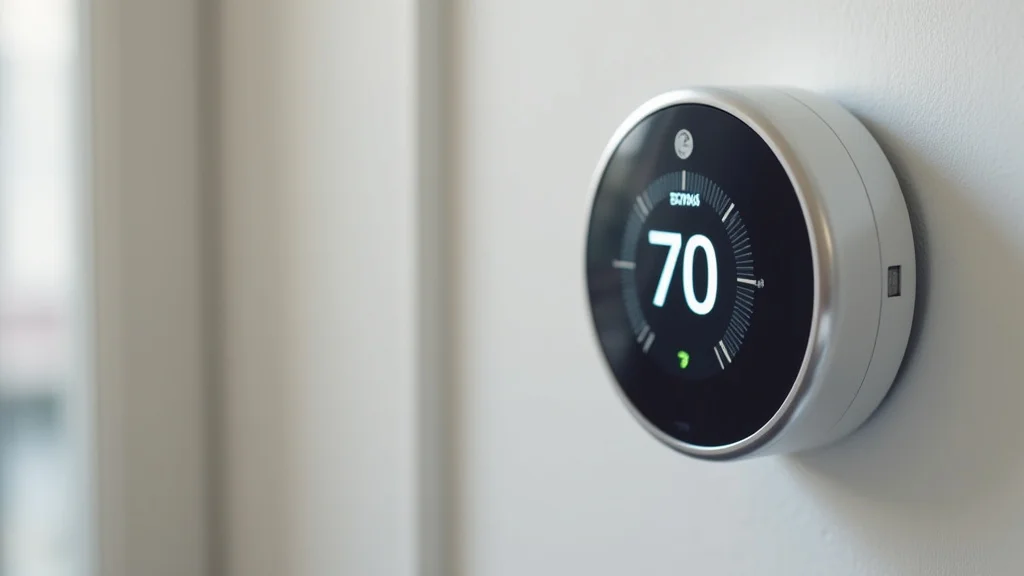
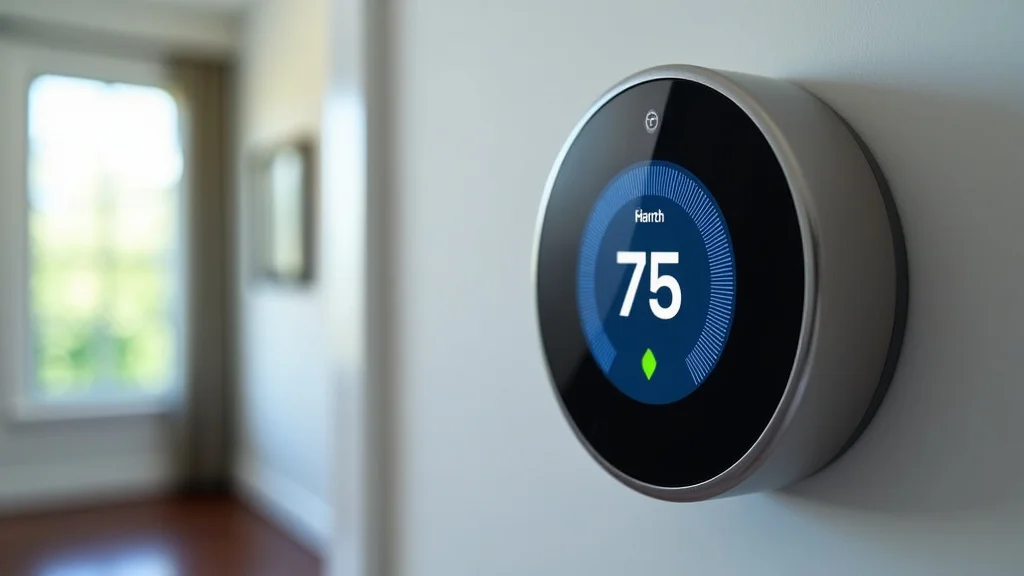
The core function of a smart thermostat for heat pumps lies in its ability to control the temperature in your home with greater precision and intelligence than traditional thermostats. Unlike basic models that simply turn the system on or off based on a pre-set temperature, these advanced devices leverage sophisticated technology to provide a more tailored and efficient heating and cooling experience. These thermostats constantly monitor your home’s environment, learn your usage patterns, and adjust settings automatically. This results in significant improvements in energy efficiency, providing a comfortable indoor climate, and reducing monthly bills. Furthermore, many modern thermostats integrate seamlessly with other smart home devices, allowing for enhanced control and automation.
The Inner Workings of Smart Thermostats
At the heart of a smart thermostat lies a complex system of sensors, processors, and communication modules. These components work together to gather data, analyze patterns, and control your heat pump with remarkable precision. The process begins with sensors that continuously monitor the temperature, humidity, and even the occupancy of your home. This information is then processed by a built-in computer that constantly adjusts settings to achieve optimal comfort and efficiency.
- Sensors: These devices are the eyes and ears of your smart thermostat, collecting crucial information about your home’s environment. They measure temperature and humidity, but more advanced models also detect occupancy using motion sensors or geo-fencing (tracking your phone’s location). This allows for smart adjustments; for instance, the thermostat can automatically lower the temperature when you are away from home.
- Processing Unit: The processing unit is the brain of the smart thermostat, taking the data from the sensors and making smart decisions. It employs sophisticated algorithms, sometimes incorporating machine learning, to analyze your heating and cooling habits. By learning your preferences and the thermal characteristics of your home, the thermostat optimizes performance, reducing wasted energy.
- Connectivity: Smart thermostats connect to the internet via Wi-Fi, which unlocks their key features. This connection allows you to control the thermostat remotely, access real-time data on your energy usage, and receive software updates. Through the internet, the thermostat can also integrate with other smart home devices.
- User Interface: The user interface is the way you interact with the thermostat. This can be a touchscreen display on the device itself, a mobile app on your smartphone, or voice control through a virtual assistant. The interface provides the ability to set schedules, adjust temperatures, and monitor energy consumption.
The components of a smart thermostat don’t just work independently. They work together. For instance, the thermostat might detect that the sun is shining directly on a particular window in the afternoon. Using this data, it can proactively adjust the temperature settings to avoid overheating. Or, it can use your location to automatically turn on the heat before you get home, so the house is comfortable upon your arrival. The combination of these technologies results in a device that is far more versatile and effective than a standard thermostat.
Understanding Compatibility With Heat Pumps
Before purchasing a smart thermostat, make sure it is compatible with your heat pump system. Heat pumps differ from standard HVAC systems, using refrigerant to transfer heat between the indoors and outdoors. Compatibility is essential for optimal performance and preventing potential damage to your system. Some smart thermostats are specifically designed for heat pumps, offering specialized features to improve efficiency and avoid problems that could arise from incorrect settings.
- Wiring: Check the wiring requirements of your heat pump and the smart thermostat. Heat pumps typically have more complex wiring configurations compared to furnaces. The smart thermostat must be able to handle these wires correctly.
- Heat Pump Types: There are various types of heat pumps (air-source, geothermal, etc.). Be certain the smart thermostat is compatible with the particular type in your home. Some smart thermostats are designed specifically to control variable-speed heat pumps, providing enhanced efficiency.
- Features for Heat Pumps: Look for features tailored for heat pump use, such as the ability to control auxiliary heat (electric resistance heating) and to intelligently switch between heating and cooling modes. These functions help maximize efficiency and comfort.
- Professional Advice: If uncertain, consult a qualified HVAC technician. They can assess your system’s compatibility and recommend the best smart thermostat. This can save money and prevent issues in the long run.
The most important part of the compatibility process involves knowing your system’s wiring configuration. Consult your heat pump’s manual or have an HVAC technician identify your system’s wiring. Many smart thermostat manufacturers provide online compatibility tools to help you determine if their devices work with your system. They allow you to input your existing wiring setup and provide a compatibility check. Consider these actions as part of the initial steps to guarantee an efficient and seamless installation.
Advantages of Smart Thermostats for Heat Pumps
Switching to a smart thermostat for heat pumps offers a long list of advantages, from convenience to cost savings. These devices provide greater control over your home’s climate and also make managing energy consumption easier. The features go beyond simple temperature regulation, giving you insights and control that traditional thermostats cannot match.
Enhanced Energy Efficiency and Savings
One of the primary benefits of a smart thermostat is its ability to reduce energy consumption, translating into lower utility bills. These thermostats learn your usage patterns and use data from various sources to optimize heating and cooling operations. By making intelligent adjustments, smart thermostats can decrease energy waste and provide tangible financial benefits.
- Smart Schedules: These thermostats allow you to create customized schedules, automatically adjusting the temperature based on your daily routine. You can program the system to lower the temperature when you are away or asleep and raise it before you return home. This way, you only use energy when needed.
- Geofencing: Many smart thermostats use geofencing, using your smartphone’s location to determine whether you are home or away. The system can automatically adjust the temperature accordingly, ensuring you are not wasting energy heating or cooling an empty house.
- Energy Usage Tracking: Smart thermostats often provide detailed reports on your energy usage, displaying data on consumption patterns, identifying opportunities for further savings. This allows you to track changes in energy consumption and adjust your settings for optimal performance.
- Optimized Heating and Cooling: Smart thermostats can adapt to weather conditions and your home’s characteristics. Some models use algorithms to consider factors like the time it takes to heat or cool a space, and the presence of direct sunlight. They can then make fine adjustments to maximize efficiency.
Consider a practical example. Imagine you usually leave for work at 8 AM. With a smart thermostat, you could set the temperature to decrease at 8:15 AM, saving energy throughout the day. Then, you can set it to start preheating or pre-cooling your home before you arrive back from work. This saves energy when you do not need it, while ensuring comfort when you do.
Remote Access and Control
Smart thermostats offer the convenience of remote access and control, allowing you to manage your home’s climate from anywhere. This feature provides enhanced flexibility and peace of mind, allowing you to quickly adjust settings, monitor energy usage, and troubleshoot issues. Remote access empowers you to make adjustments that can further reduce energy waste.
- Mobile App Control: Most smart thermostats come with a dedicated mobile app that allows you to control the device from your smartphone or tablet. Through the app, you can adjust the temperature, view energy usage data, and change your schedules.
- Voice Control: Many models integrate with virtual assistants like Amazon Alexa or Google Assistant. This allows you to control the thermostat using voice commands. You can instruct the system to set a specific temperature, turn it on or off, or adjust the fan speed.
- Alerts and Notifications: Smart thermostats can send alerts or notifications to your phone. These notifications can provide information about temperature changes, potential system problems, or reminders to change your air filter.
- Guest Access: Some models allow you to grant limited access to others, such as house sitters or family members. This allows trusted individuals to control the thermostat while you are away.
Consider a scenario where you are traveling and forget to adjust your thermostat. With remote access, you can use your smartphone to ensure your heat pump is set to an energy-saving temperature. Likewise, if your travel plans change and you return home early, you can adjust the settings so your home is comfortable upon your arrival.
Integration with Smart Home Systems
Smart thermostats are designed to integrate seamlessly with other smart home devices, creating a more interconnected and automated environment. This allows you to automate tasks and synchronize settings across devices, enhancing convenience and efficiency. Integration with smart home systems can provide additional comfort and control over your home’s environment.
- Integration with Other Devices: Smart thermostats can integrate with smart lighting systems, security systems, and other smart home devices. For example, if your smart security system detects that you have left home, it can automatically adjust the thermostat to an energy-saving setting.
- IFTTT Support: Many smart thermostats support IFTTT (If This Then That), a platform that allows you to create custom automation recipes. You can create rules that connect your thermostat to other apps and devices. For instance, you could set your thermostat to turn on the heat when the weather forecast predicts freezing temperatures.
- Smart Speaker Compatibility: Smart thermostats are often compatible with smart speakers like Amazon Echo or Google Nest. You can use voice commands to control your thermostat and adjust the temperature without getting up.
- Automated Comfort: By integrating with sensors and other devices, smart thermostats can learn your preferences and adjust the temperature. They adapt to your comfort and the changing conditions outside, automatically managing the comfort of your home.
Imagine you have a smart home setup with smart blinds. Your smart thermostat could coordinate with the blinds to close them automatically when the sun is intense, reducing heat gain and lessening the need for air conditioning. As the sun sets, the thermostat could signal the blinds to open. This automation provides a more comfortable living environment.
Installation and Setup
Installing a smart thermostat is often a straightforward process. The steps typically involve removing the old thermostat, connecting the wires, and configuring the new device. Most smart thermostats include detailed instructions, making the installation process manageable for many homeowners. Understanding the basics will make the installation procedure easier.
Step-by-Step Installation Guide
Although specific steps may vary depending on the model, the installation of a smart thermostat generally follows a similar procedure. It is wise to review your device’s instruction manual and ensure the power to your HVAC system is turned off before commencing the installation. Following these steps can help with a smooth installation.
- Turn off the Power: At your breaker panel, turn off the power to your heat pump system. This is a crucial safety step to prevent electric shock and damage to your equipment.
- Remove the Old Thermostat: Remove the cover of your old thermostat and take a picture of the wiring. This picture will serve as a reference when connecting the wires to the new smart thermostat.
- Disconnect the Wires: Carefully disconnect the wires from the old thermostat terminals. Some thermostats have labels on the terminals. Match the labels on the old wires to the new smart thermostat.
- Mount the Smart Thermostat: Install the baseplate of the smart thermostat to the wall using the provided screws. Make certain the baseplate is level.
- Connect the Wires: Connect the wires to the corresponding terminals on the smart thermostat, using the picture you took for reference. Ensure each wire is securely connected.
- Install the Thermostat Face: Attach the front of the smart thermostat to the baseplate.
- Turn on the Power: Go back to the breaker panel and turn the power back on to the heat pump system.
- Follow the Setup Instructions: The smart thermostat will guide you through its setup process. This typically involves connecting to your Wi-Fi network and creating an account.
- Test the System: Once the setup is complete, test the system to ensure it is functioning correctly. Adjust the temperature settings and confirm the heat pump responds.
Once you are done with the physical installation, you will configure your smart thermostat’s settings. This includes setting up your Wi-Fi connection, creating schedules, and setting up other features. Follow the manufacturer’s directions for a complete installation.
Troubleshooting Common Issues
During the installation process, you might encounter some common issues. Troubleshooting these problems can help you resolve them and get your system up and running. Common problems often involve wiring issues, connectivity problems, and configuration issues.
- Wiring Errors: The most common problem is incorrect wiring. If the heat pump is not working, check the wiring again. Double-check that the wires are connected to the correct terminals, using the picture of the old thermostat as a reference. If possible, consult the wiring diagram provided in the smart thermostat’s manual.
- Power Issues: Confirm the power to the heat pump system is turned on at the circuit breaker. If the smart thermostat is not powering on, check to make sure the wires are securely connected to the thermostat and that the transformer voltage is appropriate.
- Wi-Fi Connection: Ensure your smart thermostat is able to connect to your Wi-Fi network. Make sure you entered the correct password during setup. If the connection continues to fail, move the thermostat closer to the Wi-Fi router.
- Compatibility Issues: If your heat pump is not responding, it might indicate a compatibility issue. Double-check your heat pump model to make sure it is compatible with the smart thermostat. Contact the smart thermostat manufacturer’s customer support for more information.
- Configuration Problems: After installation, you may need to configure settings such as your schedule and geofencing. Follow the directions in the user manual to configure the settings. If you have any problems, try resetting the thermostat to factory defaults and start the configuration again.
Consider the situation where the thermostat is showing an error message on the display. First, consult the user manual for the error code. Often, the user manual will provide clear instructions on how to solve the issue. If the manual does not help, reach out to the manufacturer for support.
Choosing the Right Smart Thermostat
Selecting the ideal smart thermostat for your heat pump requires considering several factors. The features, compatibility, and price points of different models vary widely. Evaluating your needs and comparing the available options can help you select the ideal device.
Key Features to Consider
When choosing a smart thermostat, certain features can significantly impact its functionality and your experience. Carefully consider these features before making your decision. The ideal selection matches your usage habits and preferences, enhancing comfort and saving money.
- Compatibility: Verify that the thermostat is compatible with your heat pump system. Check the product specifications and the manufacturer’s website to confirm compatibility. If you are uncertain, consult a qualified HVAC technician.
- Smart Home Integration: If you are using other smart home devices, confirm the thermostat integrates with these products. Look for compatibility with the platforms you already use, such as Amazon Alexa, Google Assistant, or Apple HomeKit.
- Learning Capabilities: Some smart thermostats use learning algorithms to adjust to your habits. The learning algorithms optimize energy usage, automatically adapting to your usage patterns.
- Remote Access: Choose a model that allows remote access via a mobile app. This feature enables you to manage your home’s climate from any location.
- Scheduling Options: Choose a thermostat that allows you to set up customized schedules. The ability to schedule settings based on your routine provides more efficient energy usage.
- Energy Usage Reports: Some smart thermostats provide detailed reports on energy usage, helping you track savings and identify areas for improvement. This helps monitor energy consumption and make adjustments to further reduce costs.
Consider a person who has a busy schedule and travels often. A smart thermostat with remote access and geofencing would be valuable. The individual could control the temperature while away from home. Moreover, the device can automatically adjust the temperature based on their location.
Budget and Cost Considerations
The price of smart thermostats varies widely, influenced by the features, brand, and included technology. Set a budget before commencing your search to help narrow your options. Additional costs such as installation expenses or subscription fees should be considered.
- Upfront Cost: The upfront cost of a smart thermostat can range from about $100 to $400, depending on the features and brand. Determine a maximum budget before you begin shopping.
- Installation Costs: If you do not install the thermostat, factor in the cost of hiring an HVAC technician for installation. The installation charge varies depending on the technician’s rates and the complexity of the installation.
- Ongoing Costs: Some smart thermostats have additional subscription fees for advanced features. Understand any ongoing charges associated with the product before you buy it.
- Energy Savings: Remember that smart thermostats can lead to energy savings, reducing your long-term energy costs. A higher initial investment could be offset by decreased energy bills over time.
- Rebates and Incentives: Check for rebates or incentives from your utility company or local government. These incentives can help offset the initial cost.
Consider an example. If a smart thermostat costs $200, and saves you an average of $20 per month on your energy bills, the device will pay for itself within 10 months. Furthermore, you will enjoy the benefits of greater comfort and convenience, enhancing the value of the investment.
Top Smart Thermostat Models
The market for smart thermostats offers many options, each with unique features and advantages. Researching the leading models will assist you in selecting the ideal fit for your needs. Here are some of the most popular and well-regarded models, noted for their performance, features, and user ratings.
- Nest Learning Thermostat: Known for its attractive design and learning capabilities, the Nest Learning Thermostat automatically adjusts temperatures based on your habits and can integrate with other Nest products. It is compatible with many heat pump systems and offers remote control through a mobile app.
- Ecobee SmartThermostat with Voice Control: The Ecobee SmartThermostat provides a user-friendly interface and supports remote temperature sensors, allowing for even more precise control. It has integrations with popular smart home platforms and provides detailed energy usage reports.
- Honeywell Home T9 Smart Thermostat: This thermostat has a sleek design and supports remote sensors. It also comes with geofencing, providing control.
- Emerson Sensi Touch Wi-Fi Smart Thermostat: Designed for easy installation and user-friendliness, the Emerson Sensi offers a simple interface and is compatible with most HVAC systems. It supports remote control through a mobile app and integrates with popular smart home platforms.
When selecting a smart thermostat, consider factors like your budget, needs, and level of technical comfort. Reviews and recommendations from other users can provide valuable insight. You can make an informed decision by weighing the pros and cons of each model.
Common Myths Debunked
Myth 1: Smart Thermostats Are Difficult to Install
In reality, installing most smart thermostats is designed to be straightforward, especially for people familiar with basic DIY projects. Many models have user-friendly interfaces and clear instructions. You can install the thermostat by turning off the power, removing your old thermostat, connecting the wires, and setting up the new device. Should you feel uncertain, HVAC technicians are available to assist with installations.
Myth 2: Smart Thermostats Only Save Money in Specific Climates
While the savings can vary based on climate and usage patterns, smart thermostats can provide energy savings in most areas. These thermostats can learn your habits and optimize the operation of your heat pump, reducing energy waste and lowering costs regardless of location. The savings potential is highest in areas with extreme temperatures.
Myth 3: Smart Thermostats Are Not Compatible with Older Heat Pumps
Many smart thermostats are compatible with various heat pump systems, including older models. Before purchasing a smart thermostat, check the product’s compatibility with your specific heat pump. Some models are specifically designed to work with various types of heat pumps. You may need to have your wiring checked by an HVAC professional to ensure you purchase a model that will work.
Myth 4: Smart Thermostats Are a Security Risk
Smart thermostats connect to your home Wi-Fi network, which raises security concerns. Security measures have been put into place by manufacturers. Most smart thermostats use encryption, secure authentication methods, and regular software updates to protect your data. You can further boost security by using a strong password for your Wi-Fi network and frequently updating your router’s firmware.
Myth 5: Smart Thermostats Require a Monthly Subscription Fee
While some smart thermostats offer advanced features or services that may require a subscription, many do not. Basic control, scheduling, and remote access features are often free. Check the product details to confirm the features before you buy. Many models include all the basic functions.
Frequently Asked Questions
Question: What is a smart thermostat?
Answer: A smart thermostat is a digitally-connected device that controls the temperature of your home’s heating and cooling system. It offers features like remote control, smart scheduling, and energy usage tracking.
Question: Can a smart thermostat work with any heat pump?
Answer: Most smart thermostats work with a variety of heat pump systems, but it is important to check the product specifications and confirm compatibility. You may need to have your wiring checked by a professional to ensure your purchase is compatible.
Question: How much money can I save with a smart thermostat?
Answer: Savings vary based on your usage habits and climate. Many users experience energy bill savings of 10-20% per year by optimizing their heating and cooling routines. The savings often offset the cost of the device over time.
Question: Are smart thermostats secure?
Answer: Smart thermostats typically use encryption, secure authentication, and regular software updates to protect your data. You can enhance security further by using a strong password for your Wi-Fi network.
Question: Can I control my smart thermostat from my phone?
Answer: Most smart thermostats have a mobile app that allows you to control the device from your smartphone or tablet. The app enables you to adjust the temperature, set schedules, and monitor energy usage from anywhere.
Final Thoughts
Smart thermostats for heat pumps provide a significant upgrade to any home’s climate control system. By providing intelligent, automated control, these devices optimize energy usage, lower your utility bills, and enhance overall comfort. They do this by learning your preferences and adapting to your schedule, and by integrating with other smart home devices. Selecting the best model depends on your specific needs, heat pump type, and desired level of integration. When you consider the factors discussed in this guide, from compatibility to features, you can make an educated choice and improve your home’s energy efficiency. Are you ready to take control of your home’s climate and save money? Explore the options, review your home’s setup, and make the switch to a smart thermostat today.