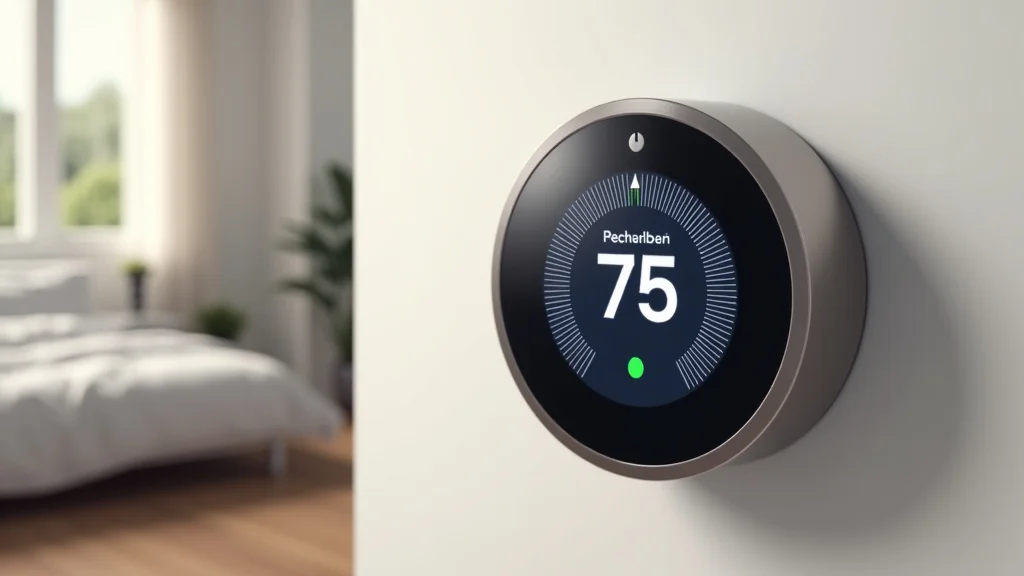
Remember that chilly morning when your heater sputtered to life, long after you’d already shivered under the covers? Or maybe it was that scorching summer afternoon when the AC took forever to cool the house? Frustrating, right? Well, that’s where a smart thermostat steps in, offering a smarter way to manage your home’s temperature. This guide will explore the best smart thermostat Best Buy has to offer, equipping you with the knowledge to select the perfect model for your needs. You’ll discover features, compare options, and learn how a smart thermostat can save you money and simplify your life.
Key Takeaways
- Smart thermostats learn your habits to automatically adjust temperatures.
- Best Buy offers a variety of smart thermostats with different features and price points.
- Installation can often be done yourself, saving on professional costs.
- Smart thermostats can integrate with other smart home devices.
- They help reduce energy consumption and lower utility bills.
- Consider features like geofencing and voice control when choosing.
Choosing the Right Smart Thermostat at Best Buy
Deciding which smart thermostat is best for your home can feel like a big decision. Best Buy provides a wide selection, each with unique features and capabilities. Let’s explore the key aspects to consider to find the perfect match for your needs and budget. Selecting the right model can bring significant benefits, from improved comfort to substantial energy savings.
Compatibility Considerations
Before buying a smart thermostat, make sure it’s compatible with your existing heating, ventilation, and air conditioning (HVAC) system. Compatibility issues are the most common pitfall. The good news? Most modern thermostats are designed to work with a large range of systems. However, older systems or those with specific wiring configurations might need some extra attention.
- Wiring Assessment: You will need to remove your existing thermostat’s faceplate to check the wires. Look for labels like “C” (common), “Rh” (power for heating), “W” (heating), “Y” (cooling), and “G” (fan). Most smart thermostats are compatible with systems that have these wires. Be mindful, if you see a “C” wire, you’re usually in good shape, as it provides consistent power.
- Voltage Check: Most residential HVAC systems use low-voltage wiring (24 volts). Almost all smart thermostats are designed for this. Double-check that your system uses low voltage before purchasing. You can find this information on your current thermostat or in your HVAC system’s manual.
- System Types: Smart thermostats support various systems, including gas furnaces, electric furnaces, heat pumps, and dual-fuel systems. Before heading to Best Buy, identify your HVAC system type to make sure your chosen model is a good fit. Heat pumps, for example, require special settings to manage heating and cooling efficiently.
If you lack a “C” wire, don’t worry! Many smart thermostats can still work with your system. Some use batteries, while others may require an additional adapter. When you visit Best Buy, check the product details to confirm compatibility with systems that may not have a “C” wire.
Consult with a professional if you’re unsure about any aspect of your HVAC system. They can quickly assess the compatibility of different smart thermostat Best Buy options and assist with setup.
Many smart thermostats, including those you’ll find at Best Buy, have a detailed compatibility checker on their product pages. This tool requires you to input your wiring setup, helping to guarantee a perfect match.
Features to Prioritize
Once you understand compatibility, explore the features. Different models have varying capabilities, so select those that match your requirements. Certain features can have a significant effect on convenience, energy savings, and overall user experience.
- Geofencing: This feature uses your smartphone’s location to automatically adjust the temperature. When you leave home, the thermostat can turn down the temperature to conserve energy. As you approach home, it will turn up the temperature, ensuring a comfortable environment when you arrive.
- Voice Control: Integrate your smart thermostat with voice assistants like Amazon Alexa, Google Assistant, or Apple HomeKit. Voice control provides hands-free operation. You can change the temperature, set schedules, or get status updates simply by speaking.
- Learning Capabilities: Some smart thermostats learn your heating and cooling preferences over time. They will understand your schedule and adjust the temperature accordingly. These self-adjusting models can help optimize your energy consumption and improve overall comfort.
- Smart Home Integration: Make sure the smart thermostat works well with your other smart home devices. Does it work with your existing smart lights, security systems, or other appliances? Integration allows for a coordinated home management system.
Geofencing provides convenience and savings. Consider a scenario: You’re running late from work. With geofencing, your thermostat knows and delays pre-cooling your house until you’re closer, thereby conserving energy. Look for models that offer reliable geofencing capabilities when you search at Best Buy.
Imagine being in the kitchen and wanting to adjust the temperature without stopping what you’re doing. Voice control is the answer. It’s especially useful for anyone with mobility issues. Ensure that the thermostat you choose at Best Buy works seamlessly with your preferred voice assistant.
These advanced models can adapt to your lifestyle. For example, if you typically sleep cooler, the thermostat will adjust the temperature automatically, ensuring a comfortable sleep without you having to touch it. Check the product details at Best Buy for learning thermostat models.
A well-integrated system lets you control multiple devices through a single app or voice command. Consider this: You can create a “Good Night” scene where your thermostat lowers the temperature, your lights dim, and your doors lock, all with one command. Check the compatibility of the smart thermostat models at Best Buy with your other smart devices.
Installation and Setup
Once you’ve chosen your smart thermostat, think about how to install it. Many models offer DIY installation, while others may require professional installation. The process usually involves removing the old thermostat, connecting the wires to the new one, and setting up the app.
- DIY Installation: Many smart thermostats at Best Buy are designed for easy DIY installation. The process usually involves a step-by-step guide in the app or the manual. The key is to carefully disconnect and label your existing thermostat wires before attaching them to the new thermostat.
- Professional Installation: If you are uncomfortable with electrical work, it’s best to hire a professional. A professional will guarantee a correct and safe installation, and may be able to advise on optimal settings based on your system.
- App Setup: After installing the thermostat, you will need to set up the corresponding app on your smartphone or tablet. The app allows you to control the thermostat remotely, set schedules, and monitor your energy usage. Most apps are easy to use.
A simple scenario: Take a picture of your old thermostat’s wiring before removal, which helps during the new installation. Many smart thermostats also include features, such as built-in level indicators to make sure that the thermostat is properly installed, to help you.
Professional installation is a great idea, especially if you have a complex HVAC system or want to make sure everything is set up to provide the best performance. Check Best Buy’s website for installation service options in your area.
The app is the control center for your smart thermostat. You can create customized schedules for different times of the day, adjust temperatures remotely, and view your energy consumption. It is worth taking some time to explore the features of your thermostat’s app. Check the app’s user ratings and reviews when researching smart thermostat Best Buy options.
Top Smart Thermostat Options Available at Best Buy
Best Buy provides a selection of smart thermostats to meet various budgets and needs. Exploring the most popular models is the next step. Let’s look at a few of the top choices and their key features, helping you make a well-informed decision.
Nest Learning Thermostat
The Nest Learning Thermostat is known for its stylish design and intelligent learning capabilities. It learns your temperature preferences and adjusts the temperature automatically, saving you energy. It is a popular choice for many, due to its user-friendly interface and ability to integrate with other Nest products.
- Learning Algorithm: The Nest learns your habits and automatically adjusts the temperature based on your schedule and preferences. Over time, it optimizes settings to maximize your comfort and save energy. This automation helps you spend less time manually adjusting the temperature.
- Energy Savings: Nest provides detailed energy reports so you can track your energy usage and see how your changes impact your energy bill. The Energy History feature shows how much energy you’ve used and gives you tips on saving more.
- Compatibility: It works with a wide range of HVAC systems, making it a versatile option for different home setups. Ensure that your system is compatible before purchasing by using the Nest compatibility checker on the Best Buy website.
Consider a situation: You turn the heat up every morning at 7 AM. The Nest quickly learns this and adjusts the temperature automatically each day, without any input from you.
The Nest provides insights into your energy consumption. For example, you can see how much energy you are using over a week or a month. Nest will send you energy-saving suggestions based on your usage patterns.
Compatibility ensures that you can take advantage of all the features and capabilities of the Nest. This model also works with various smart home platforms, including Google Assistant and Amazon Alexa.
ecobee Smart Thermostat
Ecobee thermostats are known for their user-friendly design and remote sensors. These sensors can detect temperatures in different rooms, providing a more balanced and comfortable environment. They are a good choice if you’re seeking a system that delivers consistent comfort and efficiency throughout your home.
- Room Sensors: Ecobee thermostats come with room sensors. Place these sensors in different rooms to measure the temperature and adjust the heating and cooling accordingly. This function ensures consistent temperatures throughout your home.
- Energy Efficiency: Ecobee thermostats provide energy-saving features, such as smart scheduling and geofencing. They also provide energy reports. These tools help you monitor and minimize your energy consumption, possibly leading to lower utility bills.
- Smart Home Integration: Ecobee thermostats work with various smart home platforms, including Amazon Alexa, Google Assistant, and Apple HomeKit. This integration lets you control your thermostat using voice commands. You also can integrate it with other smart home devices.
Imagine your upstairs bedrooms tend to be warmer than downstairs. With Ecobee’s remote sensors, you can ensure that the upstairs bedrooms are kept at a more comfortable temperature. This provides a more balanced temperature for your entire home.
For example, if the thermostat realizes that the house is unoccupied during the day, it automatically reduces the temperature to save energy, then adjusts the temperature again before you return home.
The ability to integrate your Ecobee with other devices gives you an easy way to manage your home environment. You can create custom routines, such as automatically adjusting the thermostat when you leave or arrive home.
Google Nest Thermostat
The Google Nest Thermostat is a more budget-friendly option, while still offering key smart features. It is a great option for those new to smart home technology or looking for a simple and effective smart thermostat. It features a sleek design and is very simple to install and operate.
- Easy Installation: The Google Nest Thermostat is easy to install, making it a great option for people looking to install it themselves. The setup process is simple, and the thermostat is compatible with a wide range of HVAC systems. The user-friendly design makes it accessible to those who are new to smart thermostats.
- Energy Saving: The Google Nest Thermostat comes with features to help you save energy, such as a schedule function and geofencing. It can automatically adjust the temperature based on your presence, and it will also learn your preferences over time.
- Smart Home Integration: As with other Google Nest products, the thermostat works seamlessly with the Google Home app and Google Assistant. You can control the thermostat with your voice, and it can work alongside other smart home devices.
Consider a situation: You can have your new thermostat up and running in less than an hour, without professional help, giving you instant control and energy-saving benefits.
For instance, if the thermostat senses that nobody is home during work hours, it automatically adjusts to save energy. When someone approaches, it prepares the house to the preferred temperature. You can save money without having to make any changes yourself.
An easy example: You can create a routine where your thermostat adjusts the temperature automatically when you say, “OK Google, I’m home,” along with other actions. Your smart home is more integrated and responsive to your needs.
Cost and Savings Analysis of Smart Thermostat Best Buy
Smart thermostats require an upfront investment. However, these systems can provide energy savings that offset the cost over time. Understanding the cost factors and potential savings helps you see the long-term value. Let’s look into the costs, incentives, and energy-saving benefits.
Upfront Costs and Considerations
The price of smart thermostats varies depending on the brand, features, and functionality. Additional costs may arise for professional installation. When exploring the smart thermostat Best Buy options, consider the initial outlay and the long-term value.
- Product Price: The price range for smart thermostats varies. Basic models are often more affordable and come with essential smart features. Premium models, like those from Nest or ecobee, typically have additional features and cost more.
- Installation Costs: Some people prefer to install the thermostat themselves. Otherwise, installation services are available, and these services vary in price. Professional installation ensures proper installation, but it adds to the overall costs.
- Additional Hardware: Some smart thermostats require additional hardware, such as a “C” wire adapter. Also, some advanced features, like remote sensors, add to the total cost. Take these factors into account when calculating the total investment.
When searching for a smart thermostat Best Buy, you’ll encounter a range of price points. A basic model might be ideal for someone new to the technology, while a premium model might be best for those who want advanced features and smart home integration.
Before purchasing, decide if you’re comfortable with DIY installation. If you are not, estimate the cost of professional installation. Best Buy sometimes offers installation services, which may be bundled with the product purchase.
When reviewing smart thermostat Best Buy options, look into any additional hardware needed for the features you want. For example, if you want remote room sensors, factor in the cost of those devices when making your selection.
Potential Energy Savings
Smart thermostats can provide substantial savings on your energy bills. Several features contribute to energy efficiency. You can optimize your energy consumption and lower your utility bills.
- Programmable Schedules: You can create custom schedules based on your routines, which allows you to save energy. You can set different temperatures for different times of the day and for specific days of the week, optimizing efficiency.
- Geofencing: Geofencing can help you save energy. The thermostat can detect when you leave home and adjust the temperature accordingly. When you return, the thermostat will adjust to your preferred temperature.
- Energy Usage Tracking: Most smart thermostats provide tools to monitor your energy usage. The app provides information on how you use energy and how your settings affect your consumption. These insights help you make adjustments.
- Estimated Savings: On average, households can reduce their energy consumption by up to 10-20% when they use a smart thermostat. Savings depend on where you live, the system you’re using, and the features you use.
For example, if you’re away from home during the day, you can set the thermostat to automatically raise the temperature in the summer or lower it in the winter. Then, you can make sure your house is comfortable before you arrive home.
Using geofencing helps prevent unnecessary energy consumption. Suppose you unexpectedly stay at work late. Your thermostat recognizes this and lowers the temperature, preventing wasted energy.
With usage tracking, you can pinpoint the times of day or days of the week when you use the most energy, and make changes. Many thermostats will even offer suggestions for improvement.
The amount you save depends on your current thermostat and your usage habits. If you have a traditional, manually controlled thermostat, you are more likely to achieve significant savings. Smart thermostat savings vary based on energy rates and lifestyle.
Rebates and Incentives
Several utility companies and government organizations offer rebates and incentives for using smart thermostats. These programs can help offset the upfront costs and improve the return on investment. Make sure to check available offers before purchasing.
- Utility Company Rebates: Many local utility companies provide rebates when you purchase and install a smart thermostat. Rebates are often offered to promote energy efficiency and reduce peak demand. Check your utility company’s website to see if any rebates are available in your area.
- Government Incentives: Some federal or state government programs provide tax credits or incentives for energy-efficient upgrades. Check for these incentives by visiting the Energy.gov website or your state’s energy department.
- Eligibility Requirements: When searching for rebates, make sure that the smart thermostat you are considering meets specific requirements. These often include energy-saving certifications and compatibility with your HVAC system. Always verify the eligibility before purchasing.
Look for programs at your local utility. The rebate amount can vary. Many utilities will provide a discount on the purchase price or offer a mail-in rebate after you send them proof of purchase.
These government incentives are designed to promote energy efficiency across the country. You may be able to claim a tax credit or receive a cash rebate to offset the cost of your smart thermostat Best Buy purchase.
Rebate programs have their requirements, so be sure that you understand the rules. The program might require proof of purchase or professional installation. Always read the terms and conditions.
| Feature | Nest Learning Thermostat | ecobee Smart Thermostat | Google Nest Thermostat |
|---|---|---|---|
| Learning Capabilities | Yes | Yes | Yes (limited) |
| Room Sensors | No | Yes (included) | No |
| Geofencing | Yes | Yes | Yes |
| Voice Control | Yes (Google Assistant, Alexa) | Yes (Google Assistant, Alexa, Apple HomeKit) | Yes (Google Assistant) |
| Price Range (at Best Buy) | Mid-Range | Mid-Range to Premium | Budget-Friendly |
Common Myths Debunked
Myth 1: Smart Thermostats are Complicated to Set Up
In reality, the setup process for most smart thermostats is very user-friendly. Most models have step-by-step instructions. Many offer guided tutorials in their app. While it helps to be comfortable with basic electrical work, the steps are designed for ease of use. DIY installation is simple. Professionals are always available for more complex needs.
Myth 2: Smart Thermostats are Only for Tech Experts
While smart thermostats incorporate technology, they are designed for anyone. User-friendly interfaces, such as simple mobile apps and voice control options, make them accessible to everyone. The interfaces and controls are made for ease of use. These devices benefit homeowners who aren’t tech-savvy.
Myth 3: Smart Thermostats Cannot Save You Money
Smart thermostats can provide energy savings. You have full control, including customized schedules and remote access. You can set the heating and cooling according to your schedule. Energy reports and geofencing allow you to optimize energy use and reduce energy bills. The long-term savings often surpass the initial investment.
Myth 4: They Are Not Secure and Expose Your Home to Hacking
Smart thermostats utilize standard security protocols to protect against unauthorized access. Manufacturers constantly update the software. Most use secure Wi-Fi and encryption. Ensure you use a strong password for your home network and enable security features on your thermostat app. The risk of hacking is minimal compared to the benefits of convenience and energy savings.
Myth 5: All Smart Thermostats Are the Same
Smart thermostats differ in features, functionality, and compatibility. Options include learning thermostats, models with room sensors, and thermostats with voice control. Prices also vary. Research your needs to identify the best model.
Frequently Asked Questions
Question: How much money will I save with a smart thermostat?
Answer: Savings vary. You may save around 10-20% on energy bills. Savings depend on your habits and HVAC system.
Question: Are smart thermostats easy to install?
Answer: Many models provide easy DIY installation. Most come with step-by-step instructions and guidance.
Question: Do I need a “C” wire for a smart thermostat?
Answer: Most smart thermostats work without a “C” wire. Some use batteries or adapters.
Question: Can I control my smart thermostat from anywhere?
Answer: Yes, you can control smart thermostats remotely via a smartphone app. This enables you to change the temperature and make adjustments wherever you are.
Question: Do smart thermostats work with all HVAC systems?
Answer: While most are compatible with a broad range of systems, it’s essential to check the compatibility. The product details on Best Buy’s website can help.
Final Thoughts
Picking the ideal smart thermostat Best Buy offers is a fantastic way to upgrade your home comfort while reducing your energy bills. This exploration has prepared you with the essentials, from checking compatibility and evaluating features to examining the top options and calculating potential savings. Remember to consider your specific needs, budget, and the features that best suit your lifestyle. Don’t be afraid to take advantage of rebates and incentives. With the right smart thermostat, you’ll be well on your way to a more comfortable, energy-efficient, and easily manageable home. Take the first step today, and explore the range of smart thermostats at Best Buy. You may discover significant benefits for your home and wallet!