Picture this: You’re snuggled on the couch on a chilly evening, and your phone buzzes. It’s your Sensi Touch 2 smart thermostat, letting you know the temperature is just right. Sound appealing? This post explores the ins and outs of the Sensi Touch 2 smart thermostat. You’ll explore how it works, its features, and how it can make your life easier. This detailed exploration ensures that you’ll have a complete grasp of this smart home device, improving your ability to make an informed decision and gain maximum comfort. Read on to learn everything you need to know about this efficient home upgrade!
Key Takeaways
- Discover the essential features of the Sensi Touch 2 smart thermostat and how it works.
- Learn how easy it is to set up and use the thermostat via its app.
- Explore the energy-saving benefits and cost savings this device provides.
- Understand the compatibility of the Sensi Touch 2 with various HVAC systems.
- Examine the smart features, including remote access and voice control options.
- Review the pros and cons to help decide if it’s the right choice for your home.
Overview of the Sensi Touch 2 Smart Thermostat
The Sensi Touch 2 smart thermostat is a device designed to give homeowners more control over their home’s temperature, all through a user-friendly interface. Unlike older, basic thermostats, this model connects to your Wi-Fi and allows for remote adjustments and automated scheduling. This means you can change your home’s temperature from anywhere, whether you’re at work, on vacation, or just relaxing on the couch. The Sensi Touch 2 not only provides convenience but also helps save money by optimizing energy usage. Its sleek design and easy installation make it a favorite among those who want to enter the smart home ecosystem. In the upcoming sections, we will explore the setup, features, and benefits of the Sensi Touch 2.
What is a Smart Thermostat?
A smart thermostat is a modern temperature control device that goes beyond the capabilities of traditional thermostats. These thermostats connect to your home’s Wi-Fi network, allowing for remote access and automated control via a smartphone app or voice commands. Smart thermostats learn from your habits, adjusting the temperature to optimize comfort and energy savings. They often include features like geofencing (automatically adjusting the temperature when you leave or arrive home), energy usage reports, and integration with other smart home devices. Smart thermostats aim to provide a more convenient and efficient way to manage your home’s climate, leading to greater comfort and potentially lower energy bills.
- Connectivity: The ability to connect to your home Wi-Fi network. This allows for remote control and data collection.
- Learning Capabilities: The ability to learn your heating and cooling preferences.
- Integration with Smart Home Systems: Compatibility with other smart home devices.
- Energy Savings Features: Features designed to reduce energy consumption.
This connectivity allows homeowners to manage their thermostat from anywhere with an internet connection. They can adjust the temperature, view energy usage, and set schedules, all through a smartphone app. This feature adds convenience and flexibility to home temperature management.
Some smart thermostats use built-in algorithms to learn your daily routines and temperature preferences. Over time, these thermostats automatically adjust the temperature to match your schedule, reducing the need for manual adjustments and improving energy efficiency.
Many smart thermostats can integrate with other smart home systems, such as Amazon Alexa, Google Assistant, and Apple HomeKit. This allows for voice control and integration into a larger smart home ecosystem. You could use voice commands to adjust the temperature or create routines that involve multiple smart home devices.
Smart thermostats often include energy-saving features like geofencing and smart scheduling. Geofencing can automatically adjust the temperature when you leave or return home, while smart scheduling allows you to set up different temperature settings for various times of the day. These features help to conserve energy by optimizing your home’s heating and cooling usage.
Key Features of the Sensi Touch 2
The Sensi Touch 2 smart thermostat is packed with features designed for ease of use and efficient temperature control. From its intuitive touchscreen display to its smart home integration capabilities, the Sensi Touch 2 aims to provide a seamless experience. It offers a clean, modern design that fits well in any home and is built to be installed with existing HVAC systems. It goes beyond the basics to bring convenience and control into your everyday life. This section will explore all the key components that make the Sensi Touch 2 a smart home essential.
- Touchscreen Display: A color touchscreen for easy temperature adjustments.
- Smart Home Compatibility: Integrates with Amazon Alexa, Google Assistant, and Apple HomeKit.
- Remote Access: Control the thermostat from anywhere with the Sensi app.
- Smart Alerts: Receive alerts about extreme temperatures and equipment maintenance.
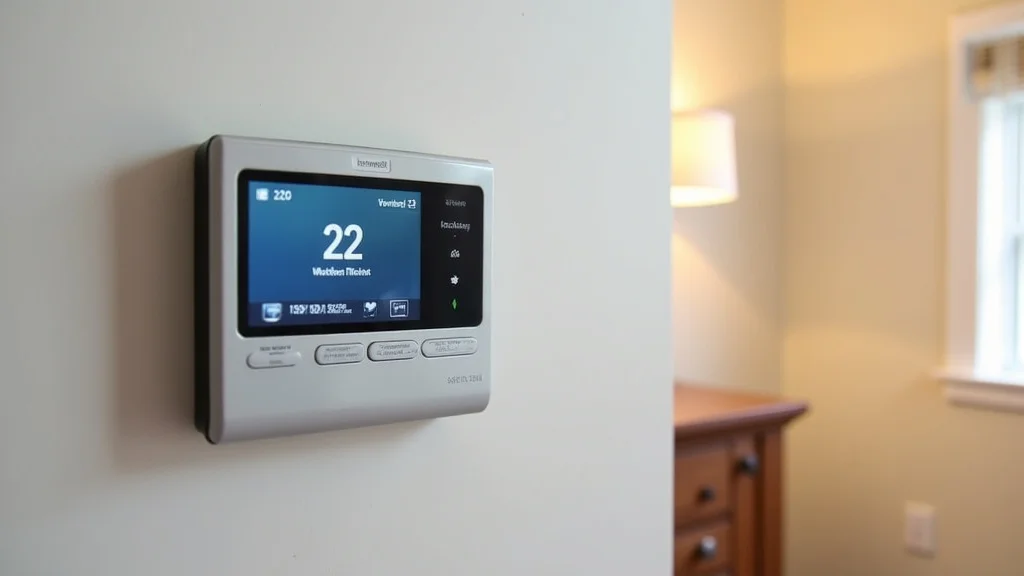
The Sensi Touch 2 features a high-resolution color touchscreen that simplifies temperature control. You can swipe and tap to adjust settings, view the current temperature, and access various features. The display is designed to be easily readable from a distance.
The Sensi Touch 2 works with popular smart home platforms like Amazon Alexa, Google Assistant, and Apple HomeKit. This integration allows you to control the thermostat using voice commands or include it in smart home routines. For instance, you could instruct your voice assistant to raise the temperature or create a scene to turn on your lights and adjust the temperature when you get home from work.
Using the Sensi app, you can remotely control your thermostat from your smartphone or tablet. This feature is perfect for adjusting your home’s temperature before you arrive, saving energy when you are away, and monitoring your energy usage. The app provides real-time information and complete control, no matter where you are.
The Sensi Touch 2 offers smart alerts that notify you about potential issues with your HVAC system. You will receive alerts about extreme temperatures that could indicate a problem, as well as alerts that remind you to replace your filter or schedule maintenance. These alerts help ensure that your system runs efficiently and extends the life of your equipment.
Setting Up Your Sensi Touch 2 Smart Thermostat
Setting up the Sensi Touch 2 smart thermostat is a straightforward process designed to be easy for homeowners. The steps are clearly outlined in the user manual and are designed to avoid the need for professional installation. From prepping your old thermostat to connecting your new smart thermostat to your home Wi-Fi, the process can be handled in a few simple steps. By following the clear instructions provided, you can quickly get your Sensi Touch 2 up and running, enjoying the benefits of smart temperature control without any hassles.
Installation Steps
Installing the Sensi Touch 2 can be easily done with basic tools and some knowledge of your HVAC system. The process involves removing your old thermostat, connecting the wires to the Sensi Touch 2, and setting up the device. By carefully following the steps, you can set up your new thermostat without requiring any advanced expertise. Always remember to turn off the power to your HVAC system before beginning the installation process.
- Turn Off Power: Shut off the power to your HVAC system.
- Remove the Old Thermostat: Detach the old thermostat from the wall.
- Wire the Sensi Touch 2: Connect the wires to the new thermostat.
- Mount the Thermostat: Attach the Sensi Touch 2 to the wall.
- Power Up and Set Up: Restore power and configure the thermostat via the app.
Before any work on your thermostat, it is critical to turn off the power to your HVAC system at the circuit breaker. This simple step can prevent electrical shocks and ensure safety during the installation process. Make sure to double-check that the power is off before starting.
Carefully remove the cover from your old thermostat. Note the position of each wire and label them if needed. Then, detach the thermostat from the wall and disconnect the wires. Keep the screws and any mounting hardware for later use.
Using the wiring labels you created earlier (or using the provided wiring guide), connect the wires from your HVAC system to the corresponding terminals on the Sensi Touch 2. Make sure each wire is securely connected to the correct terminal. This step is crucial for the thermostat to function properly.
Once the wires are connected, mount the Sensi Touch 2 to the wall using the provided screws and mounting hardware. Ensure that the thermostat is level and securely attached. Once mounted, the thermostat is ready for the next step, which is powering it up and setting it up.
Turn the power back on to your HVAC system at the circuit breaker. Follow the prompts on the Sensi Touch 2’s screen and the instructions in the Sensi app to connect the thermostat to your Wi-Fi network and complete the setup. The app will guide you through the process, helping you configure settings like the time zone, system type, and heating and cooling preferences.
Connecting to Wi-Fi and the Sensi App
Connecting your Sensi Touch 2 to your home’s Wi-Fi network and setting up the Sensi app are crucial steps for enabling all the features of your smart thermostat. These steps allow for remote access, smart scheduling, and integration with your smart home ecosystem. Ensure that your Wi-Fi network is active and stable before starting. Following the app’s step-by-step instructions ensures that the setup process is smooth and easy to handle. Once connected, you can start controlling your thermostat from anywhere.
- Download the Sensi App: Get the Sensi mobile app from the App Store or Google Play.
- Create an Account: Register for a Sensi account.
- Connect to Your Wi-Fi: Connect the thermostat to your home Wi-Fi network.
- Add Your Thermostat: Follow the on-screen prompts to add the Sensi Touch 2 to the app.
Begin by downloading the Sensi app from the App Store for iOS devices or Google Play Store for Android devices. Ensure that you download the official app to get access to all the features and updates. The app is a central hub for all the controls of your Sensi Touch 2 smart thermostat.
Launch the app and create an account by providing your email and creating a secure password. You will use this account to manage your thermostat and access its features. Having a registered account will allow you to save your settings and access the controls.
Once you are logged into the app, you will need to add your thermostat. The app will prompt you to connect the thermostat to your home’s Wi-Fi network. Make sure your Wi-Fi network is active and that you have the network name and password available. Following the in-app instructions will help you through this connection process. This step is necessary to allow remote control and access.
After connecting to the Wi-Fi, the app will guide you through the process of adding your Sensi Touch 2 smart thermostat to your account. This involves entering the device’s information and setting up its basic preferences. The app’s user-friendly interface makes the setup process easy.
Sensi Touch 2 Features and Functionality
The Sensi Touch 2 smart thermostat offers a range of features designed to provide convenience, energy savings, and a user-friendly experience. These features help you customize your home’s climate control to match your lifestyle and reduce energy consumption. Features such as smart scheduling, geofencing, and energy reporting, create a comprehensive approach to managing your home’s temperature, all in one easy-to-use interface. This section will explore the complete details of these features, describing how they work and the benefits they provide.
Smart Scheduling and Energy Savings
Smart scheduling is a key feature of the Sensi Touch 2, designed to save energy and increase comfort by automatically adjusting the temperature based on your schedule. You can set different temperature settings for different times of the day and different days of the week. This allows the thermostat to reduce energy consumption when you are away and enhance comfort when you are home. By using these scheduling features, you can make your home’s climate control work with your habits and routines. This section will explore the various features you can use to optimize your energy consumption.
- Customizable Schedules: Create personalized heating and cooling schedules.
- Energy Usage Tracking: Monitor your energy consumption patterns.
- Geofencing: Automatically adjusts the temperature based on your location.
- Smart Alerts: Receive notifications about potential energy-saving opportunities.
You can create custom heating and cooling schedules that suit your daily and weekly routines. With the Sensi app, you can set different temperatures for different times of the day. This can help save energy while you are at work or asleep, and maintain comfortable temperatures when you are at home.
The Sensi app provides detailed insights into your energy consumption. It allows you to monitor how much energy you are using and when. This feature helps to identify where you can make changes to reduce energy usage. This information enables you to make decisions regarding your energy consumption.
With geofencing enabled, the Sensi Touch 2 can automatically adjust the temperature based on your location. If you are far away from your home, the thermostat can automatically turn down the heat or AC to save energy. Conversely, as you near your home, the thermostat can adjust the temperature to your preferences, ensuring your home is comfortable when you arrive.
The Sensi app sends you alerts about potential energy-saving opportunities. It can suggest optimizing your schedule or changing the temperature. This helps to make informed decisions and further reduce energy consumption.
Smart Home Integration and Voice Control
The Sensi Touch 2 seamlessly integrates with popular smart home platforms and voice assistants. This integration allows you to control your thermostat using voice commands and combine it into existing smart home routines. This brings convenience and enhances your comfort. Whether you are using Alexa, Google Assistant, or Apple HomeKit, you will be able to manage your home’s temperature with ease. This section will explore the ways in which the Sensi Touch 2 connects with your smart home system and how you can manage it using voice commands.
- Amazon Alexa Integration: Control your thermostat with Alexa voice commands.
- Google Assistant Integration: Manage your thermostat using Google Assistant.
- Apple HomeKit Compatibility: Integrate the thermostat with your Apple smart home.
- Custom Scenes and Routines: Create custom scenes and routines for automated control.
With Alexa integration, you can use voice commands to adjust your home’s temperature, set schedules, and more. For example, you can say, “Alexa, set the temperature to 72 degrees.” This hands-free control simplifies the temperature management.
The Sensi Touch 2 is also compatible with Google Assistant. You can use voice commands to control the thermostat. You can ask Google Assistant to set the thermostat temperature, check the current temperature, and adjust schedules. This gives you another way to manage your home’s comfort.
For Apple users, the Sensi Touch 2 supports Apple HomeKit. This lets you integrate the thermostat into your Apple smart home ecosystem. You can control the thermostat using the Apple Home app or Siri. This allows you to manage all of your smart home devices from one interface.
By connecting with these smart home platforms, you can create custom scenes and routines. For example, you can set up a routine that turns off the lights and adjusts the thermostat when you leave home. This enhances convenience and automation. These routines are easily customizable to meet your specific needs.
Sensi Touch 2 Thermostat: Pros and Cons
Before deciding if the Sensi Touch 2 smart thermostat is the right choice for your home, it’s important to weigh its advantages and disadvantages. This section provides a balanced view of the Sensi Touch 2, highlighting its strengths and weaknesses. By carefully considering these points, you can make an informed decision and see if the Sensi Touch 2 perfectly fits your needs and preferences. This allows you to evaluate its suitability to improve your home’s comfort and energy efficiency.
Advantages
The Sensi Touch 2 offers several advantages that make it a compelling choice for homeowners looking to upgrade their thermostat. Its user-friendly design, integration with smart home platforms, and energy-saving features set it apart from traditional thermostats. The user-friendly design makes it simple to use. The integration features provide flexibility. The energy-saving features help in cutting your costs. These factors make it a beneficial choice for your home.
- User-Friendly Interface: Easy to navigate touchscreen and intuitive app.
- Smart Home Integration: Works with Amazon Alexa, Google Assistant, and Apple HomeKit.
- Energy Savings: Helps to save on energy bills through scheduling and geofencing.
- Easy Installation: Designed for easy self-installation.
The Sensi Touch 2 boasts a user-friendly design, with a clear and easy-to-use touchscreen interface. The mobile app also has a simple design, making it easy to set up schedules, adjust the temperature, and see energy usage. The design is intended to provide a seamless user experience, even for those new to smart home technology.
The Sensi Touch 2 seamlessly integrates with Amazon Alexa, Google Assistant, and Apple HomeKit, providing you with flexible control options. This allows you to control the thermostat through voice commands and incorporate it into various smart home routines. This feature enhances convenience and the overall home automation experience.
The Sensi Touch 2 offers various features designed to save energy. You can set up custom schedules to automatically adjust the temperature based on your habits. The geofencing feature ensures that the thermostat adjusts the temperature automatically as you leave and return home, reducing energy waste and saving you money.
The Sensi Touch 2 is designed for simple, self-installation, eliminating the need for professional help. The installation process includes a detailed wiring guide and step-by-step instructions. This makes the upgrade easy and reduces additional costs.
Disadvantages
While the Sensi Touch 2 offers many advantages, it also has a few potential drawbacks. These downsides may impact your decision to purchase. Knowing these disadvantages allows you to evaluate all the aspects to determine if the Sensi Touch 2 meets your requirements and if these minor disadvantages will affect your home comfort control plan.
- Limited Advanced Features: Lacks some of the more advanced features found in higher-end models.
- No Built-In Motion Sensor: Doesn’t have a built-in motion sensor to detect occupancy.
- Dependence on Wi-Fi: Requires a reliable Wi-Fi connection for full functionality.
- No Color Customization: Limited customization options for the display.
Compared to some other models, the Sensi Touch 2 has fewer advanced features. This includes more complex weather compensation or advanced learning capabilities. If you require the absolute best features and control, you might look at higher-end models.
The Sensi Touch 2 does not include a built-in motion sensor. Without this feature, the thermostat is less able to adjust the temperature automatically. Users need to rely on the app or preset schedules to control the temperature. Some users might find the automatic functionality lacking compared to more advanced thermostats.
Because the Sensi Touch 2 relies on a Wi-Fi connection for all its smart features, any network issues could affect its functionality. If your Wi-Fi is unreliable, this may impact your ability to control the thermostat remotely or access smart features.
The Sensi Touch 2’s display has a set design and does not offer options for customization. You cannot change the color scheme or display elements. While this may not be a major concern for all users, some might like additional customization options to match their preferences and home design.
Common Myths Debunked
There are many misconceptions and common myths about smart thermostats like the Sensi Touch 2 smart thermostat. This section aims to clear up these misunderstandings, offering clarity and facts about these devices. This section helps dispel any doubts and provides a more accurate view of how these thermostats work and what they do.
Myth 1: Smart thermostats are hard to install.
In reality, the Sensi Touch 2 and similar smart thermostats are made for easy installation. Most models come with clear, step-by-step instructions and are designed to be a simple DIY project. Most people can easily install the Sensi Touch 2 in under an hour without the need for professional help.
Myth 2: Smart thermostats are only for tech-savvy homeowners.
The Sensi Touch 2 is designed with ease of use in mind, making it a great choice for all homeowners. The intuitive touchscreen and app interface make it easy to control the thermostat without prior tech knowledge. The setup process is very simple, and most users adapt easily.
Myth 3: Smart thermostats don’t save any money.
The Sensi Touch 2 and other smart thermostats can help save money on energy bills. The scheduling features, geofencing, and energy usage reports help optimize heating and cooling, reducing energy consumption. Many users see significant savings after making the switch.
Myth 4: Smart thermostats are not secure and can be easily hacked.
Smart thermostat makers are committed to data protection. The Sensi Touch 2 uses encryption and security measures to protect your data. Regularly updating your device’s software is essential to protecting your privacy.
Myth 5: Smart thermostats are not compatible with all HVAC systems.
The Sensi Touch 2 is designed to be compatible with a wide range of HVAC systems. The compatibility chart shows which systems work with the Sensi Touch 2, ensuring that it’s a flexible option for many homes. Before buying, check the compatibility information to be sure it suits your HVAC system.
Frequently Asked Questions
Question: Does the Sensi Touch 2 require a C-wire?
Answer: Yes, the Sensi Touch 2 typically requires a C-wire (common wire) for proper power. However, it can sometimes work without one, using alternative power solutions if needed, though this is not ideal.
Question: Can I control the Sensi Touch 2 from multiple devices?
Answer: Yes, you can control the Sensi Touch 2 from multiple devices using the Sensi app, as long as you use the same account details.
Question: Does the Sensi Touch 2 have a vacation mode?
Answer: Yes, the Sensi Touch 2 includes a vacation mode, which lets you set a specific temperature range for when you’re away. This helps to conserve energy while you’re not home.
Question: What is the warranty on the Sensi Touch 2?
Answer: The Sensi Touch 2 comes with a limited warranty. The warranty’s duration may vary depending on the country or retailer, so it’s a great idea to check the official product details.
Question: Can I use voice commands to control the Sensi Touch 2?
Answer: Yes, the Sensi Touch 2 supports voice control through Amazon Alexa, Google Assistant, and Apple HomeKit, so you can manage your home’s temperature with voice commands.
Final Thoughts
The Sensi Touch 2 smart thermostat offers a great balance of convenience, energy savings, and user-friendliness. From its intuitive touchscreen and easy setup to its smart home integration, this thermostat brings modern climate control to any home. The ability to monitor and control your home’s temperature from anywhere, coupled with smart scheduling and energy-saving features, makes it a smart choice for anyone wanting to take control of their comfort and energy consumption. The straightforward installation process and compatibility with various HVAC systems further enhance its appeal. If you’re ready to modernize your home’s climate control, the Sensi Touch 2 is a worthwhile and simple upgrade.