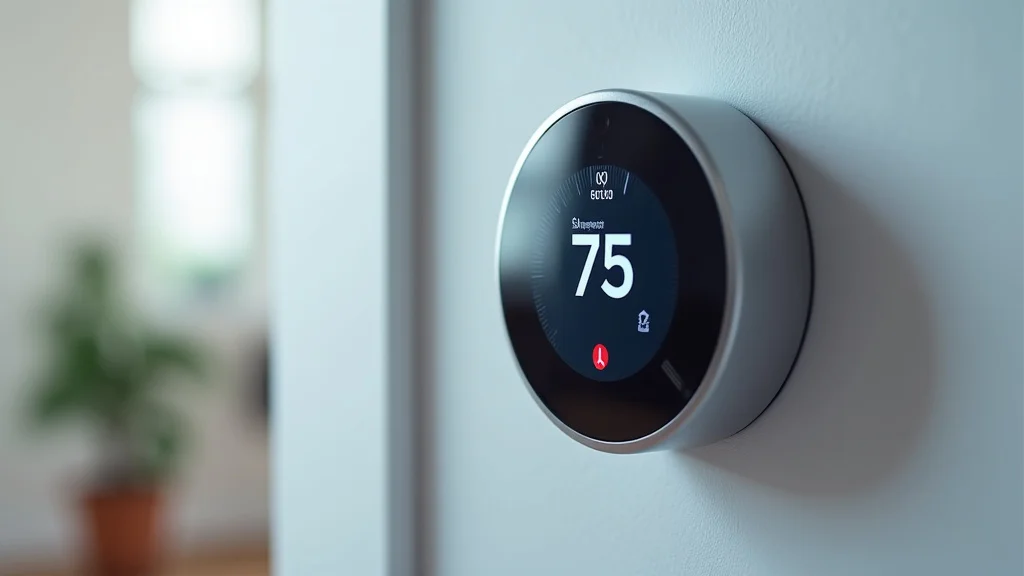
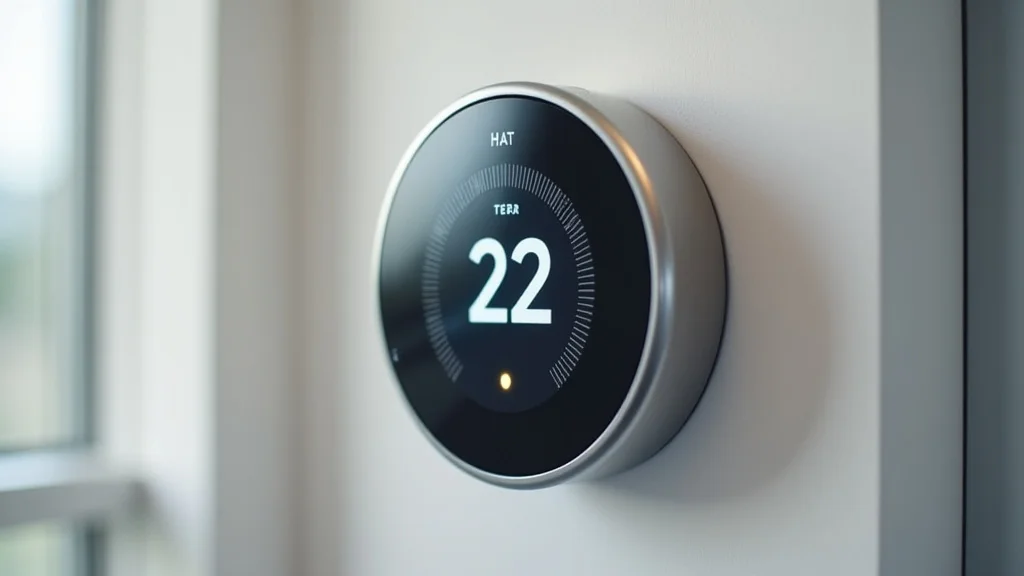
Remember that chilly morning when you woke up to a freezing house? Or that sweltering afternoon when your AC just wouldn’t kick in fast enough? These temperature troubles are a thing of the past thanks to smart home technology. The ecobee 4 smart thermostat app is a powerful tool to control your home’s climate. In this post, we’ll explore everything you need to know about the ecobee 4 smart thermostat app, from setting it up to maximizing its features. You’ll gain practical advice, troubleshooting tips, and learn how to use the app to save money on your energy bills. Get ready to transform your home’s comfort and efficiency!
Key Takeaways
- Learn how to set up and connect your ecobee 4 to the app.
- Discover the features and functionalities of the ecobee 4 app.
- Find out how to create schedules and customize comfort settings.
- Understand how to use the app for energy efficiency and cost savings.
- Explore tips for troubleshooting common app issues.
- Learn how to connect with other smart home devices.
Getting Started With Your Ecobee 4 Smart Thermostat App
Before you can enjoy the benefits of your ecobee 4, you’ll need to set it up. This begins with installing the thermostat itself, then connecting it to your home Wi-Fi and linking it with the app. This section guides you through the initial steps. It is the key to managing your home’s temperature from anywhere. Setting up the app is a straightforward process, making it easy for anyone to control their home’s climate. By following these steps, you’ll be able to enjoy the benefits of a smart thermostat quickly.
Installing and Connecting Your Ecobee 4
Installing your ecobee 4 smart thermostat is a fairly simple process. Begin by switching off the power to your existing thermostat at the circuit breaker. This is a very important safety precaution. Next, remove your old thermostat and take a picture of the wiring. This will be invaluable when connecting the ecobee 4. Using the provided instructions, connect the wires from your HVAC system to the corresponding terminals on the ecobee 4. Once the wiring is complete, securely mount the ecobee 4 to the wall. Finally, restore power at the circuit breaker.
- Wiring Check: Always double-check your wiring to avoid any potential damage. If you’re unsure, consult an electrician.
- Power Off: Disconnecting power is crucial for safe installation. Do not proceed until you have done this.
- Mounting: Use the provided screws and level the thermostat for a professional look.
Connecting to Wi-Fi
After installing the ecobee 4, the next step is connecting it to your home Wi-Fi network. This allows you to control the thermostat remotely via the app. On the ecobee 4’s screen, navigate to the Wi-Fi settings. Select your Wi-Fi network from the list of available networks. Enter your Wi-Fi password when prompted. Ensure your network is active and providing internet access for a successful connection. After connecting, the thermostat will show a confirmation message, indicating it’s ready for use with the app.
- Network Compatibility: Make sure your Wi-Fi network is compatible with the ecobee 4 (usually 2.4 GHz).
- Password Entry: Double-check the Wi-Fi password for accuracy; a typo can prevent connection.
- Signal Strength: Ensure the thermostat is in an area with good Wi-Fi signal strength for reliable performance.
Creating an Ecobee Account and Pairing the Thermostat
To use the ecobee 4 smart thermostat app, you must first create an ecobee account. Download the app from the App Store or Google Play Store. Open the app and select “Create Account.” Provide your email address, create a password, and enter any other required information. Once your account is created, you’ll need to add your ecobee 4 to your account. On the app, select “Add Device” and follow the on-screen instructions. The app will guide you through the process of connecting your thermostat. You’ll likely need to enter a pairing code shown on the thermostat’s screen.
- Account Security: Use a strong, unique password for your ecobee account to protect your data.
- App Permissions: Allow the app the necessary permissions (location, network access) for it to function correctly.
- Verification: Verify your email address by clicking the link sent to your inbox.
Exploring the Features of the Ecobee 4 Smart Thermostat App
The ecobee 4 smart thermostat app provides a wide array of features that enhance your ability to control and customize your home’s climate. The app’s user-friendly design helps you manage your home’s temperature, monitor energy consumption, and automate settings, making your home more comfortable and efficient. This section explores the key features that make the ecobee 4 a valuable addition to your smart home. Understanding these features will allow you to make the most of your ecobee 4.
Remote Control and Temperature Adjustments
One of the primary benefits of the ecobee 4 smart thermostat app is its ability to control your thermostat remotely. This means you can adjust your home’s temperature from anywhere, anytime, using your smartphone or tablet. Whether you’re on vacation or at work, you can ensure your home is at the perfect temperature when you arrive. The app displays the current temperature in your home, allowing you to instantly make adjustments. You can manually set the desired temperature, and the thermostat will automatically adjust the HVAC system to reach that target.
- Real-Time Updates: The app updates temperature readings in real-time, providing immediate feedback.
- Manual Override: Quickly override scheduled settings to adjust for unexpected events or weather changes.
- Temperature Control: The app’s interface makes setting the temperature extremely simple and intuitive.
Scheduling and Automation
The ecobee 4 app lets you set up schedules that automatically adjust the temperature throughout the day. You can create custom schedules tailored to your lifestyle, like lowering the temperature while you’re at work and raising it before you get home. Schedule settings help optimize energy use by avoiding unnecessary heating or cooling. You can set different temperatures for weekdays and weekends, and you can also set specific times. For example, the schedule can adjust temperatures for sleeping hours. The automation capabilities offer convenience and significant energy savings.
- Smart Schedules: Utilize the app’s pre-set or custom scheduling templates.
- Geo-fencing: Some models use your phone’s location to adjust settings when you leave or arrive home (sold separately).
- Integration: Integrate your ecobee 4 with other smart home devices like lights and blinds for full home automation.
Smart Sensors
The ecobee 4 comes with a room sensor. These additional sensors are designed to be placed in different rooms. They help improve temperature readings across your entire home. The sensors communicate with the main thermostat, taking into account different temperature readings throughout the house. This data allows the thermostat to make intelligent adjustments for the optimal comfort of all occupants. The ecobee 4 smart thermostat app provides data for where to place the room sensors.
- Placement Guidelines: Place sensors in rooms you use the most. Avoid direct sunlight or drafts.
- Average Temperature: The thermostat averages the readings from the main thermostat and all room sensors.
- Comfort Settings: Choose which rooms are most important to you to use as main areas for comfort.
Optimizing Energy Efficiency With the Ecobee 4 Smart Thermostat App
Beyond convenience, the ecobee 4 smart thermostat app is designed to help you reduce your energy consumption and lower your utility bills. By taking advantage of its various energy-saving features, you can make your home more energy efficient. This section details how to make the most of the app’s features to maximize energy savings. It will show you how to set up schedules, monitor your energy usage, and receive helpful insights to help you manage your energy consumption.
Energy Usage Monitoring
The ecobee 4 smart thermostat app offers detailed energy usage reports, allowing you to track your heating and cooling consumption over time. You can view these reports by day, week, month, or even year. The app displays information in clear, easy-to-understand graphs and charts, showing you how your energy consumption changes based on your settings, weather conditions, and occupancy patterns. The ability to monitor energy consumption allows you to identify areas where energy use is excessive. Armed with this information, you can make adjustments to your settings to optimize for greater efficiency.
- Historical Data: Review past energy use to identify trends and areas for improvement.
- Cost Analysis: See how your energy use translates into dollars and cents.
- Comparative Data: The app allows you to compare your energy consumption against previous periods.
Smart Home Integration
The ecobee 4 smart thermostat works with smart home ecosystems like Apple HomeKit, Google Assistant, and Amazon Alexa. This connectivity means that you can control your thermostat using voice commands. You can integrate your ecobee 4 with other smart home devices, such as smart lights and automated blinds, for a comprehensive energy-saving experience. This interoperability allows you to create a smart home that can adjust to your schedule. Smart home integration also helps you automate energy-saving practices, contributing to greater overall efficiency.
- Voice Control: Use voice commands to adjust the temperature, set schedules, and more.
- Automated Scenes: Create scenes that adjust multiple devices, like turning off lights when the thermostat lowers the temperature.
- System Compatibility: Check your other smart home devices for compatibility with your ecobee 4.
Eco+ Features
Eco+ is a suite of features designed to help you save energy and reduce costs. The Eco+ features are available within the app. Some Eco+ features include Smart Home/Away, which automatically adjusts the temperature when you’re away from home. Another feature is Community Energy Savings, which allows your thermostat to adjust settings during peak energy times. The Comfort Settings feature recommends the best temperature settings based on energy-saving recommendations. By using Eco+ features, you can make your home more energy-efficient and reduce your energy bills automatically.
- Home/Away Assist: This feature learns your schedule to help save energy when you are away.
- Peak Relief: The system shifts your energy usage during peak times to reduce your bill.
- Smart Alerts: Eco+ sends you alerts and recommendations for energy savings.
Troubleshooting Common Issues With the Ecobee 4 Smart Thermostat App
While the ecobee 4 smart thermostat app is generally reliable, you might encounter some issues. This section offers solutions to resolve common problems you may come across. From connection issues to scheduling glitches, the troubleshooting tips will help you quickly identify and fix them. Having some basic troubleshooting knowledge can save you time and frustration, helping you get the most out of your ecobee 4.
Connection Problems
One of the most common issues is connection problems between the app and the thermostat. First, verify that your thermostat is connected to your Wi-Fi network. Check the Wi-Fi settings on your thermostat’s screen to ensure it’s connected and that the signal strength is good. Check your internet connection. Try restarting your Wi-Fi router and your ecobee 4. Make sure that your app is up-to-date. If the app still cannot connect to the thermostat, try deleting and reinstalling the app on your phone or tablet. Also, verify that your phone is connected to your Wi-Fi network. These steps can usually solve most connection problems.
- Restart Devices: Rebooting the router and thermostat often fixes temporary connection hiccups.
- Wi-Fi Signal: Poor signal strength can cause connection problems; consider a Wi-Fi extender.
- App Updates: Ensure that both the app and the thermostat’s firmware are up-to-date.
Scheduling and Configuration Errors
Incorrect scheduling and configuration errors can disrupt the automatic adjustments you’ve set up. Double-check that all your schedules are set correctly. Ensure that the correct times, temperatures, and modes (heat, cool, auto) are selected. Check that any holiday or vacation settings you’ve enabled haven’t inadvertently overridden your regular schedule. Make sure that the sensor is installed and positioned correctly. Ensure that you have saved your schedules. Make sure that your HVAC system is set to function correctly, like the fan setting.
- Review Settings: Carefully review your schedules and settings to identify any errors.
- Test Schedules: Test your schedules to confirm that they are functioning as expected.
- Clear Conflicts: If you use multiple settings, resolve any conflicts that might prevent proper functioning.
Sensor Issues
Room sensors play a critical role in providing accurate temperature readings and optimizing your home’s comfort. If you have any problems, make sure the sensor batteries are good and that the sensor is within range of the main thermostat. If the sensor has its temperature display, make sure it is correct. Make sure that the sensor is paired correctly with the thermostat. Make sure there is no direct sunlight. Also, ensure the sensors are not located near heat sources like vents or direct sunlight. If these measures don’t fix the issue, you can try resetting the sensor.
- Battery Life: Replace the batteries in your sensors regularly to maintain their functionality.
- Sensor Range: Make sure the sensors are within the specified range of the main thermostat.
- Placement: Avoid placing the sensors near drafts, vents, or direct sunlight.
Advanced Settings and Customization Within the Ecobee 4 Smart Thermostat App
Beyond the basic features, the ecobee 4 smart thermostat app allows for advanced settings and customization options. These allow you to tailor your smart thermostat to your lifestyle. These features provide a deeper control of your comfort. This section explores the advanced features that make the ecobee 4 versatile.
Threshold Settings
Threshold settings allow you to fine-tune your thermostat’s performance. You can customize the temperature differential. The temperature differential is the difference between the setpoint and when the system kicks in. You can also adjust how the thermostat responds to changes in temperature, humidity, and fan settings. These advanced settings can improve comfort and energy efficiency. By adjusting the fan control settings, you can control how the fan operates.
- Temperature Differential: Adjust the differential to reduce the frequency of heating or cooling cycles.
- Fan Control: Fine-tune fan settings to provide better air distribution and comfort.
- Humidity Settings: Customize humidity levels for added comfort.
Alerts and Notifications
The ecobee 4 app lets you set up various alerts and notifications. These provide updates on your thermostat’s status and performance. You can receive alerts when the temperature is outside of your preset range. You can also receive alerts when there’s an equipment malfunction. Customize the notifications so that you only receive the information that is important to you. By monitoring your system through alerts, you can address issues. This helps to maintain optimal comfort and efficiency.
- Equipment Alerts: Get notifications about your system’s performance, such as filter changes.
- Temperature Alerts: Set temperature ranges to receive alerts when the temperature falls outside the set points.
- Service Notifications: Receive reminders for maintenance tasks.
Integrating with Other Smart Home Systems
One of the strengths of the ecobee 4 smart thermostat app is its ability to connect with other smart home systems. It offers integration with other platforms like Apple HomeKit, Google Assistant, and Amazon Alexa. This allows you to control your thermostat and other smart home devices from a single interface. Integration provides seamless control of your smart home devices. You can use voice commands to control your thermostat. Integration can make your home life more convenient and energy efficient.
- Voice Control: Use voice commands to adjust your thermostat and other connected devices.
- Home Automation: Create automated scenes for a customized experience.
- Compatibility: Research and select devices that are compatible with your ecobee 4 smart thermostat.
Common Myths Debunked
Myth 1: Smart Thermostats Are Difficult to Install
Many people believe that installing a smart thermostat is a complicated process best left to professionals. However, with the ecobee 4, installation is straightforward. The app offers step-by-step guidance. Installation is as easy as connecting a few wires and following the instructions. With a little care, most homeowners can easily install the ecobee 4 themselves.
Myth 2: Smart Thermostats Only Benefit Homeowners with Expensive HVAC Systems
Some think that smart thermostats are only useful with new and expensive HVAC systems. However, the ecobee 4 is compatible with most standard heating and cooling systems, regardless of their age. The features, like scheduling and remote control, offer energy savings and convenience. This can save you money, regardless of the age of your system.
Myth 3: Smart Thermostats Are Not Secure
There is a concern that smart home devices, including thermostats, are vulnerable to hacking. The ecobee 4 has security measures to safeguard your information. ecobee uses encryption and secure protocols to protect your data. You can increase the security of your ecobee 4 smart thermostat app. Choose strong passwords, enable two-factor authentication, and keep your software updated.
Myth 4: Smart Thermostats Don’t Really Save You Money on Your Energy Bill
Many people doubt that smart thermostats can reduce energy costs significantly. The ecobee 4 is designed to save energy by automating settings. Eco+ features help you to avoid unnecessary energy usage. The scheduling and remote control features also contribute to energy savings. By using the features of the ecobee 4, many users have reported a reduction in their energy bills.
Myth 5: Smart Thermostats Are Only Worth the Investment in Large Homes
Some believe that smart thermostats are most worthwhile for large homes with multiple zones. However, the ecobee 4 offers value in any home, regardless of size. The ability to monitor and control your home’s climate offers advantages. These advantages can improve comfort and energy savings in any home. Even small apartments or condos can benefit from the features of the ecobee 4.
Frequently Asked Questions
Question: Can I control my ecobee 4 from multiple devices?
Answer: Yes, you can control your ecobee 4 smart thermostat from multiple devices, like smartphones or tablets. Just log in to the same ecobee account on each device.
Question: Does the ecobee 4 work with my existing HVAC system?
Answer: The ecobee 4 is compatible with most heating and cooling systems. If you’re unsure, check the compatibility tool on the ecobee website.
Question: How often do I need to replace the batteries in the room sensors?
Answer: The battery life in the room sensors can vary. Replace batteries when you get low battery notifications from the app, or every 6-12 months.
Question: Can I use the ecobee 4 without a Wi-Fi connection?
Answer: You can manually control the temperature settings directly on the thermostat without Wi-Fi. However, you need an internet connection to use the app.
Question: How do I reset my ecobee 4?
Answer: To reset your ecobee 4, locate the reset button on the thermostat. You can also reset it through the app’s settings menu.
Final Thoughts
The ecobee 4 smart thermostat app is a valuable tool for anyone looking to control their home’s climate. The initial setup is straightforward. You will be able to control your home’s climate remotely. Energy monitoring features will help to manage and reduce your energy consumption. It seamlessly integrates with other smart home systems, offering convenience and energy savings. The ability to customize schedules and take advantage of advanced settings ensures that your home is at the perfect temperature. This smart home technology makes life more comfortable and efficient. Explore all the features of the app. By experimenting with its settings, you can maximize your home’s comfort and achieve savings on your energy bills. Take control of your home’s climate today!