Remember that time your thermostat went haywire during a heat wave, and you scrambled to adjust the temperature manually? Or perhaps you’ve longed for a way to manage your home’s climate control effortlessly. Imagine controlling your home’s temperature, not just from the couch, but from anywhere with your smartphone! The Honeywell Home Smart Color Thermostat offers a convenient and efficient way to regulate your home’s heating and cooling. This guide will explore everything you need to know about this innovative device, from setup to smart features, helping you make informed decisions and get the most out of your Honeywell Home Smart Color Thermostat. You’ll learn how this technology can transform your living space into a smarter, more comfortable, and energy-efficient environment.
Key Takeaways
- Learn about the key features and benefits of the Honeywell Home Smart Color Thermostat.
- Discover how to install and set up your new smart thermostat.
- Explore the various smart features, including remote access and energy savings.
- Understand how to troubleshoot common issues and optimize performance.
- Get insight into the thermostat’s compatibility and smart home integration.
- Find answers to frequently asked questions about the smart thermostat.
Overview of the Honeywell Home Smart Color Thermostat
The Honeywell Home Smart Color Thermostat represents a significant leap forward in home climate control. It’s more than just a device to adjust your home’s temperature; it’s a hub of smart features designed to enhance comfort, convenience, and energy efficiency. Gone are the days of manual adjustments. This thermostat allows for remote control via a smartphone app, personalized scheduling, and even energy-saving features. Its sleek design and customizable color display integrate seamlessly with any home decor, adding a touch of modern sophistication.
Features and Benefits
The core function of the Honeywell Home Smart Color Thermostat centers around managing heating and cooling systems, but it offers many features. Its ability to personalize schedules is very useful. The thermostat also has geo-fencing capabilities and learns from user behavior to optimize energy usage automatically. This means that you can set specific temperatures for different times of the day or week, tailoring your home’s climate to your lifestyle. The device can also detect when you’re away from home and adjust the temperature accordingly, saving energy when you’re not there. You can create a smart and personalized comfort setting.
- Remote Control: Manage your home’s temperature from anywhere with the Honeywell Home app.
- Smart Scheduling: Customize heating and cooling schedules to fit your lifestyle and save energy.
- Energy Savings: Benefit from intelligent features that optimize energy consumption.
- Customizable Display: Choose from a variety of colors to match your home decor.
- Compatibility: Works with most heating and cooling systems and smart home platforms.
The benefits extend beyond mere convenience. By automatically adjusting temperatures and offering insights into energy usage, this smart thermostat assists in reducing energy bills. You can monitor your energy consumption and make informed decisions about your climate control habits. The customizable display adds a modern touch, allowing it to blend seamlessly into your home. The thermostat’s compatibility with smart home systems means it can also connect with other devices, creating a more cohesive smart home environment.
Design and User Interface
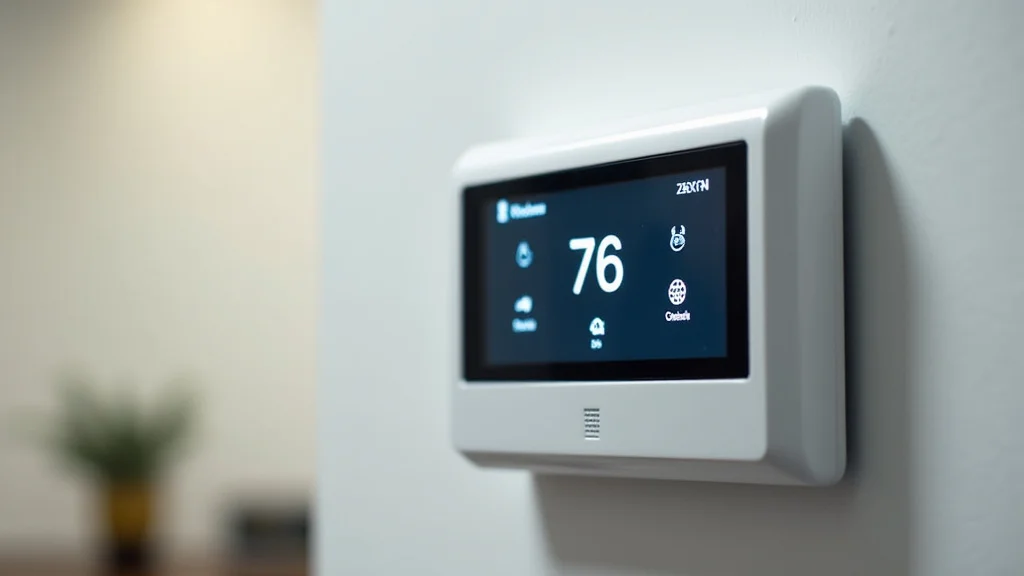
The design of the Honeywell Home Smart Color Thermostat is aimed at blending aesthetics with practicality. It offers a sleek and modern look with a circular design and a vibrant color display. This display not only shows the current temperature and settings, but can also be customized with various color schemes to match your home’s interior. The touch screen interface simplifies navigation and control. The intuitive user interface makes it easy to set schedules, adjust temperatures, and monitor energy usage. The design is intended to make operation easy for users of all technical abilities.
- Modern Aesthetic: A sleek, circular design that fits into any home.
- Customizable Color Display: Match the display to your home’s interior design.
- Touchscreen Interface: Easy-to-use, intuitive controls.
- Clear Display: Provides essential information at a glance.
The physical appearance of the thermostat is simple and straightforward, with clean lines and a minimalist approach. The screen is clear and bright, providing easy-to-read information. The touchscreen is responsive, making adjustments smooth and quick. The design incorporates energy-saving features, such as the ability to dim the screen when not in use. This combination of form and function enhances the overall user experience, making it a valuable addition to any home.
Installation and Setup of Your Thermostat
Installing the Honeywell Home Smart Color Thermostat is designed to be a straightforward process, even for those with limited technical experience. Detailed instructions guide you through each step. The thermostat is compatible with most existing HVAC systems, simplifying the installation process. Although it’s generally a DIY project, you should always feel free to reach out to a professional if you’re not sure about the electrical wiring.
Preparation for Installation
Before beginning the installation, it’s necessary to gather the required tools and prepare your existing system. This preparation makes the installation process smoother and reduces the chances of errors. It’s essential to have the necessary tools on hand, and to switch off the power to the HVAC system at the breaker box before you begin. It’s also a good idea to take a picture of your existing thermostat’s wiring. This will serve as a reference during the new thermostat installation. If you are unsure about any steps, contacting a professional is highly recommended.
- Gather Tools: You’ll need a screwdriver, wire strippers, and a level.
- Turn Off Power: Always switch off the power to your HVAC system.
- Remove Old Thermostat: Carefully remove the old thermostat, labeling wires.
- Wiring Check: Ensure your wiring is compatible with the new thermostat.
You can find the necessary tools at most home improvement stores. Taking pictures is essential. They act as a helpful reference point. The wiring should be checked to be sure that your HVAC system will work with the new thermostat. Checking your wiring and the model’s specifications can ensure a successful installation. If you have any doubts about electrical work, consulting a qualified HVAC technician is wise.
Wiring and Connection
Once you’ve removed the old thermostat and prepared your wires, it’s time to connect the Honeywell Home Smart Color Thermostat. Follow the wiring diagram provided in the user manual. Match the wires from your HVAC system to the corresponding terminals on the new thermostat. It is important to make sure the wires are securely attached. Double-check all connections before moving on to avoid problems. If the wiring doesn’t match the diagram or if you’re uncertain, seeking help from a professional is the best path to take.
- Wire Matching: Match wires from your system to the terminals on the new thermostat.
- Secure Connections: Ensure wires are firmly connected to the terminals.
- Double-Check: Verify all wiring before powering on.
- Power On: Restore power to the HVAC system after the wiring is done.
Using the wiring diagram included is essential. Matching the wires to the correct terminals is key for the system to work. Secure connections ensure that the wiring is durable. After you have completed the wiring, restore power at the breaker. If you’re encountering any issues with the wiring, it’s best to consult a professional HVAC technician. It’s necessary to follow these steps precisely to make sure your new thermostat operates correctly.
Software Setup and Configuration
With the physical installation completed, the next step involves setting up the software and configuring the thermostat. You’ll need to download the Honeywell Home app on your smartphone or tablet. The app guides you through creating an account and connecting your thermostat to your home’s Wi-Fi network. Once connected, you can configure your preferences, such as setting temperature ranges, creating schedules, and customizing the display. This also allows you to enjoy the benefits of remote control and smart features. You will also be able to monitor energy usage within the app.
- Download App: Get the Honeywell Home app on your device.
- Create Account: Set up an account and link your thermostat.
- Connect to Wi-Fi: Connect the thermostat to your home network.
- Personalize Settings: Customize temperature, schedules, and display.
The app is the central point for managing your thermostat and its settings. During the setup, you’ll be prompted to input your home’s Wi-Fi credentials. When connected, you can personalize settings like temperature preferences, scheduling, and display options. The app makes it easy to set up your home climate controls. This also gives you remote access, allowing you to control your system from anywhere. You will also get insights into energy usage, giving you greater control over your energy consumption. By following these steps, you’ll have your smart thermostat set up and ready to use in no time.
Smart Features and Energy Saving
The Honeywell Home Smart Color Thermostat is designed to offer far more than simple temperature control. With integrated smart features, it enhances convenience and promotes energy savings. From remote access via the app to energy-saving settings, this device empowers you to manage your home’s climate more efficiently. You can also monitor your energy usage and receive alerts to help you optimize your energy consumption. It seamlessly integrates into your daily life.
Remote Access and Control
One of the most valuable features of this thermostat is the remote access and control capability. Using the Honeywell Home app, you can change the temperature, set schedules, and view current conditions from anywhere. This means that you can make adjustments whether you’re at work, on vacation, or simply in another room. The ability to monitor your home’s temperature in real-time gives you peace of mind. The app also lets you receive alerts about extreme temperatures or system issues.
- Anywhere Access: Control your thermostat from your smartphone or tablet.
- Real-Time Monitoring: View current temperature and system status.
- Temperature Adjustments: Easily adjust settings remotely.
- Alerts and Notifications: Receive alerts about system issues.
The remote access feature is a huge convenience, especially during unpredictable weather changes. If you are away from home, you can make sure your house is comfortable. You can also proactively address any concerns about your HVAC system. This is very useful. Remote access saves energy and money by allowing you to make quick adjustments. This remote control capability makes the thermostat a versatile and valuable addition to any smart home.
Smart Scheduling and Learning Capabilities
The smart scheduling feature lets you create custom heating and cooling schedules to fit your lifestyle. You can set different temperatures for different times of the day. The thermostat also has a learning ability that allows it to learn from your behavior and automatically adjust to your preferences. It learns from your adjustments and automatically adapts to improve energy efficiency. The smart scheduling feature also offers geo-fencing, which adjusts the temperature based on your location. This ensures that your home is comfortable when you arrive and conserves energy when you are away. This thermostat makes the most efficient use of your home’s energy.
- Custom Schedules: Set unique schedules to match your lifestyle.
- Learning Thermostat: Learns and adapts to your preferences.
- Geo-Fencing: Adjusts temperature based on your location.
- Energy Optimization: Improves energy efficiency through smart scheduling.
Creating custom schedules can help save energy and also improve your comfort. Your house will be the right temperature when you want it to be. The learning capabilities make the thermostat adapt to your unique preferences. The geo-fencing feature adds another layer of smart control. Smart scheduling and learning features give you a balance between comfort and energy savings. This makes the thermostat a very smart and practical solution.
Energy Saving Modes and Tips
The Honeywell Home Smart Color Thermostat has several energy-saving modes. These modes are designed to help you reduce your energy consumption. One of the main modes is the “Away” mode. This mode automatically lowers the temperature during times when you’re not home, saving energy. You can also set specific temperature ranges to limit heating and cooling. These can help to optimize energy usage. You can monitor your energy consumption using the app. This feature helps you adjust your habits. By understanding these features and adjusting your habits, you can greatly lower your energy bills.
- “Away” Mode: Automatically adjusts temperature when you’re not home.
- Temperature Range Settings: Set maximum and minimum temperatures.
- Energy Monitoring: Track and analyze your energy usage.
- Tips and Recommendations: The app provides tips for energy savings.
Using the “Away” mode is a very easy way to conserve energy. You can also choose temperature settings that work for your comfort. You can follow the recommendations in the app. This provides more understanding of your energy usage. These can help you change your behavior and lower your bills. These are great ways to reduce energy use and make your home more energy-efficient.
Compatibility and Integration
A major benefit of the Honeywell Home Smart Color Thermostat is its ability to easily integrate into your smart home ecosystem. It’s compatible with several popular smart home platforms, making it simple to control your thermostat along with other connected devices. The compatibility ensures that your smart thermostat can be controlled through voice commands. The integration of the thermostat with other devices allows for more convenient control and automated climate control.
Smart Home Platform Compatibility
The smart thermostat can integrate seamlessly with a number of smart home platforms. This compatibility makes it an excellent choice for anyone who already uses these systems. This lets you control your thermostat through other smart home systems, creating a unified smart home experience. It works well with Amazon Alexa, Google Assistant, and Apple HomeKit. These integrations mean you can manage your thermostat with voice commands or through a single app that manages all your smart devices. You can use these platforms to control the thermostat, schedule temperature changes, and monitor energy usage.
- Amazon Alexa: Control your thermostat with voice commands.
- Google Assistant: Integrate with Google Home for voice control.
- Apple HomeKit: Manage your thermostat through the Home app.
- IFTTT Support: Automate with a wide range of other smart devices.
The seamless integration with popular smart home platforms enables effortless control. You can control your thermostat alongside your lights, locks, and other smart devices. Using voice commands or a single app is a great advantage. This is an easy and convenient way to control your home’s climate. Compatibility with these platforms ensures that your thermostat will work with your smart home. This also simplifies the setup. These features greatly improve the usefulness and convenience of this thermostat.
System Compatibility
The Honeywell Home Smart Color Thermostat is designed to be compatible with a wide range of HVAC systems. The compatibility ensures that you can upgrade to this smart thermostat without needing a whole new HVAC system. It works with most central heating and cooling systems, as well as heat pumps and furnaces. It is essential to check the compatibility to ensure that your specific system is supported. Usually, the thermostat supports a variety of wiring configurations. The ease of compatibility allows for a smoother upgrade process. If you have any questions or doubts about compatibility, you should contact a professional.
- Central HVAC Systems: Compatible with most central air conditioning and heating systems.
- Heat Pumps: Supports various heat pump configurations.
- Furnaces: Works with both gas and electric furnaces.
- Wiring Configurations: Supports a wide range of wiring setups.
Before installing your thermostat, it’s wise to ensure your system is compatible. You can check the specifications online or in the product manual. You can usually find the model number of your HVAC system to make certain it is compatible. The support for various wiring setups helps make the upgrade process easier. If you encounter any compatibility issues, seeking advice from a qualified HVAC technician is essential. This can save you time and prevent damage to your HVAC system.
Troubleshooting and Optimization
Like any smart device, the Honeywell Home Smart Color Thermostat may occasionally present issues. These are often easy to fix. Understanding these common problems and knowing how to troubleshoot them helps you maintain smooth operation. Regular maintenance can optimize its performance. By knowing how to deal with these situations, you will be able to maintain your comfort and make sure that you’re using energy efficiently.
Common Problems and Solutions
Several issues can occur with the thermostat. Fortunately, many are easy to fix. One common issue is Wi-Fi connectivity problems. If the thermostat can’t connect to Wi-Fi, it will be impossible to control it from your phone. First, verify that your home network is working. You can then check the thermostat’s settings to be sure your network information is correct. If the display doesn’t light up, check the power supply. Be sure that the circuit breaker is on, and all the wiring is connected correctly. If the temperature readings appear to be incorrect, consider calibrating the thermostat sensors to make sure they are accurate. Most problems are straightforward to resolve.
- Wi-Fi Connection Issues: Check your home network and thermostat settings.
- Display Problems: Check the power supply and wiring.
- Inaccurate Temperature Readings: Calibrate the thermostat’s sensors.
- App Connectivity Problems: Ensure the app is updated and the account is active.
Troubleshooting is often about checking the basics. Make sure your Wi-Fi is working, and the settings are correct. Power supply problems are easy to recognize. Inaccurate temperature readings may be solved by calibration. Check that your Honeywell Home app is up-to-date. If a problem persists, you can usually find help online. These easy steps can help solve common issues and get your smart thermostat working as intended.
Optimizing Performance and Energy Efficiency
To get the best performance and energy efficiency from your Honeywell Home Smart Color Thermostat, you should implement various strategies. Schedule your thermostat to automatically adjust the temperature to fit your lifestyle. Utilize the “Away” mode when you’re not at home. Also, make use of the app’s energy-saving recommendations to make necessary adjustments. Regular maintenance, such as cleaning the air filters in your HVAC system, ensures your system runs efficiently. Proper placement is also important. The thermostat should be installed away from direct sunlight, drafts, and heat sources.
- Regular Scheduling: Set and adjust schedules for energy savings.
- Use “Away” Mode: Activate this mode to conserve energy when you’re away.
- Follow App Recommendations: Implement energy-saving tips from the app.
- Proper Placement: Ensure the thermostat is installed correctly.
When you set up your schedule, your home will be the right temperature when you want it to be. Using the “Away” mode prevents unnecessary use of energy. The app provides insight into your energy usage. Proper placement helps the thermostat measure the temperature accurately. Maintenance, scheduling, and good habits can improve performance and reduce your energy costs. These steps can help you get the most out of your smart thermostat.
Common Myths Debunked
Myth 1: Smart thermostats are hard to install.
In reality, the Honeywell Home Smart Color Thermostat is designed for a simple installation process, often achievable as a DIY project. While some older models were difficult to set up, modern smart thermostats come with detailed instructions and intuitive interfaces. The wiring is designed to be user-friendly, and most homes already have the wiring needed for HVAC systems. You can follow the step-by-step guidance provided in the user manual to make the installation easy. If you are unsure, professional help is always available.
Myth 2: Smart thermostats only benefit homes with complex HVAC systems.
The truth is, even if your HVAC system is basic, you can still gain many benefits. While advanced smart features may be more useful in advanced HVAC systems, you still receive benefits. The ability to monitor and regulate your home’s temperature from anywhere, coupled with energy-saving schedules, provides comfort and saves you money. Smart thermostats are designed for all types of homes. No matter how basic your HVAC system is, these thermostats can still improve your living experience.
Myth 3: Smart thermostats are not secure.
Security is a key priority in today’s smart home devices. The Honeywell Home Smart Color Thermostat uses strong encryption and security protocols to protect your data. It also frequently updates its software to protect against any risks. The company values the security of their customers’ data and will work hard to protect it. You can feel secure knowing that the device is secure.
Myth 4: Smart thermostats require a lot of technical expertise.
The Honeywell Home Smart Color Thermostat is designed to be very user-friendly. You do not need to be a technical expert to set it up and use it. The setup is designed to be simple, with easy-to-follow instructions in the app and the device. From the initial installation to the day-to-day operation, the interface has been crafted to be intuitive and simple to operate. The app also offers troubleshooting tips. The goal is to provide a seamless and simple experience for all users.
Myth 5: Smart thermostats are expensive to operate.
In reality, smart thermostats are designed to save you money in the long run. The energy-saving features, such as smart scheduling and geo-fencing, help to reduce energy use. The automatic adjustments that the thermostat makes help to reduce energy costs. While the initial investment may seem high, you’ll see a return in savings on your monthly energy bills. The thermostat itself is also very energy-efficient. You can monitor your energy usage through the app, which helps you monitor and make sure you’re saving money.
Frequently Asked Questions
Question: Can I control the Honeywell Home Smart Color Thermostat remotely?
Answer: Yes, you can control the thermostat remotely through the Honeywell Home app on your smartphone or tablet, allowing you to adjust settings from anywhere with an internet connection.
Question: Is it compatible with my existing HVAC system?
Answer: The Honeywell Home Smart Color Thermostat is designed to be compatible with most HVAC systems, including central air, furnaces, and heat pumps. Verify compatibility with the product specifications or by consulting a professional if you’re uncertain.
Question: How do I set up a smart schedule?
Answer: You can set up a smart schedule using the Honeywell Home app. The app allows you to create custom temperature settings for different times of the day and different days of the week to match your routine.
Question: How does the thermostat save energy?
Answer: The thermostat saves energy through smart scheduling, learning capabilities, geo-fencing, and energy-saving modes like “Away” mode, optimizing your home’s climate control to reduce consumption.
Question: What happens if my Wi-Fi goes down?
Answer: If your Wi-Fi goes down, the thermostat will continue to operate based on the last settings programmed. You will not be able to control it remotely until your Wi-Fi is restored.
Final Thoughts
The Honeywell Home Smart Color Thermostat is a smart addition to any home, providing convenience, energy savings, and a touch of modern design. It provides user-friendly controls. It can also integrate well with your current smart home setup, making it an excellent investment. You can easily control your home’s climate with the app. You can also customize the settings and color display. To get the most from your thermostat, install it correctly, set up a custom schedule, and explore the app’s features. Remember to monitor your energy consumption to optimize savings. By following these suggestions, you’ll be well on your way to a more comfortable, efficient, and smart home.