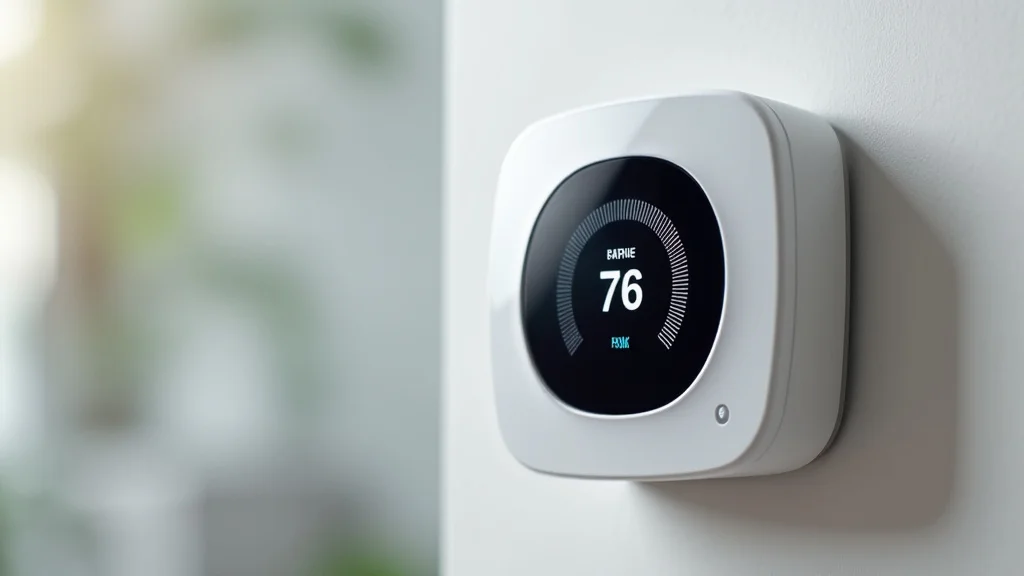
Picture this: you’re snuggled on the couch, watching your favorite movie, when you realize the house is getting chilly. Instead of getting up, you grab your phone and with a few taps, the temperature rises. That’s the ease and convenience a smart thermostat device brings to your life. In this guide, we’ll explore how these devices work, the advantages they offer, and how you can start using one. You’ll learn the ins and outs of smart thermostat devices, including their features, how they save energy, and how to choose the right one for your home. This information will help you make an informed decision and potentially lower your energy bills.
Key Takeaways
- Smart thermostats offer convenience by allowing remote temperature control.
- They help you save money on energy bills by optimizing heating and cooling schedules.
- Smart thermostats learn your habits and adjust the temperature automatically.
- Installation is often simple, and the devices are compatible with many systems.
- You can monitor your energy usage and make adjustments based on real-time data.
- They integrate with other smart home devices for enhanced automation.
How Smart Thermostat Devices Function
The core function of a smart thermostat device is to manage the temperature in your home. They
Core Components and Operation
Smart thermostats rely on several components to function effectively. A key part is the temperature sensor, which constantly monitors the ambient temperature in your home. This data is transmitted to the device’s processor, which analyzes the current temperature against your set points and schedule. The processor then sends signals to your HVAC system (heating, ventilation, and air conditioning) to turn it on, off, or adjust the airflow. Many also have humidity sensors and the ability to detect occupancy in the house, allowing for more precise control. The integration with a home’s Wi-Fi network is also vital, allowing for remote control through a mobile application.
- Temperature Sensor: This constantly monitors the air temperature. It relays data to the thermostat’s processor. The sensor is usually located inside the thermostat, and some units can utilize multiple sensors throughout the house for more accurate readings.
- Processor: The brains of the operation. This unit analyzes the temperature readings from the sensors, compares it to the user’s settings, and controls the HVAC system accordingly. Modern processors utilize sophisticated algorithms to optimize energy consumption.
- Wi-Fi Connectivity: This built-in module allows the thermostat to connect to your home’s Wi-Fi network. This is how the thermostat communicates with your smartphone, tablet, or other connected devices. It allows you to control the thermostat remotely, set schedules, and access usage data.
- HVAC System Control: This is how the thermostat communicates with the heating and cooling systems. It usually consists of relay switches that control the heating and cooling units. The thermostat signals these switches to turn the system on or off, or to change the fan speed, depending on the need.
- User Interface: This is the part of the thermostat that you, the user, interact with. This is typically a touchscreen, dial, or buttons on the thermostat itself. This can also be a mobile app or web interface to change settings, view the current temperature, and see the system’s status.
To improve accuracy, some systems incorporate multiple sensors throughout your home. This approach ensures that temperature variations are accounted for and that the system only activates or deactivates when necessary. This is especially helpful if there are rooms that heat up or cool down at different rates. Moreover, many newer models have the ability to automatically identify the most appropriate settings and adapt to any changes the user wants to make. The system automatically adjusts in case it detects a temperature anomaly.
Learning Capabilities
One of the distinctive features of smart thermostats is their ability to “learn”. They gather data about your heating and cooling preferences over time, the times you are usually home, and the temperature you like. They utilize this information to create customized schedules that automatically adjust the temperature to fit your lifestyle. This adaptation is more efficient than manual adjustments and provides greater comfort. These thermostats also utilize advanced sensors and algorithms that help them to learn the characteristics of your house, like how long it takes to heat or cool.
- Data Collection: The thermostat collects data on your temperature preferences, including the times and days when you set different temperatures. It monitors your heating and cooling system’s performance to identify patterns in energy use.
- Pattern Recognition: Sophisticated algorithms analyze the data collected to identify regular patterns in your behavior, like when you’re home and when you’re away. They also identify the temperature settings you favor for various times of the day.
- Schedule Creation: Based on the identified patterns, the smart thermostat creates a heating and cooling schedule that matches your lifestyle. The schedule automatically adjusts the temperature to your preferences at the times you usually need it.
- Automatic Adjustment: The learning thermostat will automatically adjust the temperature to preheat or pre-cool your home before you arrive, ensuring optimal comfort. If your schedule changes, the thermostat adjusts automatically.
- User Override: Even with the learning feature, you can always override the schedule. This allows you to manually adjust the temperature when your needs change. The thermostat will then learn from these changes and adapt its future schedules.
Consider a scenario where a family typically leaves home at 8:00 AM and returns at 6:00 PM. The smart thermostat will recognize this pattern and automatically lower the temperature during the day to save energy. Before the family returns, the thermostat will start heating or cooling the house so that it is at a comfortable temperature by the time they arrive. By understanding and adapting to your schedule, the learning capabilities of a smart thermostat device can result in significant energy savings and enhanced comfort.
Remote Access and Control
Remote access is a prominent characteristic of these thermostats. Through a mobile app or web interface, you can control your thermostat from anywhere with an internet connection. This capability allows you to adjust the temperature, set schedules, and monitor your energy usage even when you’re away from home. For example, you can raise the temperature before you arrive home from a trip, or turn down the heat to save energy when you are gone for an extended time.
- Mobile App Interface: Most smart thermostats have dedicated mobile apps available for both iOS and Android. These apps enable you to control all the features of your thermostat from your smartphone or tablet.
- Web Interface: Many smart thermostat devices provide a web interface that can be accessed from any device with a web browser. This offers an alternative method of control and a means to access your thermostat from any computer.
- Temperature Adjustment: With remote access, you can adjust the temperature of your home. If it is hot and you are heading home, you can turn on the AC. If it is cold, you can turn up the heat.
- Schedule Management: You can create, modify, and review your heating and cooling schedules remotely. This helps you to adapt to changes in your schedule and optimize energy use.
- Energy Monitoring: Through the remote interface, you can monitor your energy usage. This helps you to identify areas where you can make changes to save more energy, and understand when your HVAC system is performing efficiently.
Remote access is especially helpful during travel. Before leaving, you can set the thermostat to an energy-saving setting, and upon your return, you can adjust the temperature to your desired comfort level. This capability combines convenience with energy efficiency, allowing you to manage your home’s climate from any place in the world. As a result, users have more control over the comfort of their homes.
Advantages of Using a Smart Thermostat Device
The benefits of using a smart thermostat device are wide-ranging, combining convenience, cost savings, and environmental responsibility. They provide a more efficient method of managing your home’s climate control, leading to improved comfort and reduced energy costs. In addition to these immediate benefits, they often integrate with other smart home systems, increasing the convenience and usefulness of your home’s technology.
Energy Efficiency and Savings
One of the most appealing advantages is the ability to improve energy efficiency and save money. Smart thermostats are specifically designed to optimize your heating and cooling consumption. By learning your schedule, automating adjustments, and providing insights into your energy use, these devices help reduce your carbon footprint and save on utility costs. These features can lead to a significant impact on your monthly bills.
- Optimized Scheduling: Smart thermostats analyze your lifestyle and create schedules to adjust the temperature automatically, saving energy when you’re away and ensuring comfort when you’re home. This automated schedule helps to avoid unnecessary heating or cooling.
- Energy Monitoring and Reporting: These thermostats allow you to monitor your energy consumption. You can track your usage patterns over time and identify ways to reduce your energy bill.
- Geofencing: Many smart thermostats use geofencing technology, which uses your phone’s location to adjust the temperature automatically when you leave or arrive at home.
- Remote Access and Control: Remote control allows you to adjust your home’s temperature from anywhere. This is useful if you forgot to adjust the thermostat before you left the house or if your schedule changes unexpectedly.
- Integration with Smart Home Devices: Integration with other smart home devices, such as smart vents and window sensors, further enhances energy efficiency by adjusting airflow and detecting open windows.
Studies have shown that smart thermostats can help to reduce energy consumption by up to 23%. This is because they help to reduce wasteful heating and cooling, which leads to lower energy bills. These savings, combined with the convenience of remote control and automated schedules, make smart thermostats a worthwhile investment for any homeowner.
Enhanced Comfort and Convenience
In addition to energy savings, these devices offer increased comfort and convenience. They provide consistent temperatures and automatically adjust to your schedule and preferences. You can also make changes from anywhere, ensuring your home is always at the perfect temperature when you arrive. Moreover, some models feature sensors that detect when a room is in use, adjusting the temperature in that specific area for improved comfort.
- Consistent Temperature Control: Smart thermostats ensure a consistent and comfortable temperature throughout your home. They keep the temperature within a narrow range, avoiding extreme fluctuations.
- Personalized Scheduling: These thermostats let you set a customized heating and cooling schedule that suits your needs. You can create different schedules for weekdays and weekends.
- Remote Access: You can control your thermostat from anywhere using a mobile app. This capability is helpful if you need to adjust the temperature before returning home or if you need to set your thermostat while on vacation.
- Zoning Capabilities: Some systems have zoning capabilities, which allow you to control the temperature in different parts of your house.
- Voice Control: Most smart thermostats are compatible with voice control. You can adjust your thermostat using voice commands with systems like Amazon Alexa or Google Assistant.
For example, if you prefer a cooler temperature while sleeping, you can program the thermostat to automatically lower the temperature at night. In the morning, it can automatically raise the temperature to your preferred daytime setting. This level of automation and personalization makes a significant difference in your home’s overall comfort. You don’t have to worry about constantly adjusting the thermostat because it adapts to your schedule and preferences.
Smart Home Integration
These devices often integrate with other smart home devices. This integration helps you to create a comprehensive smart home ecosystem, where devices can communicate and work together. You can control your thermostat and other devices through a single app or voice assistant, adding to the ease of managing your home. This capability includes integration with virtual assistants, smart lighting, and other smart appliances.
- Virtual Assistant Compatibility: Most smart thermostats work with popular voice assistants such as Amazon Alexa, Google Assistant, and Apple HomeKit. This means you can adjust the temperature using voice commands.
- Smart Lighting Integration: Some smart thermostats can integrate with smart lighting systems, adjusting the lighting and temperature settings to match your preferences. You might, for example, have the lights dim and the temperature set for “movie time.”
- Smart Security Systems: Some smart thermostats can communicate with smart security systems, adjusting the temperature when the system is armed or disarmed. This can help to save energy and provide enhanced security.
- Smart Vents: Smart thermostats can work with smart vents, allowing you to direct airflow to different areas of your home. This can help to improve comfort and save energy by ensuring that each room is heated or cooled efficiently.
- Automated Scenes: You can create automated scenes that combine multiple actions, such as adjusting the thermostat, turning off lights, and locking doors. These scenes help you to customize your smart home experience.
Consider a scenario: you could set up a “good night” scene that lowers the temperature, dims the lights, and locks the doors. This level of integration makes your home more responsive to your needs and preferences, simplifying the way you interact with your living space. By using different integrations, you can achieve a more connected and efficient home experience.
Choosing the Right Smart Thermostat Devices
Selecting the ideal smart thermostat device requires consideration of several factors. Your selection should match your home’s HVAC system, your budget, and the smart home features you want. Researching models, checking compatibility, and knowing your needs can help you pick the right device.
Compatibility and Installation
Ensuring compatibility with your HVAC system is a crucial step. Research which thermostats are compatible with your current system to prevent installation problems. Some devices work with nearly all systems, while others are compatible with certain systems. The installation process typically involves replacing the old thermostat with the new one and connecting it to the wiring. For more complicated installations, it may be beneficial to consult a professional.
- HVAC System Type: Make sure the thermostat is compatible with your HVAC system. Common system types include gas furnaces, electric furnaces, heat pumps, and central air conditioning.
- Wiring Compatibility: Examine the wiring of your current thermostat. Some smart thermostats require a C-wire (common wire), while others can function without one.
- Professional Installation: For complex installations, or if you’re uncomfortable with electrical work, it’s wise to hire a professional. A professional ensures correct installation and proper function.
- DIY Installation: Many smart thermostats come with detailed instructions and can be installed by homeowners. Several online resources and videos provide clear step-by-step guides.
- Manufacturer Support: Review the manufacturer’s website for installation guides, videos, and support resources. This support will help you with troubleshooting and setup.
Before purchasing, carefully check the product specifications to confirm that it supports your HVAC system. Knowing the type of HVAC system and checking your wiring will help you choose the right model. If you are uncertain, you may consult a qualified HVAC technician for assistance.
Features and Functionality
Think about which features and functionalities are important to you. Some smart thermostats have basic features like remote control and scheduling, while others provide advanced capabilities like geofencing, occupancy detection, and compatibility with numerous smart home systems. Consider your priorities to select a device that meets your needs.
- Remote Access: Select a device that offers remote access via a smartphone app. This function lets you change your temperature settings from any location.
- Scheduling: Make sure the thermostat allows you to create customized schedules. The best models can adapt to your lifestyle.
- Geofencing: Geofencing can automatically adjust your temperature when you leave or return to your home, optimizing energy savings.
- Smart Home Integration: Check for compatibility with voice assistants (like Alexa, Google Assistant, and Apple HomeKit) and other smart home platforms. This capability improves integration and control.
- Energy Monitoring: Choose a thermostat that provides data on your energy usage. This data helps you to identify energy consumption patterns and adjust your settings.
Decide whether you want basic scheduling and remote access, or if you want advanced features like geofencing and smart home integrations. If you want a basic model, the installation may be simpler, and the cost might be lower. If you need advanced features for convenience and more sophisticated management of energy, then consider those options.
Budget and Value
Set a budget for your purchase. Smart thermostats vary widely in price, from budget-friendly models with essential features to premium models with advanced functionality. Think about your needs and the importance you place on advanced capabilities. Weighing the cost against the long-term energy savings and convenience helps you choose a product that offers the best value.
- Price Range: Smart thermostats range from less than $100 to several hundred dollars. Prices depend on the brand, features, and technology.
- Energy Savings: Remember to think about the long-term energy savings. Even more expensive models can quickly pay for themselves via lower energy bills.
- Installation Costs: If you plan to hire a professional for installation, remember to include the installation costs in your total budget.
- Feature-to-Cost Ratio: Compare the features of various models and their prices to find the device that provides the best value for your budget.
- Warranty and Support: Check the warranty and customer support options provided by the manufacturer. This information will protect your investment.
Set a reasonable budget before starting your search. Compare several products that meet your needs. Be aware of both the initial purchase price and the total cost, including installation and operating expenses. Look for a balance between price, features, and reliability to guarantee you get the most out of your purchase.
Common Myths Debunked
Myth 1: Smart thermostats are complicated to set up.
In reality, installing a smart thermostat device has gotten easier. While some earlier models had complex wiring requirements, many modern thermostats are designed for easy installation, frequently including step-by-step instructions. Most come with simple instructions that make installation straightforward. You can also get help from online tutorials and videos. In case of any difficulties, a qualified professional HVAC technician is available to assist.
Myth 2: Smart thermostats are only for tech-savvy users.
Although these thermostats have advanced features, they are simple to use for everyone. They all include user-friendly interfaces, such as touchscreens or intuitive mobile apps. The functions are made for users of all levels. The core functions like setting the temperature and developing schedules are designed to be accessible to everyone. The interface is not complicated; the thermostat functions as a tool for all, not just tech-savvy individuals.
Myth 3: Smart thermostats don’t actually save that much money.
Smart thermostats can significantly reduce energy use. They can often cut energy costs by automating the temperature settings based on your habits. These devices often learn your routines and adjust the temperature when you are away or asleep. They can save as much as 23% on heating and cooling bills. While the amount of savings varies based on your usage and your home, the savings can make up for the initial investment quickly.
Myth 4: Smart thermostats are easily hacked, making them a security risk.
Modern smart thermostat devices are built with several security protocols to prevent hacking. Manufacturers prioritize security. They utilize encryption and secure network connections. These devices often need regular updates to increase their security and shield them from threats. Always make sure to use strong passwords and secure your Wi-Fi network. By being smart about your network security, you can significantly reduce the risk of your device being compromised.
Myth 5: Smart thermostats require constant Wi-Fi connectivity to function.
The thermostats can operate even if your Wi-Fi is temporarily down. These devices can maintain their programmed schedules and keep the temperature. The functionality of the thermostat is not fully lost. You might not be able to adjust the settings remotely until the Wi-Fi is back online, but the basic heating and cooling functionality will remain. These thermostats are still useful, even if you lose your internet connection temporarily.
Frequently Asked Questions
Question: Can I install a smart thermostat myself?
Answer: Yes, many smart thermostats are made for DIY installation. They often come with step-by-step guides and online resources. If you are uncomfortable with the electrical wiring, consider hiring a professional.
Question: Will a smart thermostat work with my current HVAC system?
Answer: Most smart thermostats are compatible with a variety of HVAC systems. Before you buy a thermostat, make sure to check its compatibility with your system, which includes furnaces, air conditioners, and heat pumps.
Question: How much money can I save with a smart thermostat?
Answer: Savings vary. You can typically reduce energy consumption by up to 23%. Savings also depend on your usage habits, your home’s insulation, and how you set the thermostat. The savings will often balance the thermostat’s cost.
Question: What happens if my Wi-Fi goes down?
Answer: The smart thermostat will maintain its pre-set schedules and control the temperature. You may lose the ability to change the settings remotely until your Wi-Fi is restored, but the system will still function.
Question: Do smart thermostats work with voice assistants?
Answer: Yes, most smart thermostats are compatible with popular voice assistants such as Amazon Alexa, Google Assistant, and Apple HomeKit. You can control your thermostat using voice commands.
Final Thoughts
Smart thermostat devices are a smart way to modernize your home and increase your comfort and efficiency. They offer several benefits, including energy savings, remote control, and integration with other smart home systems. By automating your temperature control and creating custom schedules, these devices help you cut energy costs. The capability to adjust your home’s temperature from anywhere gives you added comfort and convenience. The convenience, energy savings, and the ability to integrate with other devices make smart thermostats a worthwhile investment for any homeowner. Explore the available models, assess your needs, and enjoy the convenience and savings offered by a smart thermostat.


