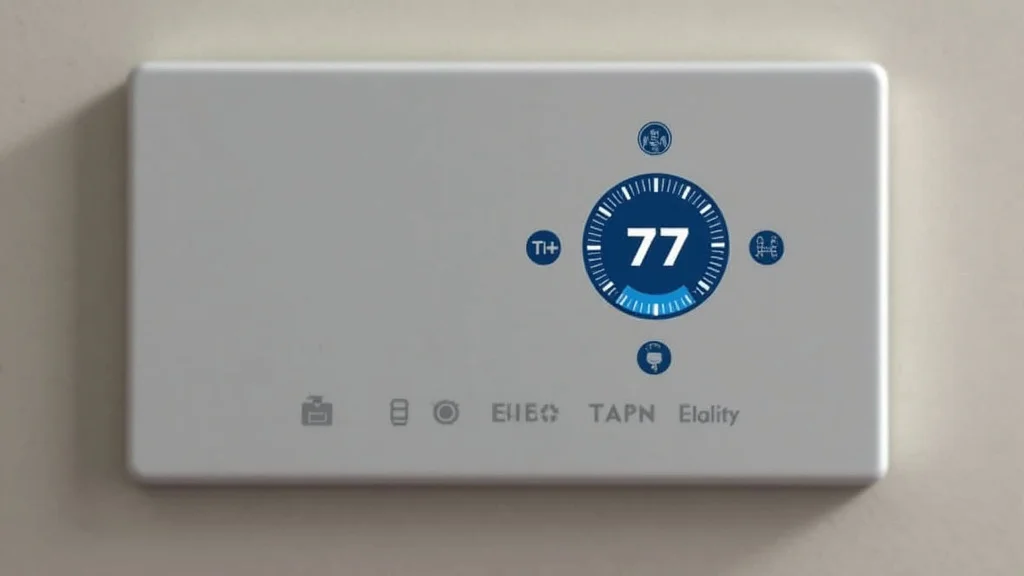
Picture this: It’s a freezing winter evening, and you’re racing home after a long day. Wouldn’t it be great to warm up the house before you even step inside? Or imagine you’re on vacation, and you can adjust your home’s temperature from your phone to save energy and money. That’s the power of a smart thermostat Alexa. This guide will show you how to set up and use a smart thermostat with Alexa, enhancing your home’s comfort and efficiency.
Key Takeaways
- Learn how to connect your smart thermostat Alexa.
- Explore the benefits of using voice control to adjust your thermostat.
- Discover how to create custom routines for automated temperature control.
- Find out how to save money on your energy bills with a smart thermostat.
- Understand the differences between various smart thermostat models.
- Get tips for troubleshooting common Alexa and smart thermostat issues.
Getting Started With Your Smart Thermostat Alexa
The first step to enjoying the benefits of a smart thermostat Alexa integration is choosing and setting up the right hardware and software. There’s a wide range of thermostats available, so it’s essential to select one compatible with your home’s heating and cooling system and with Amazon Alexa. Once you’ve purchased your thermostat, you’ll need to install it. This usually involves removing your old thermostat, connecting the wires, and mounting the new smart thermostat. After the physical installation, you’ll connect it to your home’s Wi-Fi network and link it to your Amazon Alexa account.
Choosing the Right Smart Thermostat
Selecting the right smart thermostat can feel like a big decision with many options. There are several brands and models to choose from, each offering different features and levels of sophistication. Consider the compatibility with your existing HVAC system; some thermostats are not compatible with all systems. For example, some models are designed for heat pumps, while others are better suited for traditional furnaces. Check the specifications carefully. Think about the features you need. Do you need a thermostat that learns your habits, or one that focuses on basic temperature control? Some thermostats include features like geofencing (automatically adjusting the temperature based on your location), energy usage reports, and integration with other smart home devices.
- Compatibility: Verify that the thermostat is compatible with your heating, ventilation, and air conditioning (HVAC) system.
- Features: Assess the features you need, like geofencing, energy reports, and smart home integration.
- Budget: Set a budget and compare options within your price range.
- Design: Select a design that complements your home’s aesthetic.
- Reviews: Check reviews from other users to assess product performance.
Installation Process
Installing a smart thermostat typically involves replacing your old thermostat with the new one. Start by turning off the power to your HVAC system at the circuit breaker for safety. Next, remove the faceplate of your existing thermostat and take a photo of the wiring connections before disconnecting any wires. This photo will be helpful when connecting the wires to the new smart thermostat. Disconnect the wires, typically labeled with letters like R, W, G, Y, and C. Attach the corresponding wires to the terminals on your new smart thermostat. Carefully follow the instructions provided by your thermostat’s manufacturer. Once the wires are connected, mount the new thermostat to the wall and turn the power back on. Finally, connect your new thermostat to your home’s Wi-Fi network.
- Turn Off Power: Always disconnect the power to your HVAC system before beginning installation.
- Photograph Wiring: Take a picture of your old thermostat’s wiring for reference.
- Wire Connections: Attach each wire to its corresponding terminal on the new thermostat.
- Mounting: Secure the thermostat to the wall.
- Power On and Configuration: Restore power and connect the thermostat to Wi-Fi.
Connecting to Amazon Alexa
The final step involves linking your new thermostat to Amazon Alexa. This process will vary slightly depending on the thermostat model, but the basic steps are usually the same. First, ensure your Amazon Echo device (or another Alexa-enabled device) is set up and connected to your home Wi-Fi network. Then, use the Alexa app on your smartphone or tablet. Search for the skill for your smart thermostat brand. Enable the skill and follow the on-screen instructions to link your thermostat account to your Amazon account. Once the skill is enabled, Alexa will discover your thermostat and allow you to control it with voice commands.
- Enable the Skill: Open the Alexa app and enable the skill for your specific thermostat.
- Account Link: Connect your thermostat account to your Amazon account.
- Device Discovery: Allow Alexa to discover your thermostat.
- Voice Commands: Test voice commands like, “Alexa, set the temperature to 72 degrees.”
- Verification: Make sure the thermostat responds correctly to the voice commands.
Using Voice Control With Your Smart Thermostat Alexa
Voice control is one of the most convenient features of a smart thermostat Alexa setup. Instead of manually adjusting the thermostat or using a smartphone app, you can simply use voice commands to control the temperature in your home. This is especially helpful when your hands are full, or you’re already relaxed on the couch. You can also create routines, so the thermostat automatically adjusts to your preference based on time or other triggers. This ease of use makes your living space more adaptable and saves time.
Basic Voice Commands
Getting started with voice commands is straightforward. You can use simple phrases to control your thermostat. For example, you can say, “Alexa, set the thermostat to 70 degrees,” to set your home’s temperature. You can ask for the current temperature by saying, “Alexa, what’s the temperature?”. Adjusting the temperature up or down is as simple as saying, “Alexa, increase the temperature by two degrees” or “Alexa, lower the temperature.” If your thermostat has multiple zones, you can specify which zone to control. For example, “Alexa, set the living room thermostat to 72 degrees.” Make sure you refer to your specific thermostat manual to see the exact commands supported.
- Setting Temperature: “Alexa, set the thermostat to .”
- Checking Current Temperature: “Alexa, what’s the temperature?”
- Adjusting Temperature: “Alexa, increase/decrease the temperature by .”
- Mode Control: “Alexa, set the thermostat to heat/cool/auto.”
- Zone Control: “Alexa, set the thermostat to .”
Creating Routines
Custom routines are where the power of Alexa and your smart thermostat truly shines. Routines allow you to automate tasks and create customized schedules, so your thermostat adjusts based on various triggers. For instance, you could set up a “Good Morning” routine that turns on the lights and sets the thermostat to a comfortable temperature when your alarm goes off. You can also create a routine that lowers the temperature at night to save energy. With routines, you can adjust your thermostat based on time of day, location, or even the weather. Consider adding a routine to turn down the heat when you leave home and to turn it back on before you return.
- Morning Routine: When the alarm goes off, turn on the lights and set the thermostat to 70 degrees.
- Evening Routine: At bedtime, lower the thermostat temperature to 66 degrees.
- Away Routine: When you leave home, the thermostat automatically switches to energy-saving mode.
- Return Routine: Set the thermostat to a comfortable temperature 30 minutes before your estimated return.
- Weather-Based Routine: If the outdoor temperature drops below freezing, activate the heat to prevent frozen pipes.
Troubleshooting Voice Control Issues
Sometimes, your smart thermostat may not respond to voice commands as expected. First, double-check that your Alexa device is connected to your Wi-Fi and that your thermostat is also online. Make sure the thermostat is correctly linked to your Alexa account. Try saying the command clearly and loudly, as Alexa can sometimes struggle with background noise or muffled speech. It might also be a good idea to check for updates for both your Alexa device and the thermostat, as updates can fix bugs and improve performance. If the problem continues, disable and then re-enable the thermostat skill in the Alexa app, then rediscover the device.
- Connectivity: Ensure both the Alexa device and the thermostat are connected to Wi-Fi.
- Account Link: Verify the thermostat skill is enabled and linked to your account.
- Voice Clarity: Speak clearly and loudly when giving voice commands.
- Updates: Check for updates for the Alexa device and the thermostat.
- Skill Troubleshooting: Disable and re-enable the thermostat skill in the Alexa app.
Maximizing Savings With a Smart Thermostat
A smart thermostat Alexa offers many opportunities to save money on your energy bills. One of the primary ways is through programmable schedules. You can easily set your thermostat to adjust the temperature automatically, so you’re not heating or cooling an empty house. For example, you can lower the temperature when you are at work during the day and raise it again before you return home. Smart thermostats often provide insights into your energy usage. By tracking your energy consumption, you can identify areas where you can make changes to reduce costs. Many smart thermostats offer reports, helping you to find the most efficient settings and prevent wasted energy.
Energy-Saving Strategies
To maximize savings, consider setting your thermostat to an energy-saving mode when you’re away from home. During the summer, raising the temperature by a few degrees can significantly reduce your cooling costs. In winter, lowering the temperature by a few degrees can save energy without sacrificing comfort. Take advantage of your thermostat’s learning capabilities, which learn your habits and adjust the temperature accordingly. When possible, schedule your thermostat to avoid running at peak energy times, which is when electricity prices are generally the highest. Pair your thermostat with other energy-efficient devices, such as smart plugs for appliances.
- Programmable Schedules: Set different temperatures for different times of the day.
- Away Mode: Enable energy-saving mode when you’re away from home.
- Temperature Adjustments: Raise or lower the temperature a few degrees in each season.
- Learning Capabilities: Let your thermostat learn your habits.
- Off-Peak Scheduling: Avoid running your system during peak energy times.
Energy Usage Insights
Most smart thermostats provide data about how much energy your heating and cooling systems are using. This information is typically displayed in a user-friendly format, often through an app. You can see historical data on your energy usage, compare your usage to previous months, and identify patterns that lead to higher energy consumption. For example, you might discover that you are consistently cooling the house more than necessary. The insights can help you determine the optimal temperature settings and adjust your habits to be more energy-efficient. These reports are valuable tools for making informed decisions about your energy consumption.
Here are some sample results from a fictional home:
| Month | Energy Consumption (kWh) | Cost |
|---|---|---|
| January (Before) | 1200 | $250 |
| January (After) | 1000 | $200 |
| February (Before) | 1100 | $230 |
| February (After) | 900 | $190 |
After adjusting the thermostat usage through a smart thermostat Alexa system, this family saw a significant decrease in both energy consumption and cost.
Geofencing and Smart Home Integration
Geofencing uses your smartphone’s location to automatically adjust your thermostat. As you approach your home, the system turns on the heat or air conditioning. When you leave, it switches to an energy-saving mode. This eliminates the need to manually adjust the thermostat, providing both convenience and energy savings. A smart thermostat Alexa easily integrates with other smart home devices. For example, you can set up a system to turn off the lights and lower the thermostat when you lock your front door. This integration creates a holistic smart home environment that enhances comfort and efficiency. It also allows you to control many devices with a single command.
- Geofencing: Adjust temperature based on your location.
- Smart Home Integration: Connect with other smart devices for complete home automation.
- Home Automation: Create automated scenes triggered by location or other devices.
- Efficiency: Ensure energy is only used when needed.
- Convenience: Automate tasks for easier temperature control.
Choosing the Right Model For You
When selecting a smart thermostat Alexa, different models vary in their features and prices. Choosing the best thermostat for your needs depends on your budget, your existing HVAC system, and your priorities. Some models focus on essential functions like temperature control and scheduling, while others provide advanced features, such as learning capabilities and detailed energy reports. Comparing different models can help you to make an informed decision, ensuring that you choose a thermostat that offers the features and performance you need.
Top Smart Thermostat Brands
Several brands lead the smart thermostat market, each with unique strengths and weaknesses. Nest is one of the most popular brands, known for its sleek design, easy-to-use interface, and learning capabilities. Ecobee offers a range of thermostats, providing excellent features, including room sensors that measure the temperature in different areas of your home. Honeywell Home provides reliable and cost-effective thermostats, with models compatible with various HVAC systems. Other brands such as Emerson and Resideo also offer various thermostat choices. It’s crucial to compare each brand’s features, prices, and user reviews to find the best option for your needs.
Here’s a comparison table showing the features of popular brands.
| Brand | Key Features | Compatibility | Price Range |
|---|---|---|---|
| Nest | Learning capabilities, sleek design, energy reports | Most HVAC systems | $129 – $249 |
| Ecobee | Room sensors, energy reports, remote control | Most HVAC systems | $199 – $299 |
| Honeywell Home | Reliability, compatibility, ease of use | Most HVAC systems | $99 – $199 |
Features to Consider
When comparing different smart thermostat models, focus on the features that matter most to you. Look for energy-saving features like programmable schedules and geofencing. Consider the display type; some thermostats have a touch screen, while others have a more basic interface. Smart home integration is a major feature. Ensure the thermostat is compatible with Alexa and other smart home platforms you use. Room sensors can be helpful for ensuring consistent temperatures throughout your home. Evaluate the installation process and whether it requires professional assistance or can be completed as a DIY project. Prioritize these features to select a thermostat tailored to your home.
- Compatibility: Ensure the thermostat is compatible with your HVAC system.
- Energy Efficiency: Look for programmable schedules, geofencing, and energy reports.
- Display: Choose a display type that is easy to read and use.
- Smart Home Integration: Make sure the thermostat works with Alexa and other platforms.
- Room Sensors: Consider models with room sensors for more even temperatures.
Cost and Value
The price of a smart thermostat varies greatly. Some thermostats are a budget-friendly option, while others offer more advanced features at a higher cost. It’s important to balance the initial cost with the long-term benefits. A more expensive thermostat may offer greater energy savings and convenience. Consider how much energy you can save each month and over the course of a year. Check for any rebates or incentives offered by your local utility company. Evaluate the overall value of the thermostat by considering its features, ease of use, and energy-saving potential. By evaluating the value, you can ensure that you choose a model that meets your needs.
- Initial Cost: Compare the prices of different models.
- Energy Savings: Consider the potential for reduced energy bills.
- Rebates: Check for utility company rebates.
- Features and Benefits: Balance cost with features and ease of use.
- Long-Term Value: Assess the overall value of the thermostat.
Common Myths Debunked
Myth 1: Smart Thermostats Are Difficult to Install
In reality, the installation process of a smart thermostat is usually straightforward and can be completed by most homeowners with basic DIY skills. It typically involves removing the old thermostat, connecting the wires to the new one, and mounting it on the wall. The manufacturers provide detailed instructions, and many online videos guide you through the process. Most smart thermostat Alexa systems are designed for easy integration. However, if you are uncomfortable with electrical work, you can always hire a professional for installation.
Myth 2: Smart Thermostats Only Benefit Tech-Savvy People
This is inaccurate. While familiarity with technology can be useful, smart thermostats are designed for users of all levels. The voice control feature and simple interfaces are designed for everyone, making it accessible to anyone who wants to control their home’s temperature more easily. You don’t have to be a tech expert to benefit from the convenience and energy savings offered by a smart thermostat Alexa. You can easily set up and use voice commands or create routines to automate your thermostat, no matter your technical skill level.
Myth 3: Smart Thermostats Are Not Worth the Investment
This is often untrue. A smart thermostat Alexa pays for itself. The upfront cost can be offset by savings on energy bills. You can save money each month by optimizing your energy use and preventing wasted energy. Many people find the investment pays off within a year or two, especially when combined with utility rebates. Smart thermostats also enhance convenience, allowing you to control your home’s temperature from anywhere. The combination of comfort, convenience, and energy savings makes them a worthwhile investment.
Myth 4: Smart Thermostats Cannot Handle Extreme Weather
Smart thermostats are designed to handle both very hot and very cold weather conditions. They are connected to your HVAC system and can adjust the temperature of your home based on your settings. Most smart thermostats have safety features that prevent freezing pipes in winter. These thermostats work with various HVAC systems and provide reliable and consistent performance in all conditions. You can rely on your smart thermostat to maintain your desired temperature range throughout the year, regardless of the outdoor weather.
Myth 5: Smart Thermostats Are Not Secure
Security is a key consideration with smart home devices. Smart thermostats employ a range of security measures, including encryption and secure communication protocols, to protect your data and privacy. Many reputable brands prioritize security and regularly update their firmware to address potential vulnerabilities. While no system is impenetrable, manufacturers take steps to protect against unauthorized access and ensure your data remains safe. Consider using strong passwords, and update the software to maximize security. Smart thermostats can be secure with the correct precautions.
Frequently Asked Questions
Question: Can I control my smart thermostat Alexa without a Wi-Fi connection?
Answer: No, the Alexa smart thermostat setup requires a Wi-Fi connection for both the thermostat and the Alexa device to communicate.
Question: What if my internet goes down? Will my thermostat still work?
Answer: Your thermostat should maintain the last programmed settings and continue to function as a standard thermostat. However, you won’t be able to control it via Alexa until the internet is restored.
Question: Does a smart thermostat Alexa work with any HVAC system?
Answer: Not necessarily. Check the thermostat’s compatibility before purchasing, as some models are designed for specific systems like furnaces or heat pumps.
Question: Can I control multiple thermostats with one Alexa device?
Answer: Yes, you can control multiple thermostats through a single Alexa account. Each thermostat must be linked separately.
Question: How often do I need to replace the batteries in a smart thermostat?
Answer: Most smart thermostats do not use batteries. They are typically wired directly to your home’s power supply. However, if your model does require batteries, the frequency of replacement depends on usage, typically every few years.
Final Thoughts
Integrating a smart thermostat Alexa into your home is a smart move toward increased comfort, energy savings, and modern convenience. This guide covers everything from choosing the right model to leveraging voice control and automating your temperature settings. By selecting the right thermostat and setting up routines, you can start controlling your home’s temperature with ease. Take time to explore different models and features to find the one best suited to your needs. The automation possibilities and energy-saving potential of a smart thermostat are significant, offering both ease of use and long-term financial benefits. Go ahead and start exploring the features to take full control of your home’s temperature and savings.


