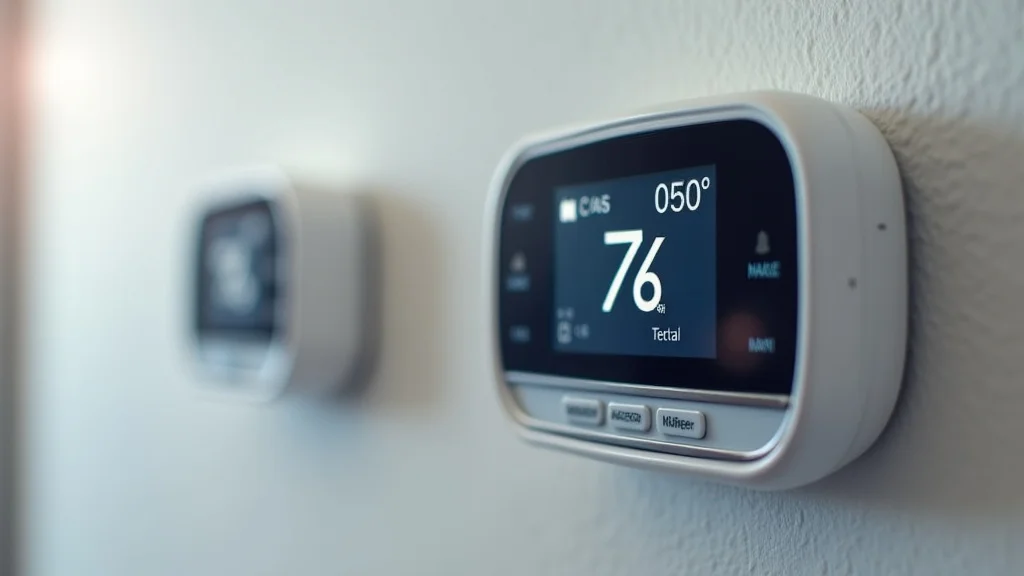
Picture this: It’s a scorching summer day, and you’re eagerly anticipating the cool embrace of your air conditioning. You reach for your sleek, new smart thermostat, only to find it unresponsive. The display is blank, and your home remains an oven. This frustrating experience might be due to a missing C wire. You’re probably wondering, do all smart thermostats require a c wire? This blog post explores the ins and outs of this important wire, helping you ensure your smart home remains comfortable. By the time you finish reading, you’ll have a clear grasp of what a C wire is, why it’s important, and how to identify if your system needs one. This information will help you troubleshoot potential issues and avoid temperature-related stress, improving your experience and making the most of your smart thermostat.
Key Takeaways
- The C wire provides a continuous power supply for smart thermostats.
- Not all systems need a C wire, but it’s essential for many to function properly.
- Identifying your current wiring setup is crucial before installing a smart thermostat.
- Several solutions exist if your system lacks a C wire.
- Smart thermostat compatibility depends on various factors, including the HVAC system.
- Proper wiring ensures that your thermostat provides accurate temperature control.
The Role of the C Wire in Smart Thermostat Systems
The C wire, also known as the “common wire,” is a critical component in many HVAC systems. It provides a constant power supply to your thermostat. Think of it as the lifeblood of your smart thermostat; without it, the device may not function correctly. Unlike older, simpler thermostats that draw power from the HVAC system during a call for heating or cooling, smart thermostats often require a continuous power source to operate features such as Wi-Fi connectivity, a touch screen, and other smart functions. This continuous power supply allows the thermostat to maintain its settings, receive updates, and communicate with your smart home ecosystem. The absence of a C wire often leads to a blank screen, intermittent function, or erratic behavior from the smart thermostat, leaving you with an uncomfortable home.
What the C Wire Actually Does
The primary function of the C wire is to provide a constant 24-volt AC power supply to the thermostat. This steady flow of electricity is essential for several reasons. It allows the thermostat to continuously monitor and adjust the temperature, even when the heating or cooling system isn’t actively running. The C wire also powers the thermostat’s internal components, such as the Wi-Fi module, display, and memory, ensuring they are always ready to respond to your commands. Without a dedicated power source, the thermostat may have difficulty maintaining settings or communicating with your phone. Essentially, the C wire ensures that your smart thermostat can perform its intended functions seamlessly and reliably, making your home more comfortable and efficient.
- Continuous Power Supply: The C wire consistently feeds 24VAC power to the thermostat.
- Keeps Settings and Memory: The C wire powers the thermostat’s memory, retaining your programmed settings.
- Wi-Fi and Smart Feature Operation: The C wire allows smart features like Wi-Fi to function without draining power from the batteries.
- Ensures Display and Touchscreen Functionality: The C wire powers the display and touch controls.
This allows the thermostat to function without being directly tied to the heating or cooling cycles.
Even if the power is briefly cut off, the thermostat remembers your preferences.
The Wi-Fi will stay powered and continue the connection to your network.
This ensures you can always see the current temperature, change settings, and see other useful information.
Identifying C Wire Presence in Your System
Before installing a new smart thermostat, it’s essential to determine whether your current wiring setup includes a C wire. This preliminary step can save time and prevent potential headaches during installation. Start by removing your old thermostat’s cover to expose the wiring. Carefully examine the terminal block, which is where the wires connect. Look for a wire connected to the terminal labeled “C,” “Common,” or a similar abbreviation. If a wire is present at this terminal, you likely have a C wire in your system. If there is no wire connected to the “C” terminal, your system may not have a C wire, or the wire may not be connected to the thermostat. However, finding the C wire is not always as straightforward as it seems; sometimes the wire may be present, but not connected to the old thermostat.
- Locate the Thermostat: Turn off the power to your HVAC system at the breaker.
- Remove the Thermostat Cover: Take off the cover to see the wires and the terminal block.
- Examine the Terminal Block: Look for a terminal labeled “C,” “Common,” or similar.
- Check for a Wire: If a wire is connected to the “C” terminal, you have a C wire.
- Note the Wire Color: Often, the C wire is blue, but it can be other colors.
Safety first! Disconnect the power before you do anything.
This reveals the wiring configuration.
The C terminal is your friend in this process.
This wire provides constant power.
The wire might have a different color; be sure to document your old setup before removing any wires.
Do All Smart Thermostats Require a C Wire? Exploring Compatibility
The answer to “do all smart thermostats require a c wire” isn’t a simple yes or no. While a C wire is highly recommended and often essential for optimal performance, some smart thermostats can function without one. These thermostats often rely on battery power or use a “power stealing” method to draw electricity from the HVAC system’s other wires. However, this method can sometimes lead to issues, like the thermostat not working correctly. The ideal situation is always to have a C wire connected. Several brands also design smart thermostats specifically to work well without a C wire, offering solutions such as a “C-wire adapter.” The availability and effectiveness of the solutions depend on your specific HVAC system and the features you desire.
Thermostat Models and Compatibility Factors
The compatibility of a smart thermostat is influenced by the model you choose and several other elements. Some thermostats are explicitly designed to operate without a C wire, often including built-in features to mitigate the absence of a dedicated power source. Others might have a low-power mode, allowing them to conserve battery life, or include a “power extender” to help them. Check the manufacturer’s product specifications. Your HVAC system’s type and voltage also play a role. Certain systems, such as heat pumps, may have specific wiring requirements that impact the compatibility of the thermostat. Consider the features you want in your smart thermostat. If you need extensive features, a C wire is a good choice.
- Manufacturer Specifications: Always check the product details for C wire requirements.
- Battery-Powered Options: Some thermostats run solely on batteries, bypassing the need for a C wire.
- Power Stealing Capabilities: Some thermostats can “steal” power from the other wires.
- HVAC System Compatibility: Ensure the thermostat is compatible with your HVAC system type (e.g., furnace, heat pump).
- Voltage Requirements: Thermostats usually work with 24VAC systems, so check your system.
Read the details about your new device.
These units can be convenient, but you may need to replace the batteries regularly.
This technique can work, but it might reduce system reliability.
Double-check before buying.
Incorrect voltage can damage the thermostat.
Smart Thermostat Solutions Without a C Wire
If your system lacks a C wire, you’re not entirely out of luck. Several solutions can help you install and operate a smart thermostat. One common option is a C-wire adapter. This device connects to the furnace and provides the necessary power to the thermostat. Another option is to use a thermostat that runs on batteries, eliminating the need for any wiring modifications. You can also explore power-stealing thermostats, which draw power from other wires in your system. If you’re comfortable with electrical work, you could run a new C wire from your HVAC system to the thermostat. Remember to always turn off the power to your HVAC system before doing any electrical work. Professional installation is suggested if you are unsure.
- C-Wire Adapter Installation: The adapter connects to your HVAC system and provides a C-wire connection to the thermostat.
- Battery-Powered Thermostats: These models don’t require any wiring for power.
- Power-Stealing Thermostats: These thermostats draw small amounts of power from the existing wires.
- Running a New C Wire: Hire a professional to add a C wire from your HVAC unit to the thermostat location.
This is a practical solution that ensures constant power.
They are easy to install, but battery replacement is a factor.
Note: This may affect functionality.
It’s best to have a qualified technician install a C wire.
Installation Steps: Adding a C Wire
The process of adding a C wire involves several steps, and while it might seem complex, it can be manageable if you are comfortable with some basic electrical work. First, switch off the power to your HVAC system at the circuit breaker for safety. Then, remove your old thermostat and carefully note the existing wire connections, including the color of each wire and its corresponding terminal. Next, locate the wiring panel on your HVAC system. You will need to identify the “C” terminal on the control board. Run the new C wire from the thermostat location to the HVAC system, using the same gauge wire as the other thermostat wires. Connect one end of the new C wire to the “C” terminal on the control board and the other end to the “C” terminal on your new smart thermostat. Finally, turn the power back on, install your new thermostat according to the manufacturer’s instructions, and test the system to ensure it functions correctly.
Step-by-Step Guide for Wiring
Adding a C wire requires precision and attention to detail. Carefully follow each step for a safe and successful installation. Always turn off the power to the HVAC system before doing anything with the wiring. This will prevent electrical shocks. When removing your old thermostat, label each wire clearly to ensure you know where they go on the new thermostat. After your smart thermostat is in place, you may need to adjust the settings. Consult the user manual for your smart thermostat.
- Turn Off the Power: Shut off the power to the HVAC system at the breaker.
- Remove the Old Thermostat: Unscrew the thermostat and expose the wires.
- Label the Wires: Mark each wire with its terminal letter (R, W, Y, etc.).
- Locate the HVAC System Wiring: Find the control board inside the furnace or air handler.
- Identify the C Terminal: Locate the “C” terminal on the control board.
- Run the C Wire: Connect a new wire from the thermostat’s C terminal to the HVAC system’s C terminal.
- Connect the Wires to the Smart Thermostat: Connect the wires according to the new thermostat’s instructions.
- Test the System: Turn the power back on and check if the thermostat functions.
Safety first!
Take pictures before doing anything!
Use labels or tape for an easier job.
The control board is where you will add the wire.
Make sure this terminal is present.
Use the same gauge as other thermostat wires.
Take pictures for reference.
It’s essential to do a test run!
Professional Installation: When to Seek Help
While many homeowners are comfortable handling basic home improvement tasks, there are times when seeking professional help is the better option. If you are uncertain about any steps in the wiring process, such as identifying the correct wires or accessing your HVAC system’s wiring panel, calling a professional is wise. A qualified HVAC technician can safely and efficiently add a C wire to your system, ensuring that your smart thermostat functions correctly. Some local codes may require a permit and inspection for electrical work. Also, if your HVAC system is complex or has unusual wiring, a professional will have the expertise to handle the job correctly. It is better to prevent damage to your equipment. A professional can also provide you with valuable advice about your HVAC system.
| DIY Installation | Professional Installation |
|---|---|
| You have experience with electrical work. | You are unsure about electrical wiring. |
| Your system is straightforward. | Your system has complex wiring. |
| You want to save money. | You are willing to pay for expertise. |
| You have time and patience. | You need a quick and reliable setup. |
Do All Smart Thermostats Require a C Wire: Common Myths Debunked
Misconceptions about smart thermostats and their wiring are widespread. Clarifying these common myths will help you make informed decisions about your home’s heating and cooling system. It is important to separate fact from fiction. One prevalent myth is that all smart thermostats work perfectly without a C wire. The truth is that while some models can operate without a C wire, they may experience performance issues, such as a dead screen or erratic behavior, or they may simply not have all the smart features of those that use the C wire. Understanding these myths and the corresponding realities can help you install your smart thermostat safely and get the best experience possible.
Myth 1: All Smart Thermostats Work Without a C Wire
Many people believe that all smart thermostats are designed to work flawlessly without a C wire. The reality is that while some smart thermostats have methods to function without a C wire, such as running on batteries or “power stealing,” these solutions can be less reliable. Thermostats without a dedicated power source may experience glitches, reduced features, or shortened lifespan. Some older systems might require additional components or workarounds to function properly, reducing the benefits of a smart thermostat. This includes those without Wi-Fi or with dim displays. Always check the thermostat’s specifications and confirm that the thermostat is compatible with your HVAC system and wiring configuration.
Myth 2: A C Wire Is Always Required for All HVAC Systems
Contrary to the belief that a C wire is always required, certain systems may function without it, especially if they are designed to work that way. Systems that utilize battery-powered thermostats, for instance, don’t need a C wire. Some modern systems incorporate features like “power stealing” to provide adequate power. The best approach is to check the manufacturer’s directions for your smart thermostat and ensure that it is compatible with your HVAC system. While a C wire offers the most reliable power supply and is advised in most cases, many efficient solutions work if your system is without one.
Myth 3: Adding a C Wire Is Simple for Everyone
The myth that adding a C wire is always a simple task for any homeowner is untrue. Adding a C wire requires comfort with electrical work and a basic knowledge of HVAC systems. The process includes turning off the power, identifying and labeling wires, locating the control panel on your HVAC system, and connecting new wires. While this is straightforward for some, it can be unsafe and difficult for others. If you are not comfortable with electrical work, it’s best to consult an HVAC professional. A professional will handle the wiring safely and efficiently, assuring that your smart thermostat functions as intended without risk.
Myth 4: C-Wire Adapters Are Always a Perfect Solution
C-wire adapters seem like a quick and easy fix, but the idea that they are always a flawless solution is not true. While they often solve the C wire problem, the effectiveness depends on your specific system and the quality of the adapter. Sometimes, adapters may not be compatible with your specific HVAC setup or cause operational glitches. These situations may occur in older or more complex systems. Therefore, verify the adapter’s specifications, read customer reviews, and ensure compatibility. A professional can offer advice on the best choices, which can ensure smooth operation and avoid any potential issues.
Myth 5: It Doesn’t Matter Where the C Wire Comes From
Some believe the exact location from which the C wire is wired isn’t important. In reality, the wire should come from the appropriate terminal on your HVAC system’s control board. Incorrect wiring can cause your thermostat to malfunction and may damage the unit. If you’re unsure about the process, it’s best to hire a professional. Safety should always be your top priority. Proper connections ensure that your smart thermostat receives a steady power supply and functions correctly. They also prevent any damage to your valuable HVAC unit, reducing the need for repairs.
Frequently Asked Questions
Question: Can I install a smart thermostat if I don’t have a C wire?
Answer: Yes, you have a few options: use a thermostat designed to work without one, install a C-wire adapter, or have a new C wire run from your HVAC system.
Question: What is a C-wire adapter, and how does it work?
Answer: A C-wire adapter is a device that provides a C-wire connection from your HVAC system to your thermostat, giving it the needed power.
Question: Are all smart thermostats compatible with all HVAC systems?
Answer: No, you should always check compatibility with your HVAC system type (furnace, heat pump, etc.) before purchasing.
Question: What are the benefits of using a C wire?
Answer: A C wire provides a steady power supply, allowing for all smart features to function, reducing battery replacement needs and ensuring consistent performance.
Question: What if I don’t know how to add a C wire?
Answer: It’s best to hire an HVAC professional for wiring if you are not comfortable with electrical work. A professional can ensure a safe and correct installation.
Final Thoughts
So, do all smart thermostats require a c wire? The answer isn’t always straightforward, but having a C wire is the preferred route. It provides the consistent power supply smart thermostats need to perform correctly. While some thermostats may function without a C wire, you might miss out on features or experience occasional issues. You’ve now explored how to identify whether your system has one, the alternatives available, and the importance of checking compatibility. Now, you can confidently evaluate your current setup and determine the best approach for installing your smart thermostat. Proper preparation ensures that you will maintain comfort and energy efficiency. Proceeding with the right knowledge empowers you to create a more convenient and efficient home environment. Consider the wiring in your system, and enjoy a smart, comfortable living space!


